Table of contents (10)
- What is a central kitchen distributing goods to a store chain?
- Why is splitting batches from large bins into small trays hard to manage?
- RFID Tagging Process for Ingredient Containers at Inbound
- Printing new tags for small trays and recording which batch each sub-tray belongs to
- Reading at the outbound door: which tray goes to which store
- Tracing back from an in-store tray to the ingredient batch when an incident occurs
- Summary table: terms and examples in the batch-splitting process
- Common mistakes when deploying batch splitting with RFID
- Choosing equipment for the central kitchen: readers, printers and PDAs
- Frequently asked questions
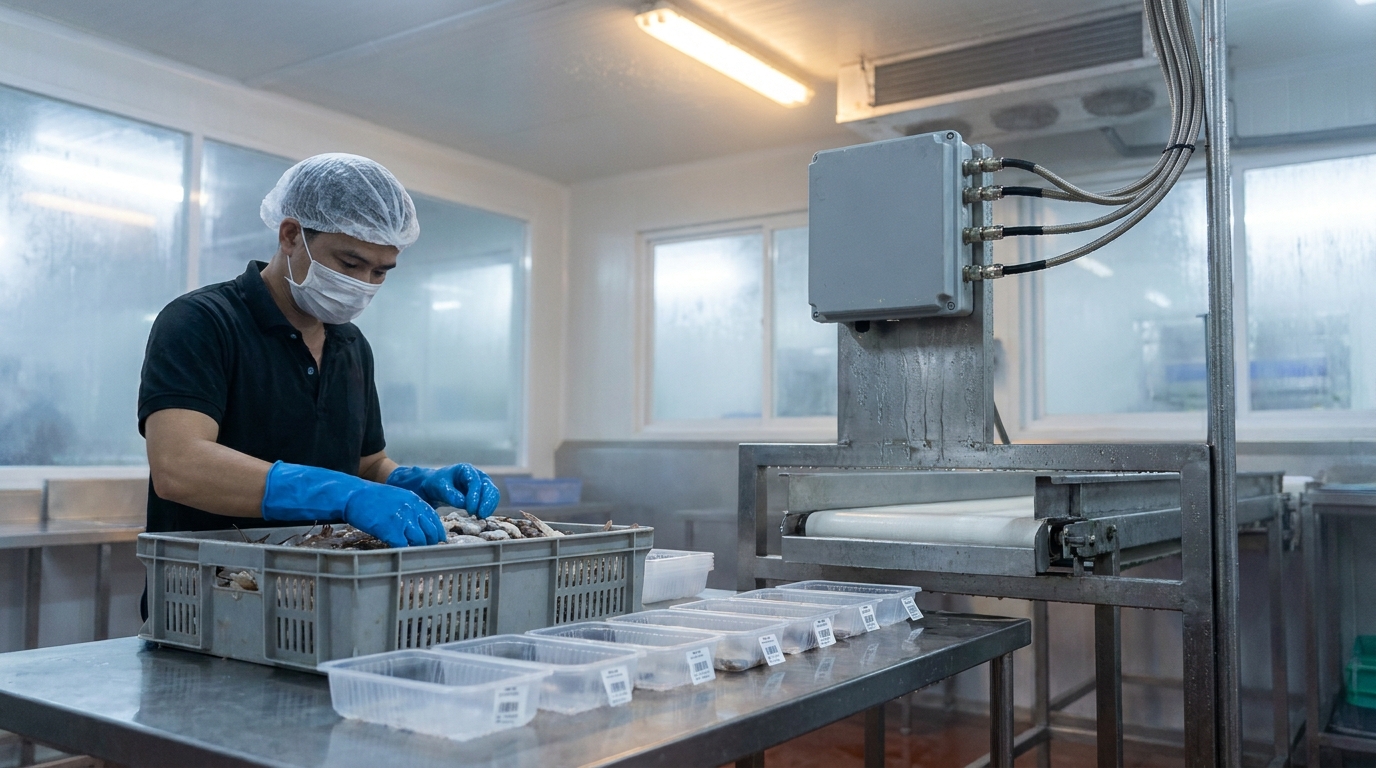
Batch splitting at a central kitchen is the process of splitting one large bin of ingredients into multiple small trays for stores, while preserving the traceability relationship between the child trays and the original ingredient batch. At supermarket chains, fresh food stores and frozen distributors in Vietnam, this is the stage where traceability is most easily lost across the entire cold chain: goods have left the bin but no one knows anymore which batch that tray belongs to. The common solution today is to use RFID UHF, tagging the original bin, printing new tags for the child trays and reading automatically at the dispatch gate.
Batch splitting at a central kitchen is the process of tagging the original ingredient bin with an RFID tag upon warehouse receipt, then when splitting into small trays, printing a new tag for each tray and recording which batch that tray belongs to. A fixed reader at the dispatch gate records which tray goes to which store; when an incident occurs, read the tray tag at the store to trace back to the original ingredient batch. In Vietnam, devices must be configured for the 918.4–923 MHz frequency band.
Table of contents
- What is a central kitchen distributing goods to a store chain?
- Why is splitting batches from large bins into small trays difficult to manage?
- The process of tagging ingredient bins with RFID upon warehouse receipt
- Printing new tags for small trays and recording which batch the child tray belongs to
- Reading at the dispatch gate: which tray goes to which store
- Tracing back from the tray at the store to the ingredient batch when an incident occurs
- Summary table: terminology and examples in the batch splitting process
- Common mistakes when implementing batch splitting with RFID
- Choosing equipment for the central kitchen: readers, printers and PDAs
- Frequently asked questions
What is a central kitchen distributing goods to a store chain?

A central kitchen distributing goods to a store chain is a model in which one central kitchen or warehouse receives ingredients in large bins, pre-processes them and splits them into small portioned trays, then dispatches them to multiple stores within the same system. Unlike a single restaurant kitchen, each tray at a central kitchen must carry batch, production date and destination information.
The core difference lies in the number of circulating units. A restaurant kitchen handles a few dozen trays per day; a central kitchen distributing to 10–30 stores can create hundreds to thousands of trays per day. Each tray is a unit that needs to be traced individually when there is feedback from a store or from an end customer.
In this model, central kitchen batch management does not stop at recording incoming bins in a ledger. It must follow through to each tray that has left the kitchen; otherwise, all traceability reports are only correct at the bin level and meaningless at the tray level.
See the implementation approach, equipment and phased roadmap on the RFID solution for the cold chain and fresh food page.
Why is splitting batches from large bins into small trays hard to manage?
Related products


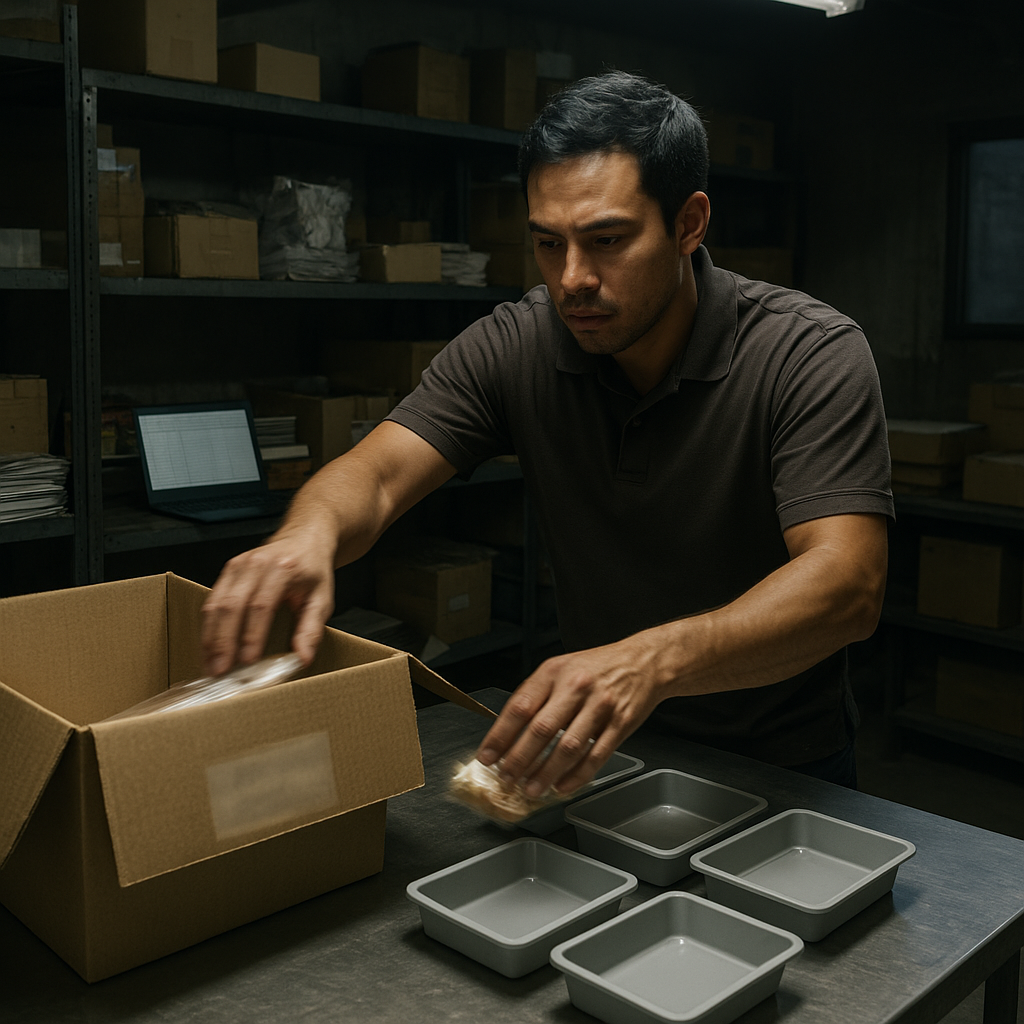
It is hard because the batch information sits on the original bin, while the sub-trays are new carriers with no data. When the bin is opened, divided and discarded, the trays become units orphaned from their information. Manual records on paper or in Excel files typically break down from the few-dozenth tray onward.
Three common points of failure:
- Loss of the physical link: the original bin is discarded or reused, leaving no object to reconcile against.
- Handwriting cannot keep up: staff split goods within a narrow time window, usually 4 a.m.–8 a.m., and do not have enough time to record each tray in a logbook.
- No automated read point: the outbound door does not record which tray went to which store, so when a store reports an issue, the kitchen does not know when that tray was dispatched.
The operational consequence is that when one tray of goods fails, the warehouse manager has to block the entire batch instead of blocking only the relevant portion. This increases the volume of goods that must be recalled and lengthens processing time.
RFID Tagging Process for Ingredient Containers at Inbound
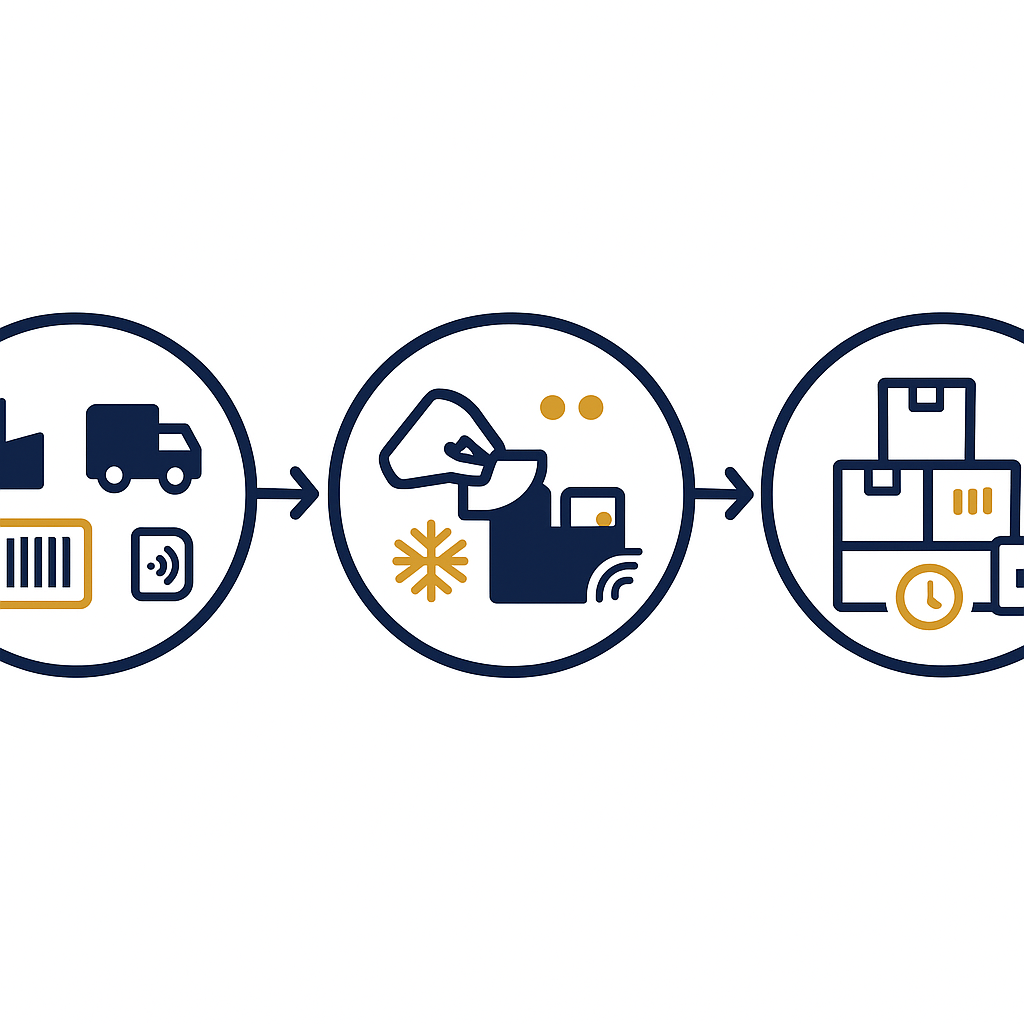
At inbound, each ingredient container is tagged with a UHF RFID tag carrying the batch code, supplier code, inbound date and expiry date. This tag is the origin of the entire downstream traceability chain. The tag must withstand cold-storage temperatures and adhere firmly to the container surface throughout storage.
Implementation steps at the central kitchen:
- Select a tag type suited to the environment: for frozen goods, use cold-chain RAIN RFID labels with an adhesive that withstands freeze-thaw cycles; for fresh goods, a standard label is sufficient.
- Write batch data to the tag: internal batch code, supplier code, inbound date, expiry date, storage location. Data is written to the EPC or User memory area depending on the system design.
- Apply the tag to the container: the placement position should avoid hidden corners and bare metal surfaces. On plastic or cardboard containers, applying to a wide flat surface is the most stable.
- Read to confirm at inbound: use a handheld reader or a fixed reader at the inbound door to confirm the tag was written correctly and can be read.
Step 4 is important because tags applied to frozen containers sometimes cannot be read if the adhesive has not bonded or the surface is wet. This must be checked right at the inbound door rather than discovered late at the order-splitting stage.
Printing new tags for small trays and recording which batch each sub-tray belongs to
When splitting a batch, each small tray is printed with a new RFID tag and the system records which original batch the sub-tray belongs to. This is the step that determines downstream traceability. New tags must be printed on site with an RFID printer so as not to slow the order-splitting pace.
Tag printing and assignment process:
- Select the tray and portion size: 500g, 1kg trays or per the specification of each item. Each tray is a separate traceability unit.
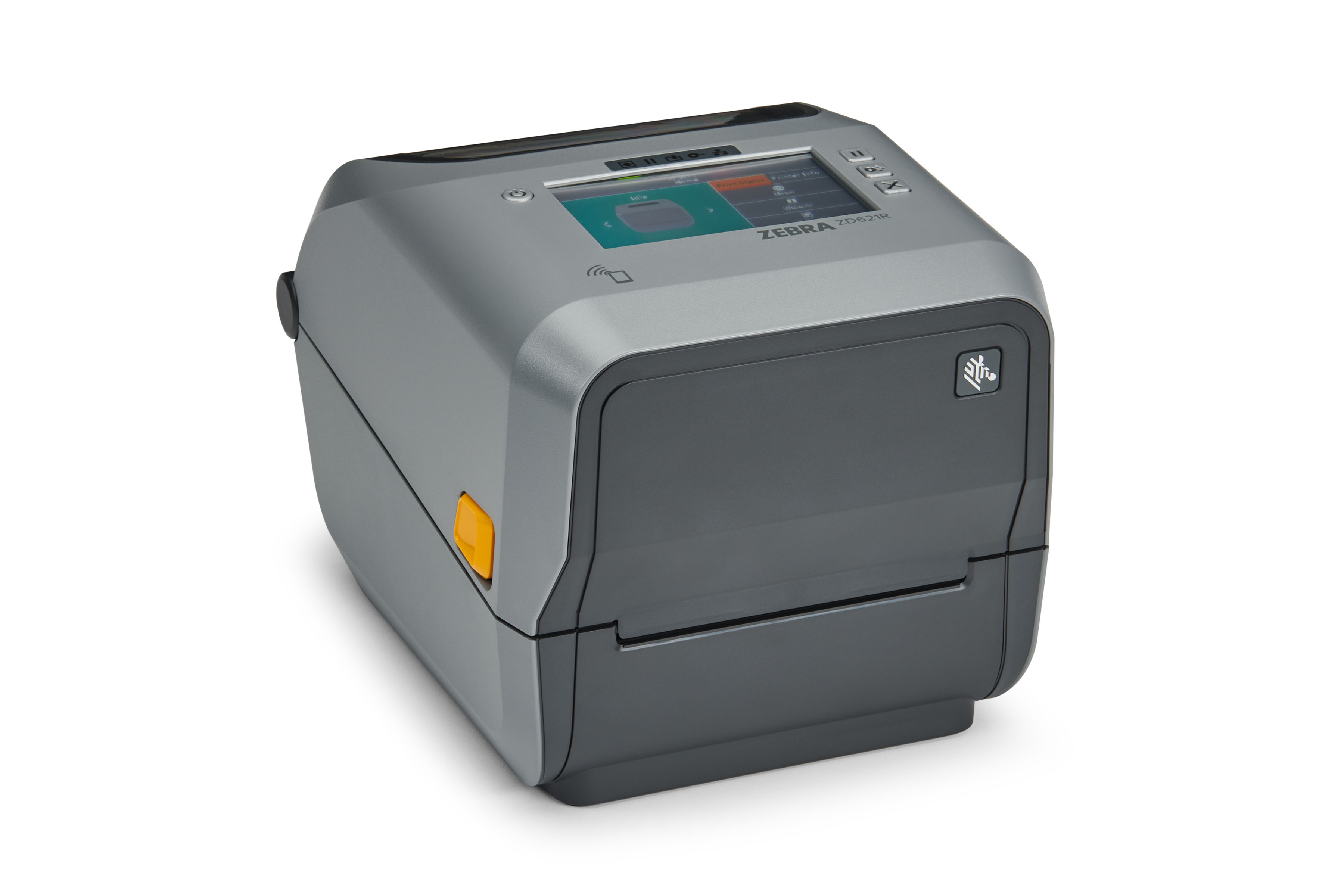
- Print tray tags with an RFID printer: a 4-inch RFID printer such as the Zebra ZD621R prints and encodes tags in a single pass, suitable for on-site printing at the kitchen with high volumes per shift.
- Record the tray-batch relationship: the software writes the new tray code and references the original batch code of the container. This relationship is the bridge for two-way traceability.
- Apply the tag to the tray: apply to the top of the tray lid so the reader at the outbound door can read it when trays are stacked.
- Read to confirm by tray batch: re-read all newly printed trays before moving them to the packing area.
For frozen goods, use RFID labels with a wide operating temperature range and an adhesive that withstands freeze-thaw. Labels commonly available on the market have an operating range of -25°C to 70°C and withstand freeze-thaw cycles; this is the level to compare against the actual temperature of the warehouse and transport vehicles.
Reading at the outbound door: which tray goes to which store
At the outbound door, a fixed RFID reader records all trays passing through and the software assigns the tray batch to each store's outbound order. The result is that each tray has a specific destination, not just a batch code. This is the data for reconciliation when the store receives goods or when an incident occurs.
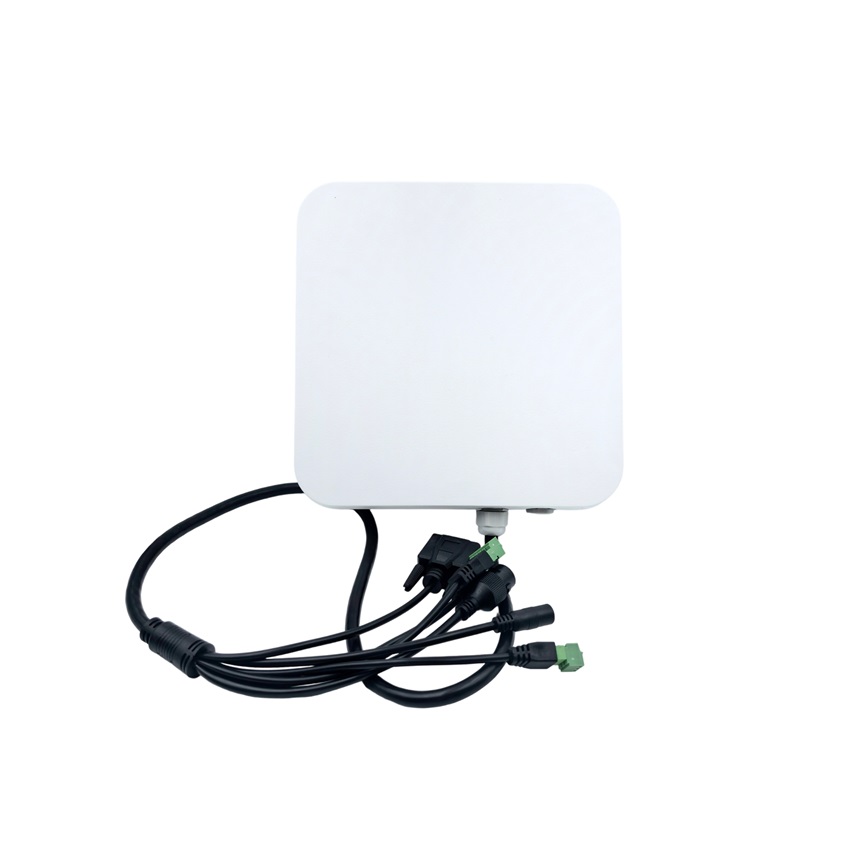
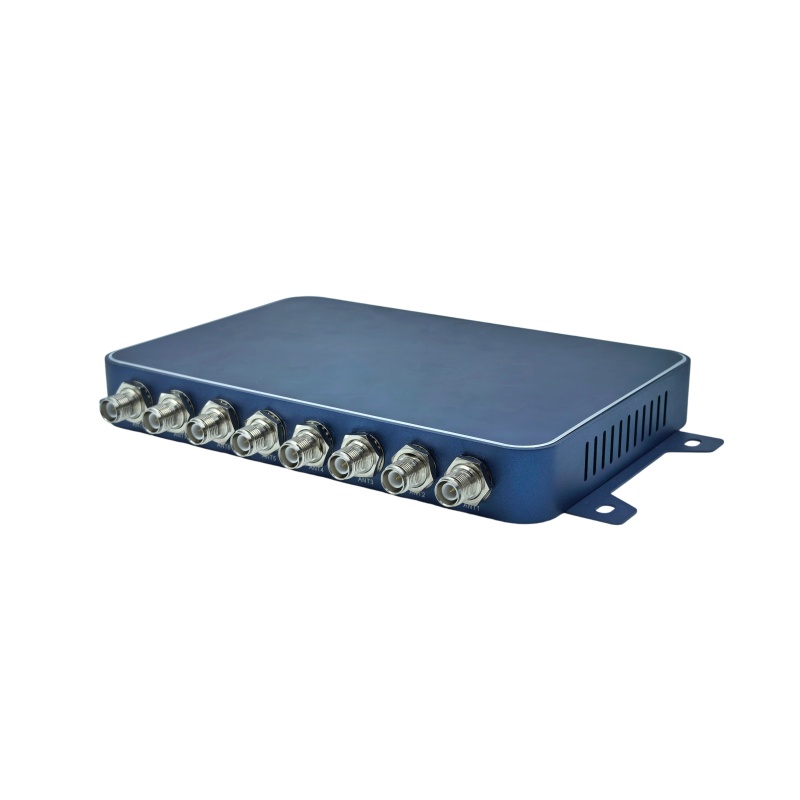
The suitable device for this stage is a fixed reader with multiple antenna ports. According to the manufacturer's specifications, the Symo FR38A uses the Impinj E710 chip, has 8 RP-TNC antenna connectors, 5–33 dBm power and a read range of 0–30 m depending on the tag and environment. Multiple antenna ports allow coverage of a wide outbound door or multiple outbound lanes in the same area.
Commonly used layout:
- One antenna pointing down at the tray flow passing over a conveyor or cart.
- One auxiliary antenna pointing toward the waiting area to avoid missing trays placed close together.
- One antenna at the roll-up door or exit to confirm the tray has left the area.
Limitations to plan for: metal and liquids block the signal. Stainless steel trays, trays with water or heavily marinated food will reduce the actual read range compared with the manufacturer's specifications. Testing must be done on the exact tray type and exact goods type of the kitchen before finalizing antenna positions.
Tracing back from an in-store tray to the ingredient batch when an incident occurs
When a store finds a tray that fails inspection, staff read the RFID tag on the tray to get the tray code, then use it to look up the source batch, inbound carton, supplier and inbound date. This process takes place at the store, with no need to wait for the kitchen to check its records. This is the ultimate goal of the entire batch-splitting process.
Trace-back sequence:
- Read the tray tag at the store: use a handheld reader or a PDA with integrated RFID to get the tray code.
- Look up the tray-batch relationship: the system returns the source batch code and all inbound information for that batch.
- Determine the scope of impact: list the other trays from the same batch that have been shipped to which stores and where they currently are.
- Make a decision: block only the affected portion instead of blocking the entire batch or all goods for the day.
For step 1 to be possible at the store, the reading device must suit a retail environment. The Chainway C61 Cold Storage industrial handheld is one option for cold storage and low-temperature areas; for ordinary stores, an Android PDA with integrated RFID is sufficient. The necessary condition is that tray data must be synced to the central system as soon as it is shipped; otherwise, lookups at the store will return no results.
Summary table: terms and examples in the batch-splitting process
The table below summarizes the key terms used in the batch-splitting process at the central kitchen, with practical operational examples. The purpose is for the warehouse team and the store team to use the same language when discussing traceability.
| Term | Definition | Example |
|---|---|---|
| Source batch tag | RFID tag attached to the ingredient carton at inbound, carrying the batch code and inbound information | 20kg salmon carton received on 12/03, batch code L260312-04 |
| Child tray tag | Newly printed RFID tag created when goods are divided, attached to each small tray | 500g salmon tray, code K260312-04-017 |
| Tray-batch relationship | Data link between the tray code and the source batch code | Tray K260312-04-017 belongs to batch L260312-04 |
| Outbound read point | Fixed reader location that records trays leaving the kitchen | Outbound door No. 2, antenna facing down toward the conveyor |
| Trace-back | The process of looking up the source batch and scope of impact from a tray code | Read the tray at the District 7 store, trace it to the batch received on 12/03 |
Common mistakes when deploying batch splitting with RFID
The most common mistake is tagging only at the carton level without printing tags for trays, which makes traceability stop at the batch level. The second mistake is skipping the check of device frequency bands against Vietnamese regulations. Both let the system work during a pilot but become unusable in real operation.
- Tagging only cartons, not trays: the system has batch data but no unit-level data, so it cannot trace back from a tray.
- Not configuring the Vietnam frequency band: devices are imported with a foreign frequency band left as default, not the permitted 918.4–923 MHz band. You need to choose the 902–928 MHz device version and then set the frequency band during installation, and ask the supplier clearly about this.
- Placing antennas according to drawings without measuring in practice: metal and liquids block waves, so a position that looks good on a drawing can still miss trays when actually installed; you must measure the read rate on real trays before finalizing.
- Not syncing outbound data to the central system: the store can read the tray code but cannot look up the batch because the data is still at the kitchen.
- Using labels unsuitable for temperature: standard labels peel off in the freezer, losing the tag mid freeze-thaw cycle.
One rarely mentioned mistake is skipping the test on real goods. With the same type of tag and the same reader, the read rate on empty plastic trays is completely different from that on trays holding marinated, moist food. Only test figures on real goods are a basis for finalizing the configuration.
Choosing equipment for the central kitchen: readers, printers and PDAs
A minimum equipment set for the batch-splitting process includes a fixed reader at the dispatch door, an RFID printer to print tray tags, and a handheld reading device for stores. Choosing the configuration depends on the number of trays per shift, the number of dispatch doors and the temperature of the installation area.
Suggested configurations by scale:
- Kitchen with 1–2 dispatch doors, under 1,000 trays/day: one 4-port fixed reader such as the Chainway UR4 is enough for coverage. A 4-inch RFID printer prints the tray tags.
- Kitchen with 3–6 dispatch doors, 1,000–5,000 trays/day: an 8-port reader such as the Symo FR38A is more suitable because it can cover more dispatch lanes. Antenna positions need to be calculated based on the actual tray flow.
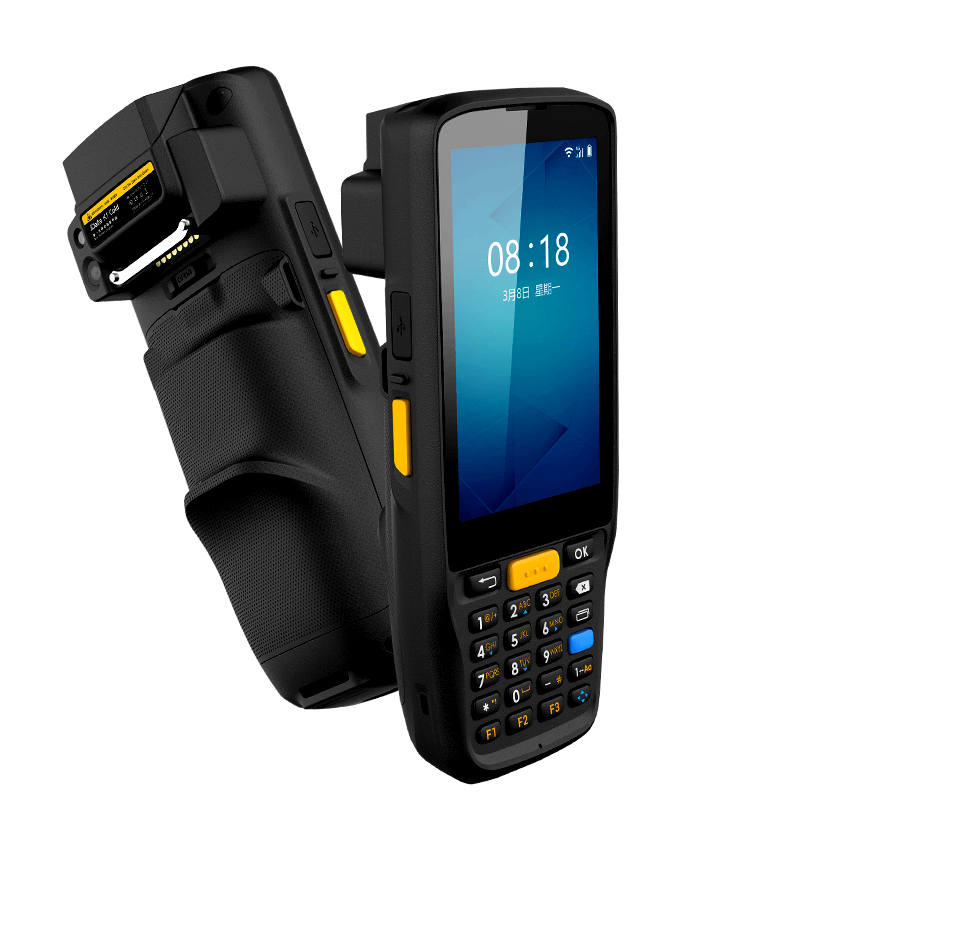
- Deep cold storage areas: use cold storage handheld reading devices such as the Chainway C61 Cold Storage or iData K1 Cold so staff can operate at low temperatures.
The RFID printer needs to be placed right in the sorting area, not in the administrative office. The reason is that tray tags must be printed and applied within the same sorting rhythm; if trays have to be carried to another room to print, the process will be prolonged and easily skipped during peak hours.
For chains with strict traceability requirements, also review the overall solution at RFID solutions for fresh food cold chains to cross-check the equipment configuration against operating procedures.
Frequently asked questions
Can RFID tags on small trays be read in a -18°C freezer warehouse?
Yes, if cold-chain RFID labels with a suitable operating temperature range and an adhesive layer that withstands freeze-thaw cycles are used. Common labels have an operating range of -25°C to 70°C and withstand freeze-thaw cycles. However, low temperatures reduce the actual read range compared with the manufacturer's specifications; testing on real trays at the actual warehouse temperature is needed before finalizing antenna positions.
Why must new tags be printed for trays instead of reusing carton tags?
Because carton tags are attached to the original packaging and are usually discarded when goods are split. The tray is the actual unit that circulates to the store, so it must have its own tag carrying the tray code and its relationship to the original batch. Without printing tray tags, the system can only trace to batch level and cannot answer which carton a specific tray belongs to.
What is the read range of the Symo FR38A fixed reader?
According to the manufacturer's specifications, the Symo FR38A has a read range of 0–30 m depending on the tag and environment, 5–33 dBm output power, uses the Impinj E710 chip with 8 RP-TNC antenna ports. The actual read range at a kitchen dispatch door is usually lower because metal trays, steam and moist food block the signal. Therefore, measurement on real goods is required instead of relying on the maximum figure.
What should be noted about frequency for RFID UHF devices imported into Vietnam?
The frequency band permitted in Vietnam, 918.4–923 MHz, must be configured correctly. The approach is to choose a device version that supports the 902–928 MHz band, then set the frequency band during installation. Ask the supplier clearly about this configuration before purchasing, because devices left at default foreign frequency bands may not comply with regulations and may affect operation.
When a store detects a faulty tray, how long does it take to trace the original batch?
The time depends on whether the dispatch data has been synchronized to the central system. If synchronized at dispatch, store staff read the tray tag with a handheld device and look up the original batch within a few minutes. If the data is still at the kitchen, manual reconciliation must be awaited and the time is prolonged depending on the volume of goods that day.
Is it necessary to replace the entire current paperwork process?
Not immediately. The practical approach is to run in parallel for 2–4 weeks: keep recording in the ledger as before while also tagging and reading at the dispatch door. After reconciliation shows the RFID data matches the ledger, manual recording can be gradually reduced. This approach helps the warehouse team get familiar without disrupting morning deliveries.
To finalize the reader configuration, RFID printer and antenna positions to match the kitchen's sorting flow, the read rate should be measured on real goods before investing. Contact Việt POS via hotline 0935 498 384 to schedule a survey and trial measurement on your actual trays, cartons and warehouse temperature.
Need advice on specific equipment or a solution?
Việt POS replies within 30 minutes · Hotlines in 4 regions · Free site survey.
