Table of contents (10)
- What is an RFID tag for clothing and how does it differ from a barcode label?
- RFID tag types for apparel: hang tags, stickers, and woven labels
- Encoding EPC for each item: principles and the GS1 SGTIN-96 standard
- Encoding process at the receiving area
- In-store encoding devices: RFID printers and desktop readers
- When should you ask the supplier to attach tags in advance?
- Summary table: terminology and RFID tag choices for apparel
- Common mistakes when attaching RFID tags to clothing
- When should you move to an RFID checkout counter?
- Frequently asked questions

Tagging clothing with RFID is the first step that determines the entire effectiveness of a fashion retail system: choosing the right tag type (hang tag, adhesive label or sew-in label), encoding the correct unique EPC for each item, and doing it right at the receiving area. In Vietnam, fashion and footwear chains are gradually moving from barcode labels to RFID to count stock quickly and synchronize inventory between stores and the distribution warehouse. This article goes into those three technical decisions, along with device specifications and the mistakes that make read rates at the counter low.
Tagging clothing with RFID involves three types: hang tags with an inlay, adhesive labels and sew-in labels. Each item needs a unique EPC tied to the item code, optionally following GS1 SGTIN-96. Encode at the receiving area with an RFID printer or a desktop reader with a write mode; for large batches, ask the supplier to apply the tags in advance.
Table of contents
- What is an RFID tag for clothing and how does it differ from a barcode label?
- Types of RFID tags for clothing: hang tags, adhesive labels and sew-in labels
- Encoding the EPC for each item: principles and the GS1 SGTIN-96 standard
- Encoding process at the receiving area
- Encoding devices at the warehouse: RFID printers and desktop readers
- When should you ask the supplier to apply the tags in advance?
- Summary table: terminology and RFID tag options for clothing
- Common mistakes when tagging clothing with RFID
- When do you need to move to an RFID checkout counter?
- Frequently asked questions
What is an RFID tag for clothing and how does it differ from a barcode label?
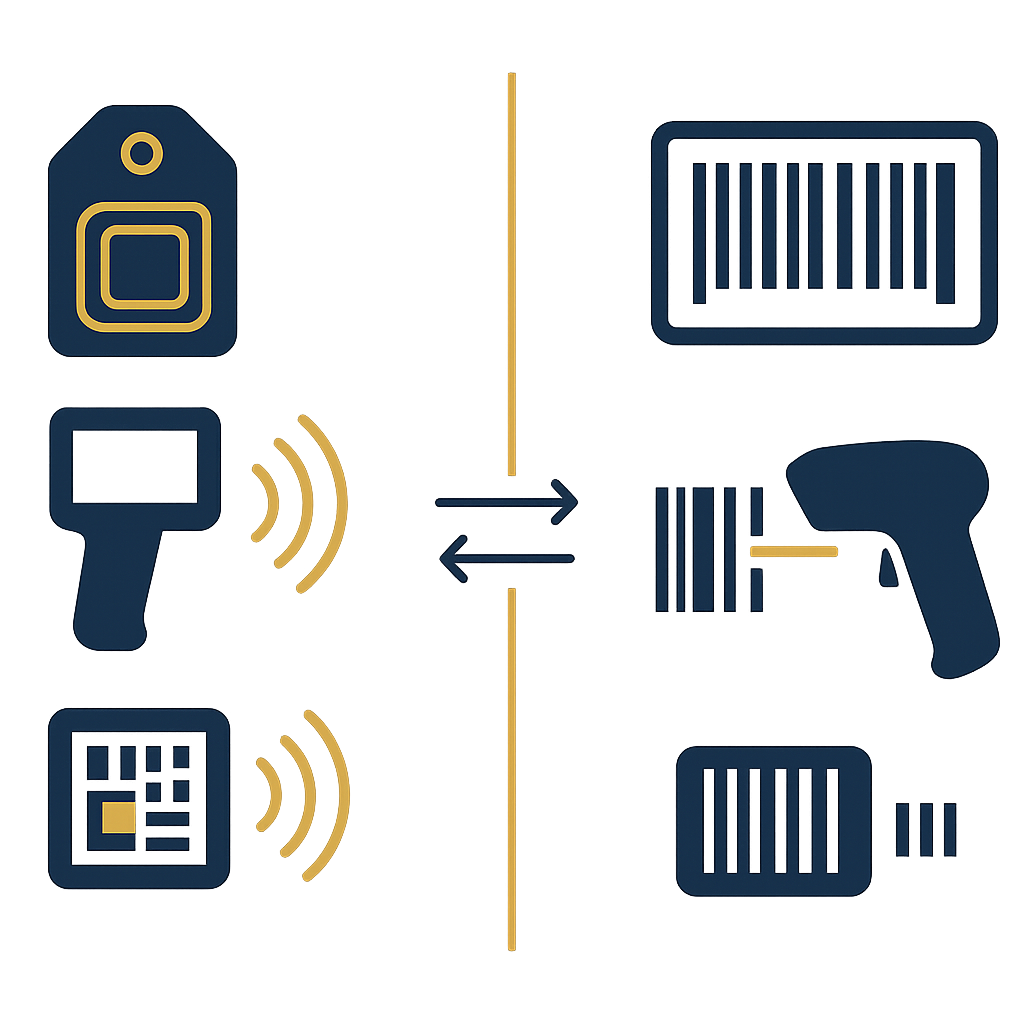
An RFID tag for clothing is a label attached to the product that contains a chip and an antenna, stores a unique identifier, and allows contactless reading and reading of multiple items at once. Unlike barcodes, which must be scanned one item at a time and require line of sight to the bars, RFID reads over a short distance, through thin fabric layers, and returns a list of many items in the read zone at once.
In essence, all three tag types use UHF EPC Gen2 chips and the same ISO 18000-6C air interface protocol. The difference lies in the physical structure, how the tag is attached to the item, wash resistance and the ability to print retail information. Choosing the wrong type will cause tags to fall off, become unreadable after a few washes, or leave insufficient space to print the barcode, price and size.
See the deployment approach, devices and phased roadmap on the RFID checkout counter solution page.
RFID tag types for apparel: hang tags, stickers, and woven labels
Related products
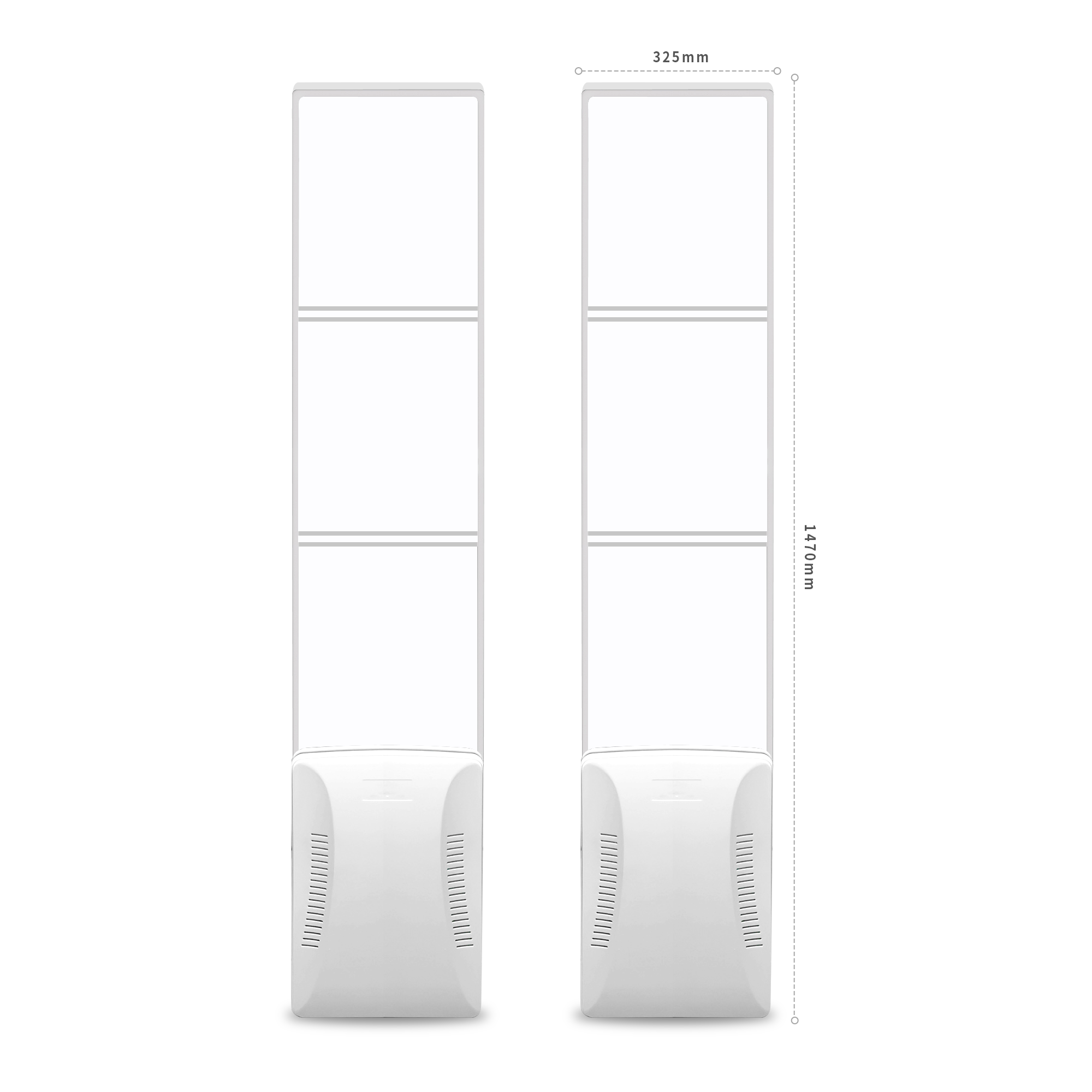
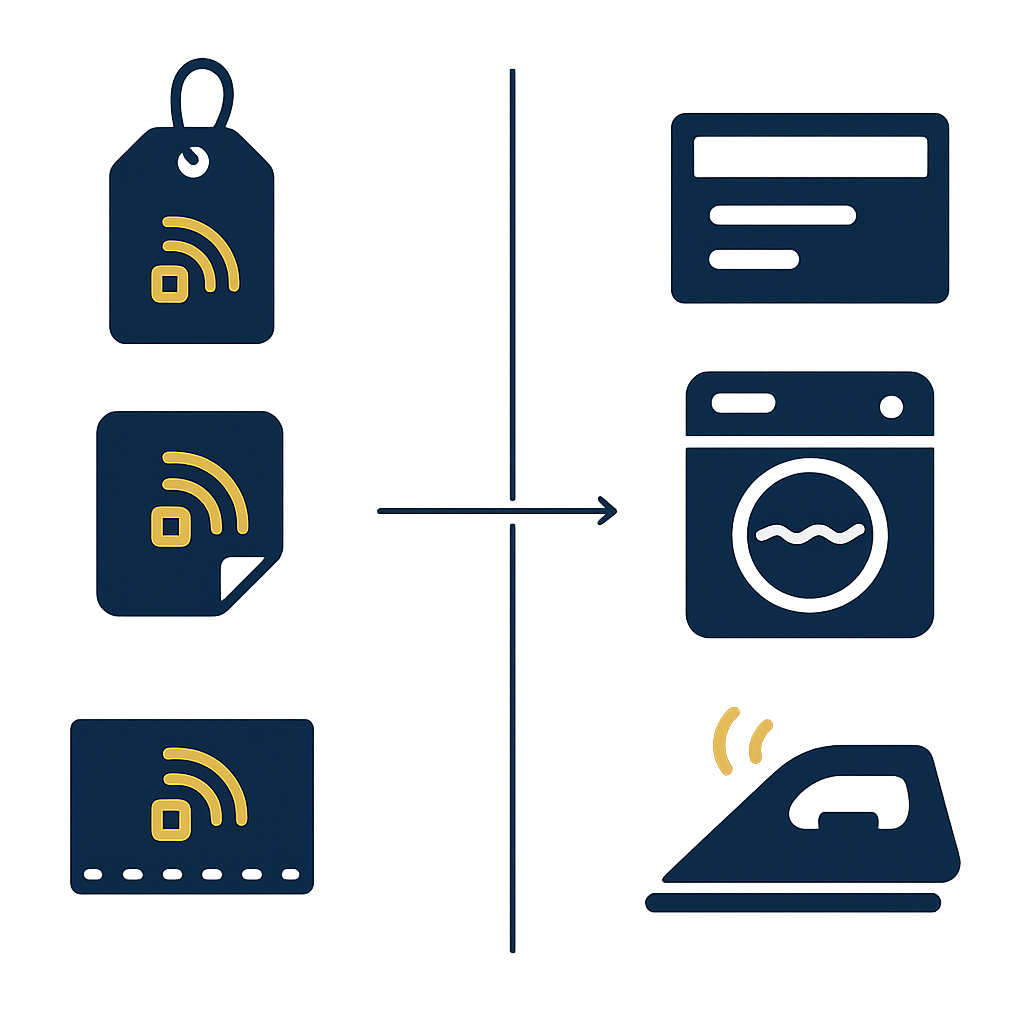
The three most common types are hang tags with an RFID inlay, stickers, and woven labels. Hang tags can be printed with product information and are removed at the point of sale; stickers are typically used for boxes, bags, or packaged products; woven labels are permanently attached to the seam and withstand washing and ironing.
RFID hang tags printed with product information
Hang tags are the easiest type to deploy for a fashion chain. The tag contains an RFID inlay inside, and the surface can be printed with the logo, product name, size, price, and barcode. The tag is attached to the item with a string or staple and removed at the counter when the customer pays. This approach preserves the brand's aesthetics and allows reuse of existing printing processes.
The drawback is that hang tags can be removed or fall off during transport. For high-value goods, hang tags are often combined with RFID security gates to control entry and exit. For mainstream goods, hang tags are suitable when the store wants to print full retail information on a single label.
RFID labels
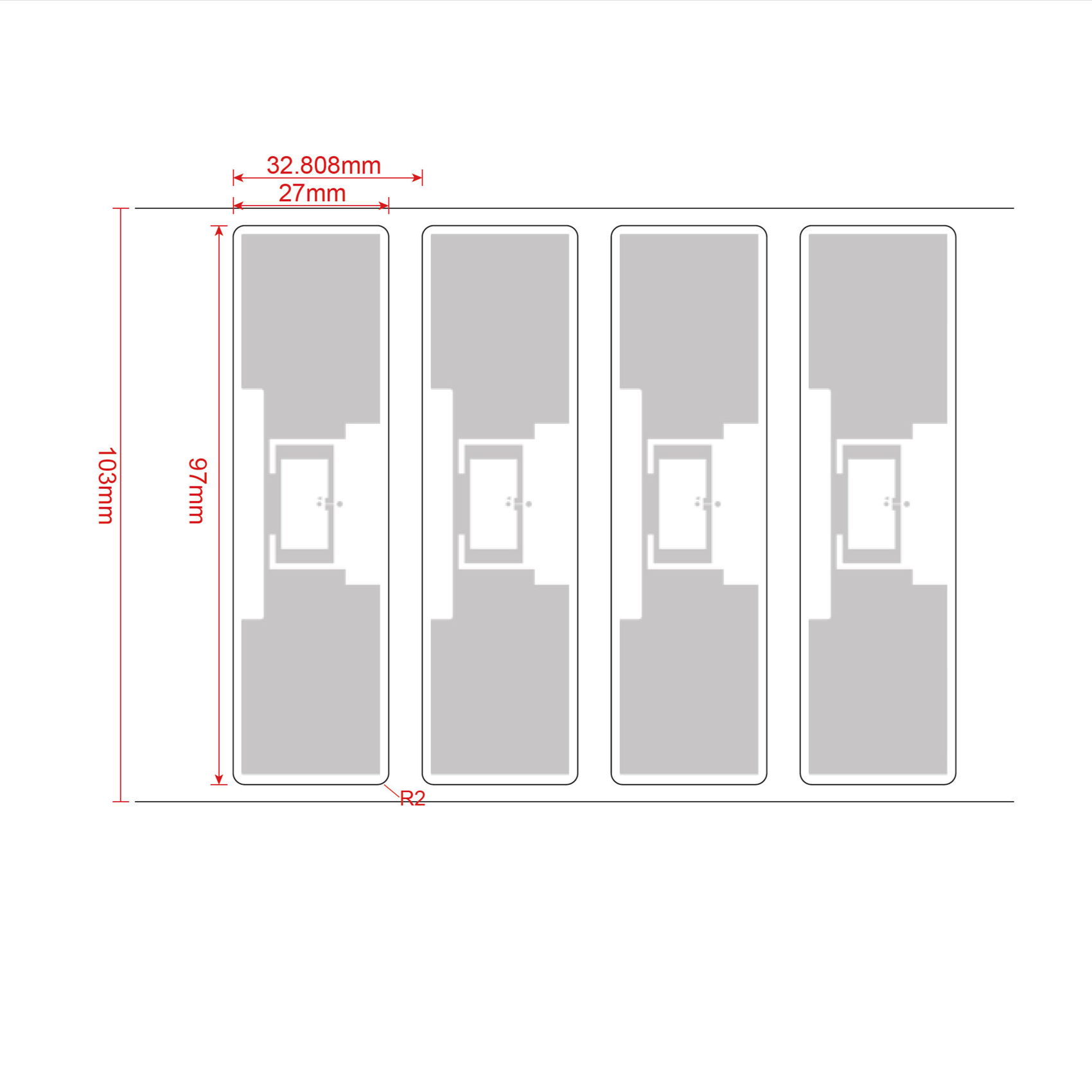
Labels are typically supplied in rolls, with an adhesive layer and an inlay inside. Labels are suitable for shoe boxes, packaged bags, or clothing folded in sealed bags. The common size for apparel retail is 97 × 27 mm, with the inlay placed in the center. Labels are easy to print with a 4-inch RFID printer and easy to apply in bulk at the receiving area.
The limitation of labels is that they adhere poorly to soft fabric and may peel off when exposed to moisture. Therefore, labels are typically used for packaging or packaged products, not as a fixed label on clothing worn regularly.
Sew-in RFID labels
Sew-in labels are sewn directly into the seam or attached to the product's fabric label. This type withstands washing, ironing, and post-sale handling processes. Sew-in labels are suitable for apparel that needs long-term tracking, for example uniforms, protective clothing, or rental products.
Sew-in labels are difficult to replace when damaged, so the inlay and covering material need to be chosen carefully from the start. For ordinary apparel, sew-in labels are typically proposed to be attached by the supplier during production rather than reattached at the warehouse.
Encoding EPC for each item: principles and the GS1 SGTIN-96 standard

Each item of clothing needs a unique EPC, linked to the internal item code so the sales software identifies the correct product. When synchronization with partners or distributors is needed, the GS1 SGTIN-96 standard should be used so the code has a consistent structure and origin can be traced.
The EPC is an identification number for each item, not the item code. A white size M shirt has an internal item code, but each shirt in the batch must have its own EPC. The sales software uses the EPC to know exactly which item has been sold, which item is still in stock, and which item is on the display shelf.
During deployment, encoding rules should be established from the very first batch. The rules need to answer three questions: how many characters the internal item code has, whether the EPC embeds the item code, and whether GS1 SGTIN-96 needs to be used. If used internally only, a private EPC range managed by the business can be used. If there are partners reading the same codes, SGTIN-96 should be used to avoid range collisions and facilitate traceability.
A reference tool for understanding the EPC and GS1 encoding structure is available at EPC GS1 encoding. This page explains how to map item codes, batch codes, and serial numbers into the EPC, suitable for retail IT teams that need to write automatic code generation rules.
Encoding process at the receiving area
Encoding at the receiving area consists of four steps: check the batch, print or encode the EPC, attach or hang the tag, and read to confirm before stocking. Doing it correctly right at the receiving door helps prevent tags with missing or duplicate codes from reaching the sales shelf.
- Check the batch and match the item code. Match the actual received quantity against the delivery note, and determine the internal item code for each item before encoding the EPC.
- Choose the encoding device. Use an RFID printer if retail information needs to be printed on hang tags or labels. Use a desktop reader with an encoding mode if the tags are pre-printed and only the EPC needs to be encoded.
- Encode the EPC according to the defined rules. Each item receives a unique EPC. Check for duplicates against previous batches by reading back and matching against the database.
- Attach the tag and read to confirm. Hang or attach the tag, then read the entire batch again to confirm every item returns a code. Items that cannot be read need to be set aside for inspection.
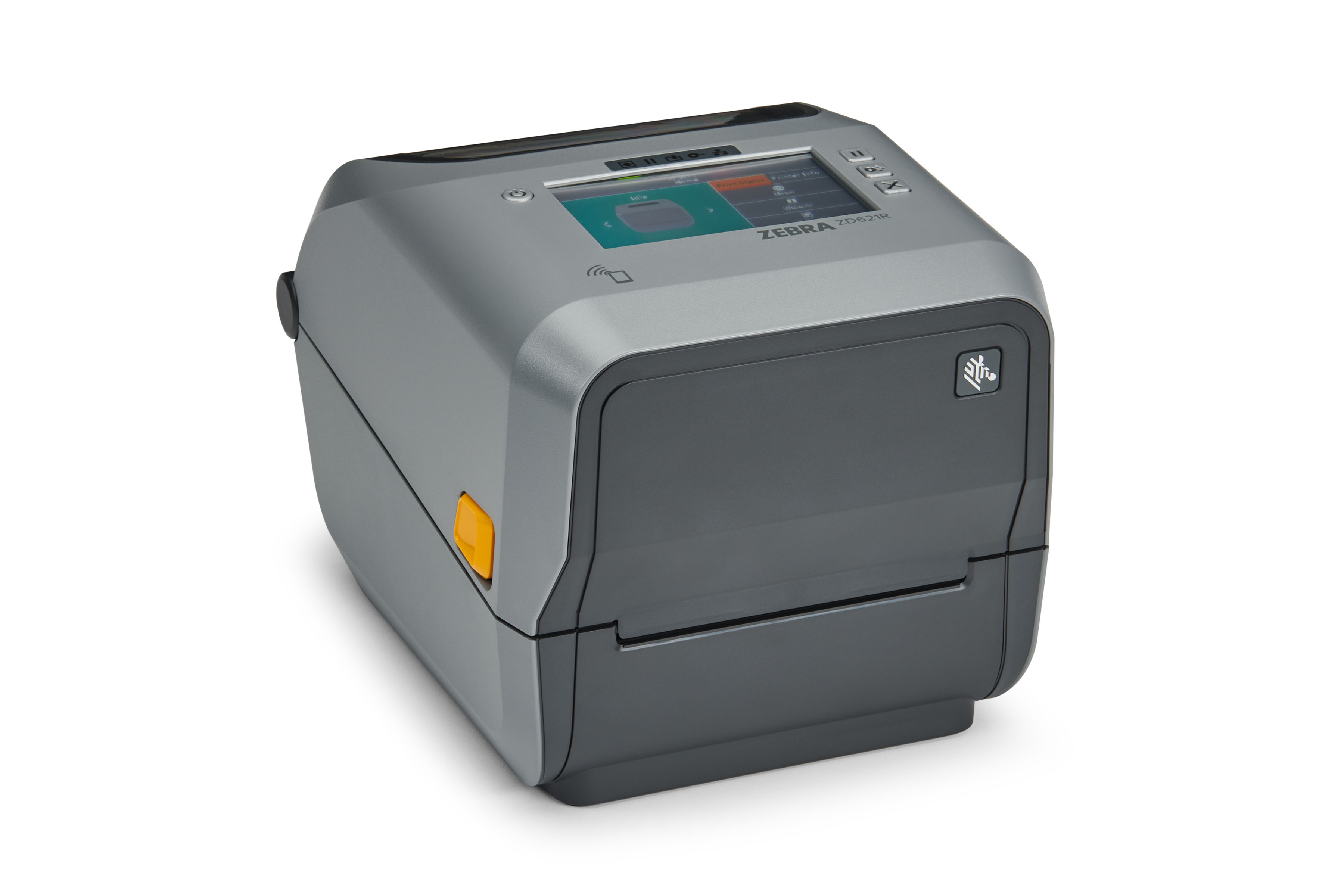
A 4-inch RFID printer such as the Zebra ZD621R prints and encodes tags in a single pass, suitable when retail information needs to be printed and the EPC encoded at the same time. With pre-printed tags, a desktop reader with an encoding mode is a more compact choice for receiving areas with limited space.
In-store encoding devices: RFID printers and desktop readers
An RFID printer is suitable when you need to print and encode at the same time for hang tags and adhesive labels. A desktop reader with an encoding mode is suitable when tags are already printed and only need EPC encoding. Both need to be placed on a stable flat surface and kept away from nearby metal interference sources.
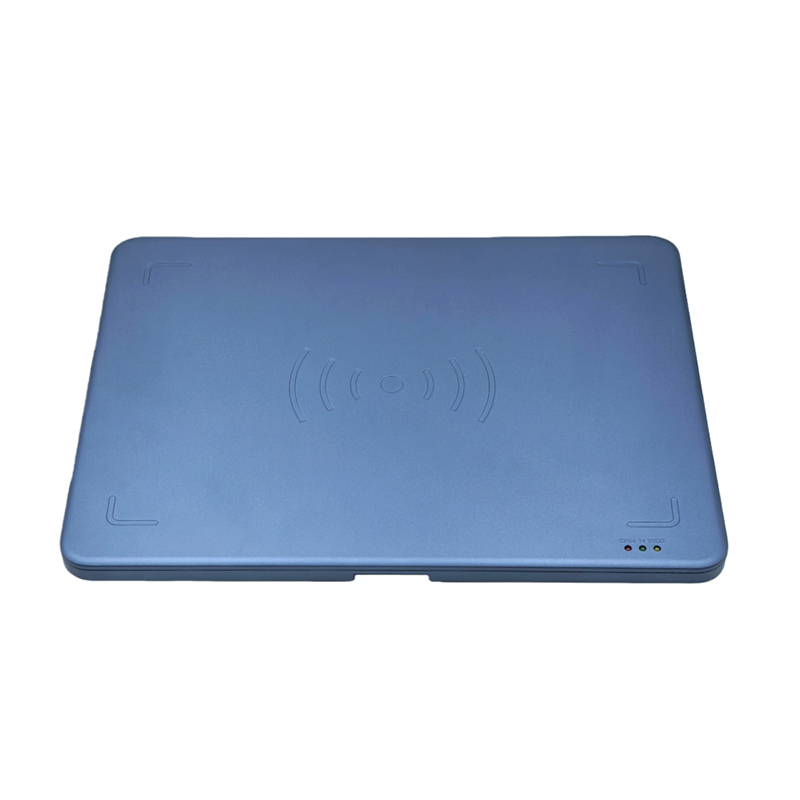
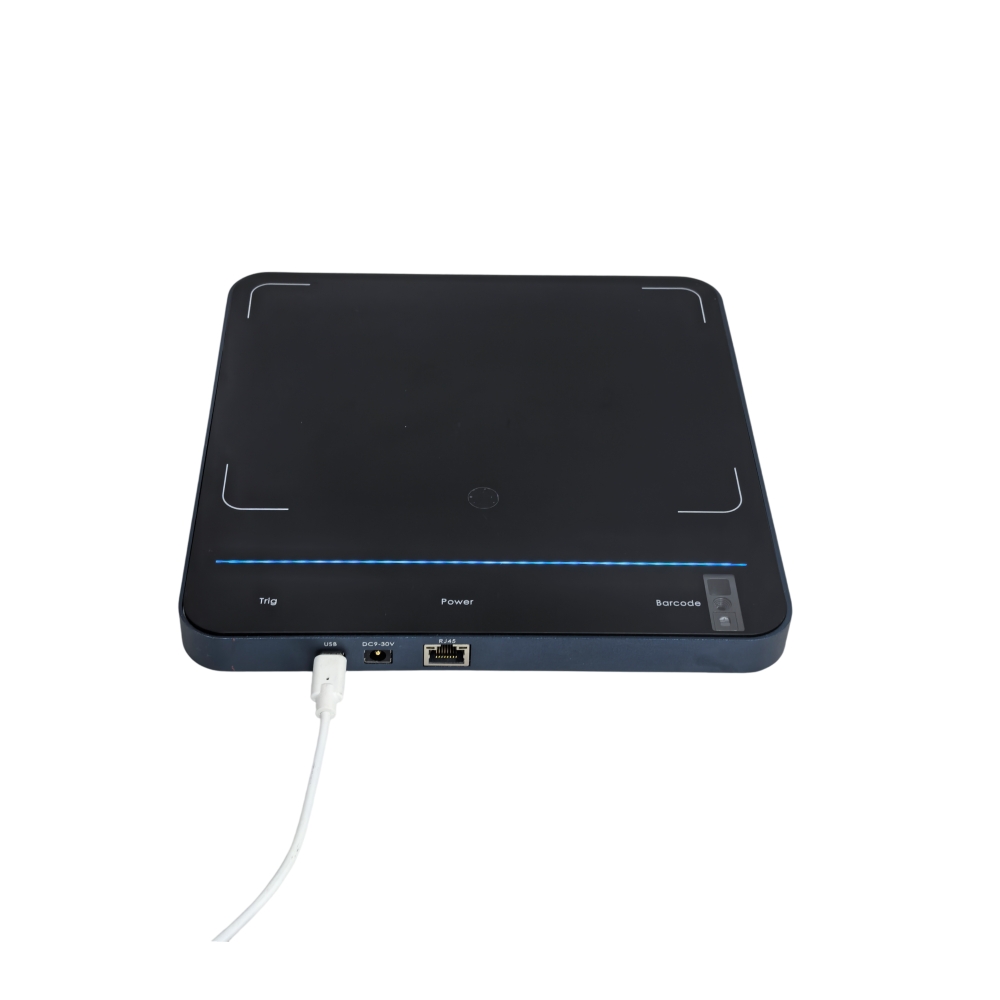
Aura DR033 desktop reader
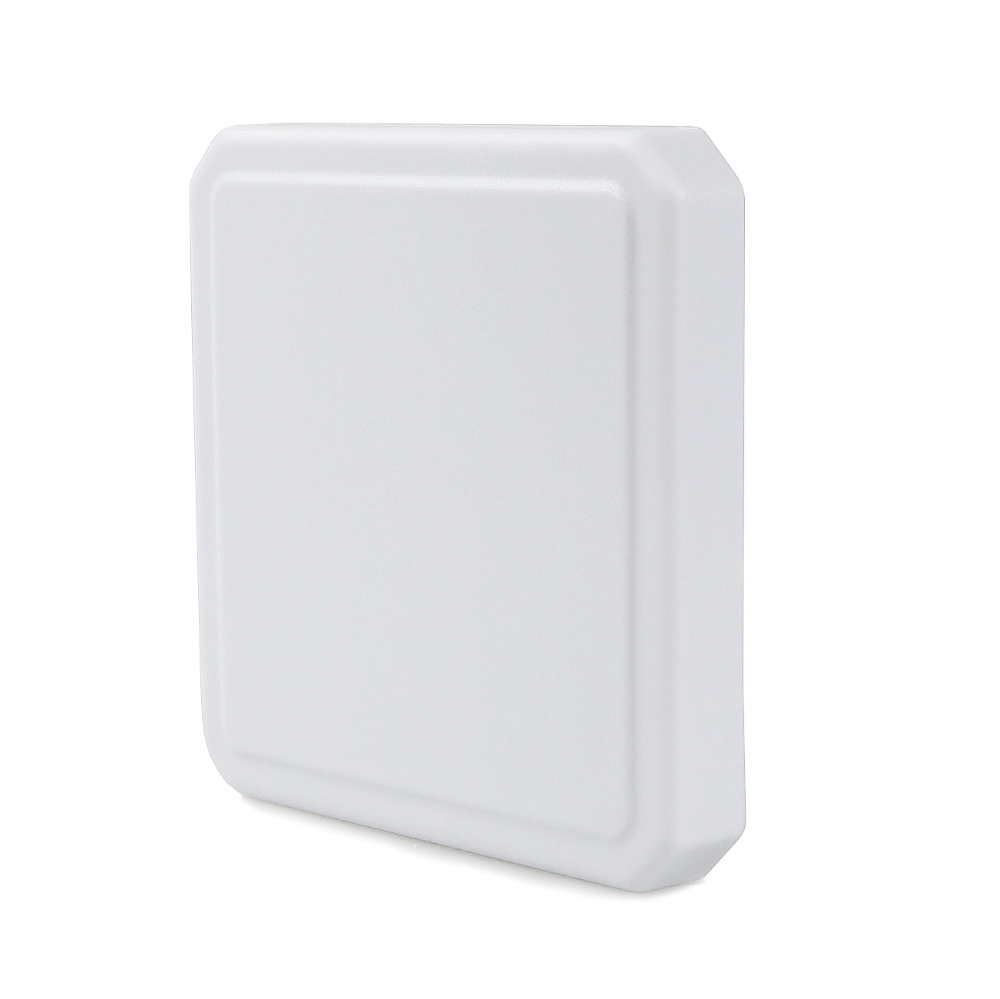
According to the manufacturer's specifications, the Aura DR033 measures 330 × 245 × 22 mm, weighs 0.8 kg, and has a die-cast aluminum base and ABS cover. The device uses the EPC Global UHF Gen 2 protocol (ISO 18000-6C), RF power of 0–30 dBm adjustable via software, a read range of up to 1 m and a write range of up to 0.2 m depending on the tag and environment. Integrated circularly polarized antenna, USB Type-C connection, and USB-powered.
In encoding mode, the 0.2 m write range is the figure to note when setting up a receiving station: tags must be placed close enough to the reader. The 0–30 dBm software-adjustable power allows lowering power during encoding to avoid writing to adjacent tags by mistake. This is an important point when encoding in bulk on a table with many tags placed close together.
Zebra ZD621R RFID printer
The Zebra ZD621R is a 4-inch RFID printer that supports direct thermal and thermal transfer printing, with 203 dpi or 300 dpi resolution depending on configuration. The printer prints and encodes tags in a single pass, suitable for hang tags that need a printed logo, size, price and barcode. Optional Wi-Fi 6 or Wi-Fi 5 connectivity, convenient when the receiving area is far from the network cabinet.
When using an RFID printer, check that tags have been encoded correctly before attaching them to goods. Some tag batches may fail encoding due to a damaged inlay; reading to confirm after printing helps detect this early instead of letting it slip through to the counter.
When should you ask the supplier to attach tags in advance?
You should ask the supplier to attach tags in advance when the shipment is large enough, when goods need a fixed sewn-in label, or when the receiving warehouse does not have enough staff to attach tags. Pre-attachment reduces steps at the warehouse and reduces the risk of tags falling off in transit.
For large shipments, tagging at the factory is usually more efficient than re-tagging at the warehouse. The supplier can attach hang tags or sewn-in labels during the packaging process, then encode the EPC according to rules provided by the business. The business only needs to read to confirm upon receipt instead of attaching each item.
The condition for effective pre-attachment is agreeing in advance on the tag type, attachment position and EPC generation rules. Without agreement, the shipment may arrive with the wrong tag type or EPCs in a duplicate range, causing difficulties when entering them into the sales software. You should hold a technical working session with the supplier before the first shipment to finalize these three points.
For goods imported from multiple sources, you can combine approaches: large suppliers attach in advance, small batches are tagged at the warehouse. This approach keeps flexibility while still reducing the load on the receiving area.
Summary table: terminology and RFID tag choices for apparel
The table below summarizes the key terms and criteria for choosing tag types by intended use. Use this table when you need to quickly discuss with suppliers or the retail IT team.
| Term | Definition | Example / option |
|---|---|---|
| EPC | Unique electronic identifier for each item | Each shirt in the shipment has its own EPC |
| GS1 SGTIN-96 | Structured EPC encoding standard, used when synchronization with partners is needed | Maps item code, batch code, serial number |
| Hang tag | Tag with an RFID inlay, can print retail information, removable at sale | Fashion apparel, footwear |
| Adhesive label | Roll label with adhesive, inlay inside | Shoe boxes, packaged handbags |
| Sewn-in label | Label sewn into the seam, withstands washing | Uniforms, protective clothing, rental goods |
| Desktop reader with encoding mode | Device that reads and encodes EPC for pre-printed tags | Aura DR033: writes up to 0.2 m |
| RFID printer | Prints information and encodes tags in a single pass | Zebra ZD621R, 4-inch |
Common mistakes when attaching RFID tags to clothing
The most common mistakes are duplicate EPC encoding, choosing the wrong tag type, and skipping the verification read after attaching. These three errors cause many items to be unreadable at the counter even though the equipment is still working normally.
- Duplicate EPC encoding across batches. Not checking against the database before encoding causes two different items to carry the same code, and the software cannot tell them apart.
- Choosing hang tags for items that need laundering. Hang tags get removed or damaged after washing, making them unsuitable for uniforms or rental items.
- Encoding codes in the warehouse but not performing a verification read. Defective printed tags or damaged inlays still get attached to items, and the problem is only discovered at the counter.
- Placing the reader near metal. Metal and liquids block UHF waves, reducing encoding distance and causing errors during batch encoding.
- Not aligning EPC rules with the supplier. Pre-tagged batches arrive with a different code range and must be fully re-encoded at the warehouse.
To reduce risk, test on real items before rolling out at scale. Each fabric type, each tag type and each attachment position gives different read results. Measuring the read rate on real items is a step that cannot be skipped, especially for items that come with metal or liquids.
When should you move to an RFID checkout counter?
Once items are tagged and correctly encoded, the next step is to use that data at the checkout counter. An RFID checkout counter reads the entire basket in a single pass and reconciles it with the sales software, making it suitable for chains with high transaction volumes.
Tagging and encoding are only the first part of the system. The real value lies in using RFID data at the point of sale: reading the entire basket quickly, checking inventory in real time, and syncing with sales management software. The RFID checkout counter page presents how to lay out the counter, the equipment required, and the process for reconciling with the software.
Before expanding, run a trial at one counter with real items for a few weeks. Measurement results on real items help decide whether to expand across the entire chain and what needs adjusting in the tagging stage.
For chains with multiple stores, EPC data needs to be synced to a single management system. Display shelving and warehouse areas also need to be rearranged so that reading is not disrupted. See also display shelving and warehouse solutions to arrange the sales area and storage area in line with the RFID process.
Frequently asked questions
Should I use hang tags or adhesive labels for retail clothing?
Hang tags are suitable for fashion clothing that needs retail information printed on them and is removed at checkout. Adhesive labels are suitable for shoe boxes, handbags or packaged products. If items are laundered frequently, sewn-in labels should be used instead of hang tags or adhesive labels.
Where is the most sensible place to encode the EPC?
Encoding at the receiving area helps detect errors early and prevents tags without codes from reaching the sales shelves. For large batches, you can ask the supplier to attach and pre-encode, then only perform a verification read upon receipt. Both approaches require checking against the database to avoid duplicate EPCs.
At what distance can the Aura DR033 desktop reader encode?
According to the manufacturer's specifications, the Aura DR033 reads up to 1 m and encodes up to 0.2 m depending on the tag and environment. RF power of 0–30 dBm is adjustable via software, allowing power to be reduced during encoding to avoid accidentally encoding nearby tags. Actual encoding distance needs to be measured on real items before deployment.
Is the GS1 SGTIN-96 standard mandatory?
It is not mandatory if used only internally. However, if you need to sync with partners, distributors or traceability systems, SGTIN-96 should be used so that codes have a consistent structure. The code generation rules need to be finalized before the first batch to avoid having to re-encode.
How do metal and liquids affect encoding?
Metal and liquids block UHF waves, reducing read and encode distance. For items with metal accessories or packaged with liquids, testing on real items is required and more specialized tag types may be needed. You should not assume the same read rate for all item types.
Should RFID tags be attached to the entire batch from the start?
You should run a trial on a representative group of items before expanding. Measurement results on real items help choose the right tag type, attachment position and encoding power. Once stable, you can expand to the entire batch and ask the supplier to pre-tag large batches.
Need to measure the read rate on your own batch before choosing tags? Schedule a survey and trial with Việt POS via the hotline 0935 498 384 or email info@vietpos.vn.
Need advice on specific equipment or a solution?
Việt POS replies within 30 minutes · Hotlines in 4 regions · Free site survey.
