Table of contents (8)
- What is an RFID tag and why can one tag do three jobs?
- Four stages an RFID tag must pass through in a store
- Which device handles each stage?
- Summary table: terms and their roles in the system
- Common mistakes when deploying one tag for three jobs
- Deployment roadmap: where to start?
- When should you use RFID instead of barcodes?
- Frequently asked questions

An RFID tag in retail is a chip with an attached antenna that stores a unique EPC code for each item and can be read contactlessly via UHF waves. Unlike a barcode, which can only be read one item at a time, an RFID tag allows bulk reading in seconds. This characteristic is what lets a single tag serve inventory, checkout and anti-theft gate at the same time – as long as the store designs the right process and chooses the right equipment.
A UHF RFID tag attached to a product can be used across four stages: encoding the code upon receiving goods, counting inventory with a handheld reader, marking as sold at the checkout counter, and reconciling at the exit security gate. The key is the unique EPC code on each tag and software that manages sales status. Start with one product group and one stage, then expand gradually.
Table of contents
- What is an RFID tag and why can one tag do three jobs?
- The four stages one RFID tag must go through in the store
- Which device handles each stage?
- Summary table: terminology and roles in the system
- Common mistakes when deploying one tag for three jobs
- Deployment roadmap: where to start?
- When should you use RFID instead of barcodes?
- Frequently asked questions
What is an RFID tag and why can one tag do three jobs?
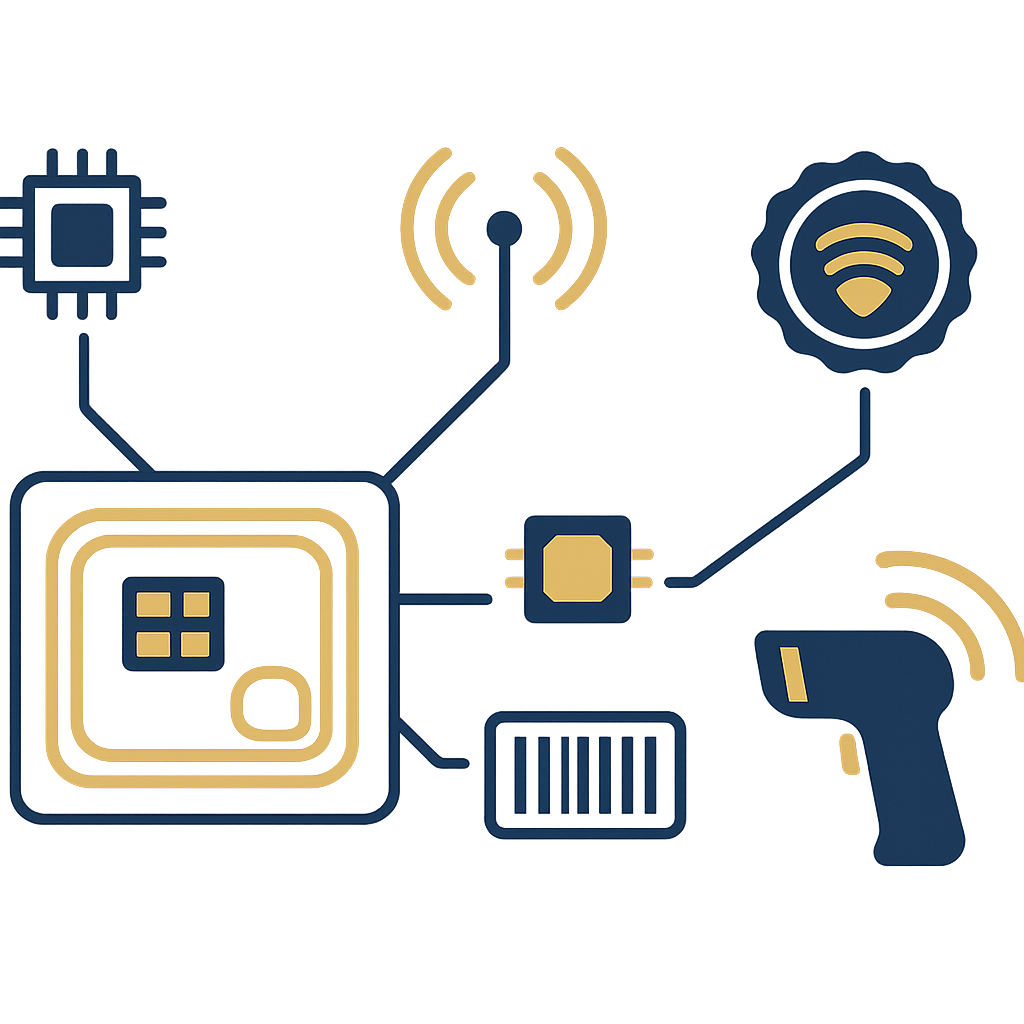
A UHF (Ultra High Frequency) RFID tag consists of a chip and an antenna, operating on the EPC Gen2 / ISO 18000-6C standard. Each tag is encoded with a unique EPC code, with no duplicates between products. When it passes through the reader's coverage area, the tag responds with its code without contact. Because the code is unique and can be read in bulk, the same tag can be used for inventory, checkout and the security gate, as long as the software records the correct status.
Three technical characteristics determine the "one tag, three jobs" capability:
- Unique EPC code: each tag has its own code that cannot be duplicated between two products, allowing software to track each item.
- Contactless, multi-tag reading: a UHF reader can receive hundreds of tags within its coverage area per second, suitable for fast inventory.
- Sales status is recorded: at checkout, the software marks the EPC code as sold; the exit gate only alarms for tags that have not been marked.
These three characteristics are the foundation for designing the four-stage process in the following section. If any one of the three is missing, the tag will only be able to do one or two jobs.
See the deployment approach, equipment and phased roadmap on the RFID checkout counter solution page.
Four stages an RFID tag must pass through in a store
Related products
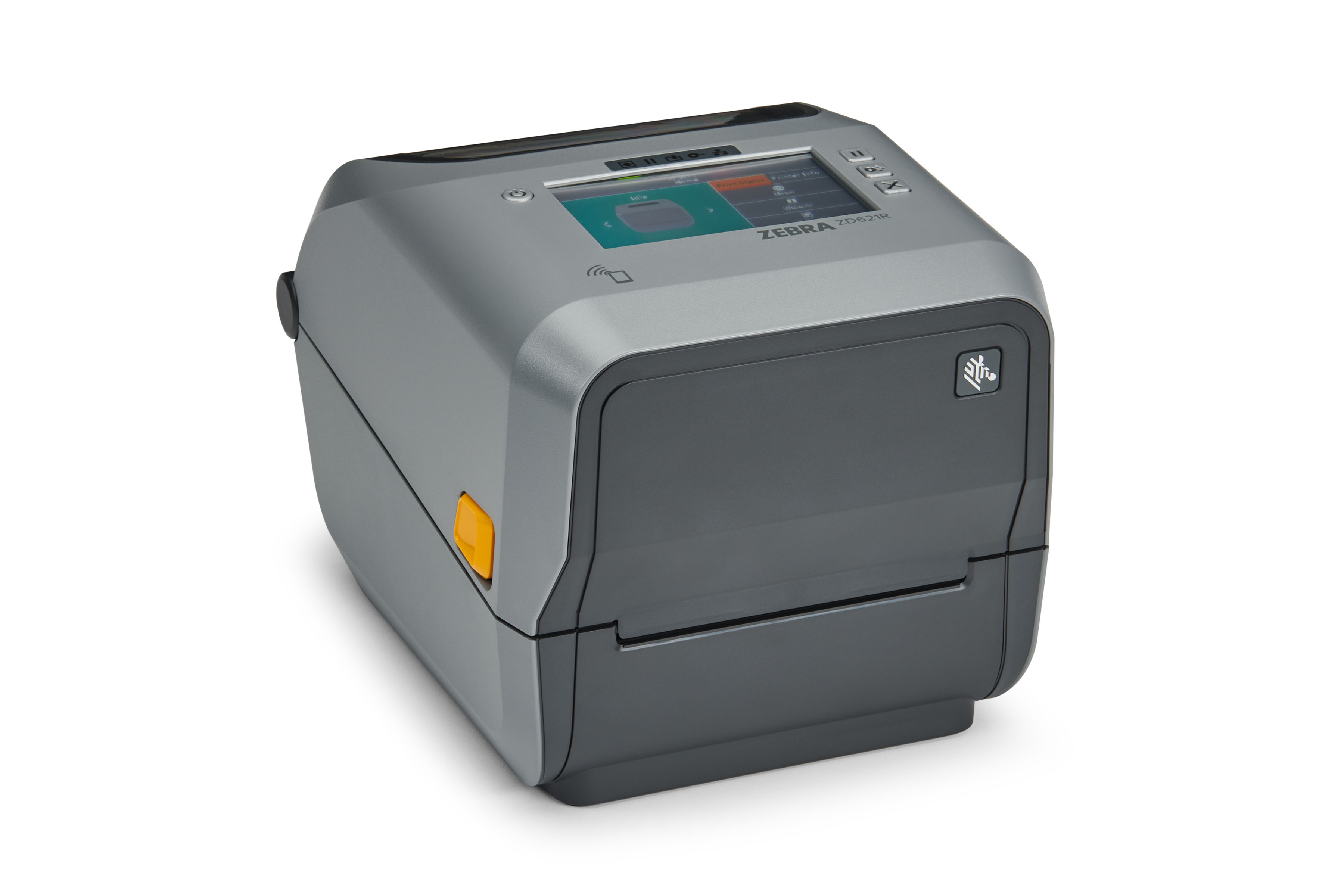
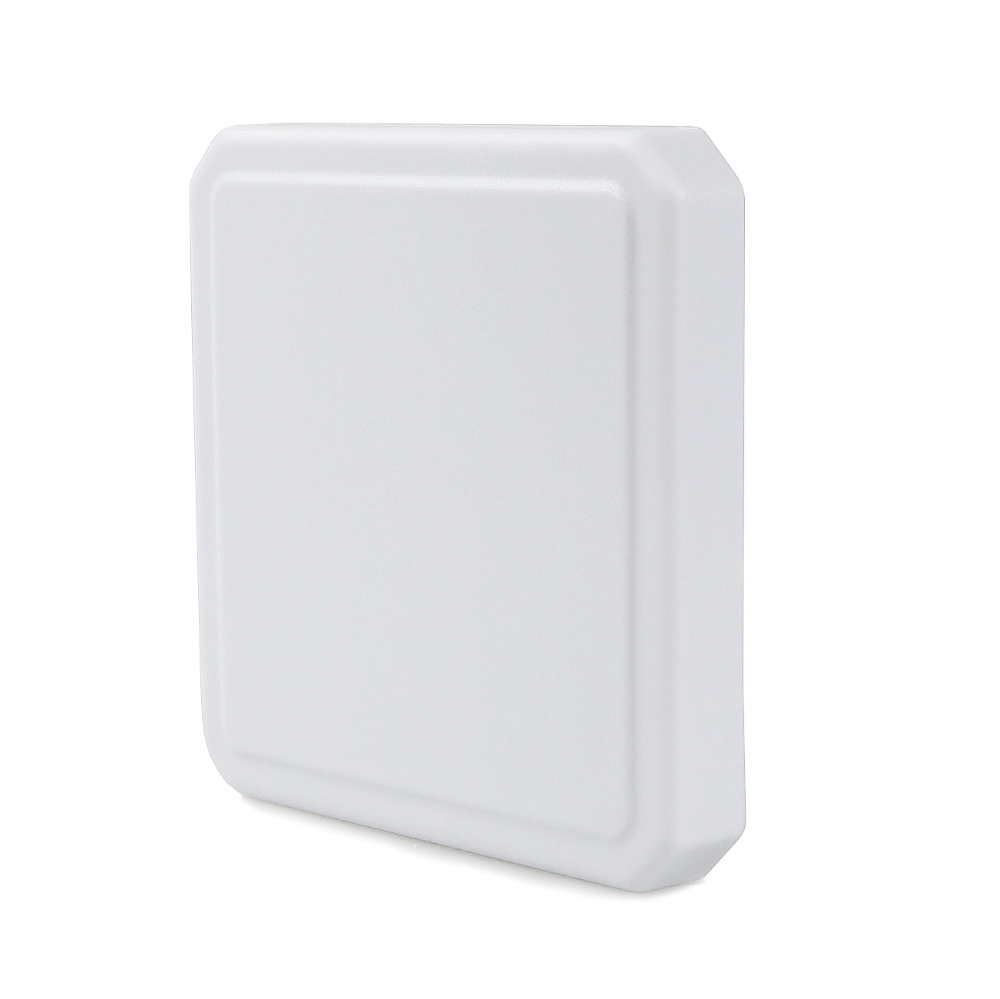
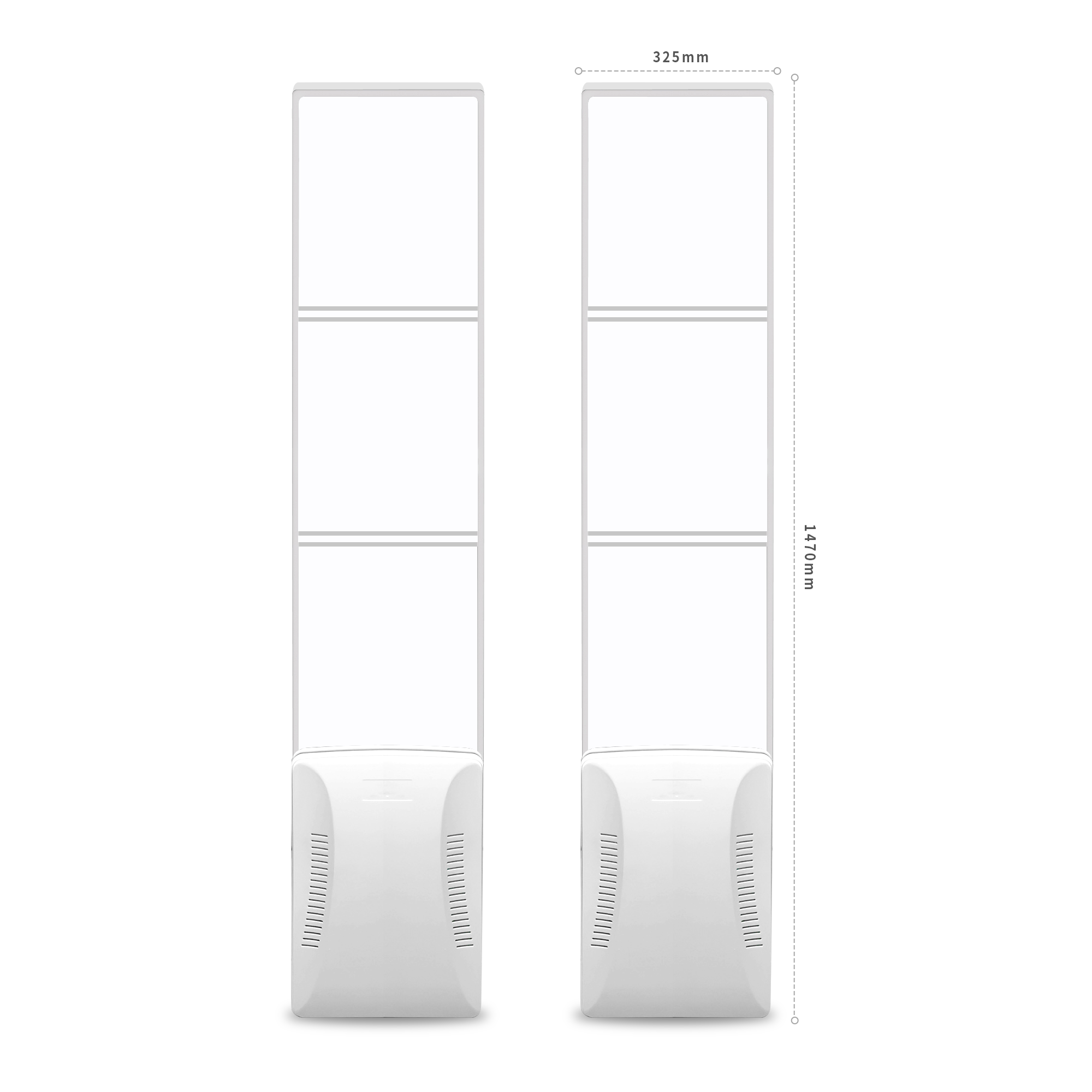
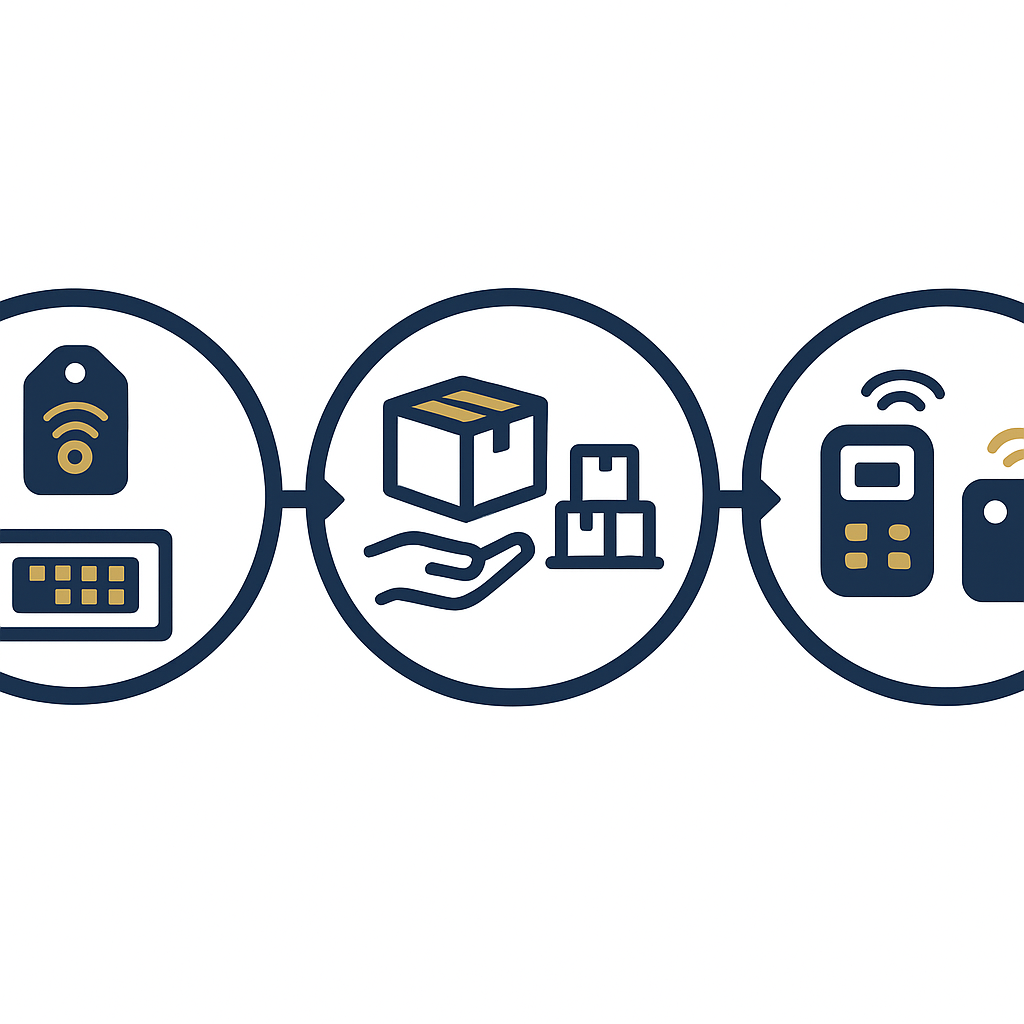
An RFID tag works effectively when it passes through four stages: (1) receiving goods – encoding the EPC and applying the label; (2) stocktaking – a handheld reader quickly scans the entire shelf; (3) checkout – a desktop reader marks the item as sold; (4) exit gate – cross-checks tags that have not been paid for. Each stage uses a different device and a different data state, but the same EPC code.
Stage 1 – Receiving goods and encoding
When goods arrive at the warehouse, staff apply RFID labels to the product or to the sealed bag. Each label is encoded with a unique EPC code using an RFID encoding printer (for example the Zebra ZD621R, 4-inch format) or a reader with encoding capability. The EPC code is then synchronized with the product code (SKU) in the sales management software. This step determines the entire chain that follows: if the code is not encoded correctly, stocktaking and checkout will be inaccurate.
Stage 2 – Handheld stocktaking
Staff use a handheld reader to walk along the shelves; the reader emits UHF waves and captures the EPC code of each item. Stocktaking time is significantly shortened compared with scanning the barcode of each item, but that does not mean "100% read". Metal and liquids block waves, and items placed close together can be obscured. Suspicious positions need to be rechecked by changing the scan angle or reading manually.
Stage 3 – Checkout counter payment
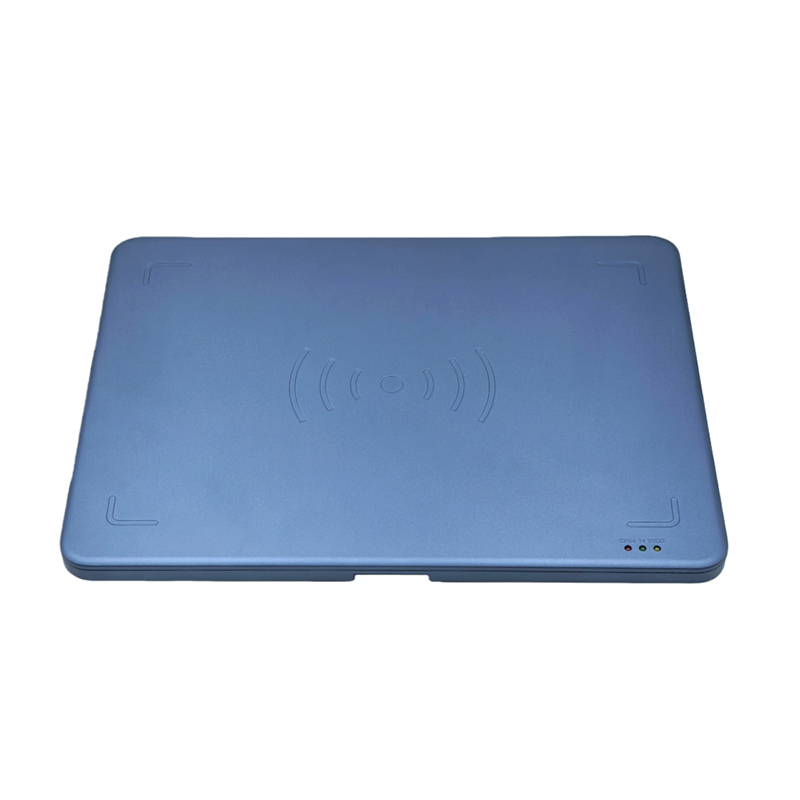
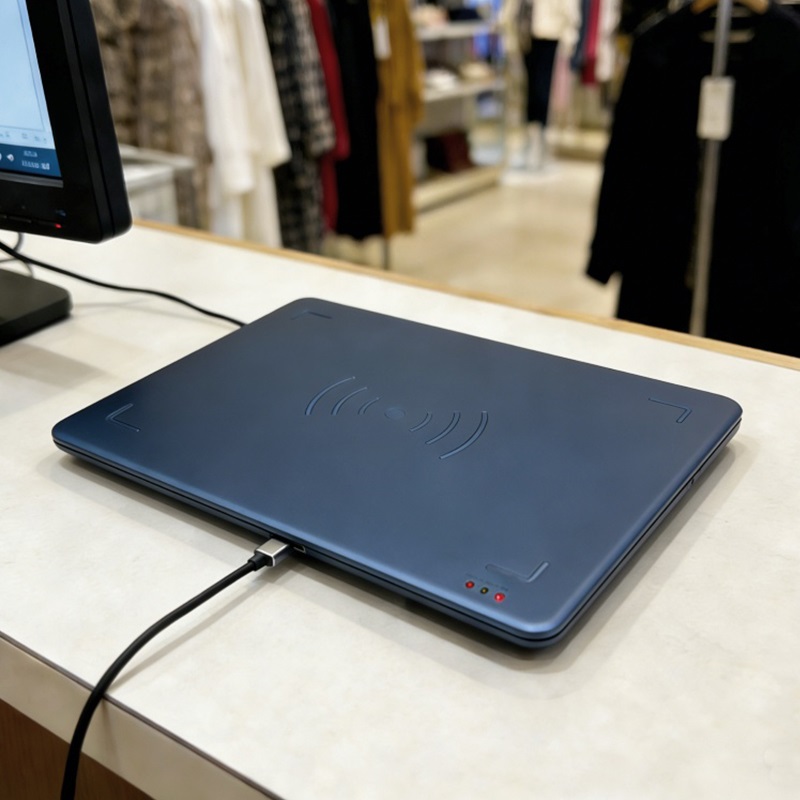
At the counter, the desktop RFID reader (such as Aura A033) reads the EPC codes of the items in the checkout area. The software matches the codes against the shopping cart, then marks the status as "sold". This is a critical status transition step: if not marked, the exit gate will treat the item as unpaid and trigger an alarm. This process is described in detail in the RFID checkout counter solution.
Stage 4 – Exit gate verification
The security gate at the exit reads the EPC codes of every tag passing through. If a code has not been marked "sold", the gate emits an audible and visual alarm. The IntelliGate A8 gate combines both UHF RFID and EAS, allowing it to handle both RFID tags and traditional magnetic tags. The alarm response procedure needs to be trained to staff to avoid confusion with customers.
Which device handles each stage?
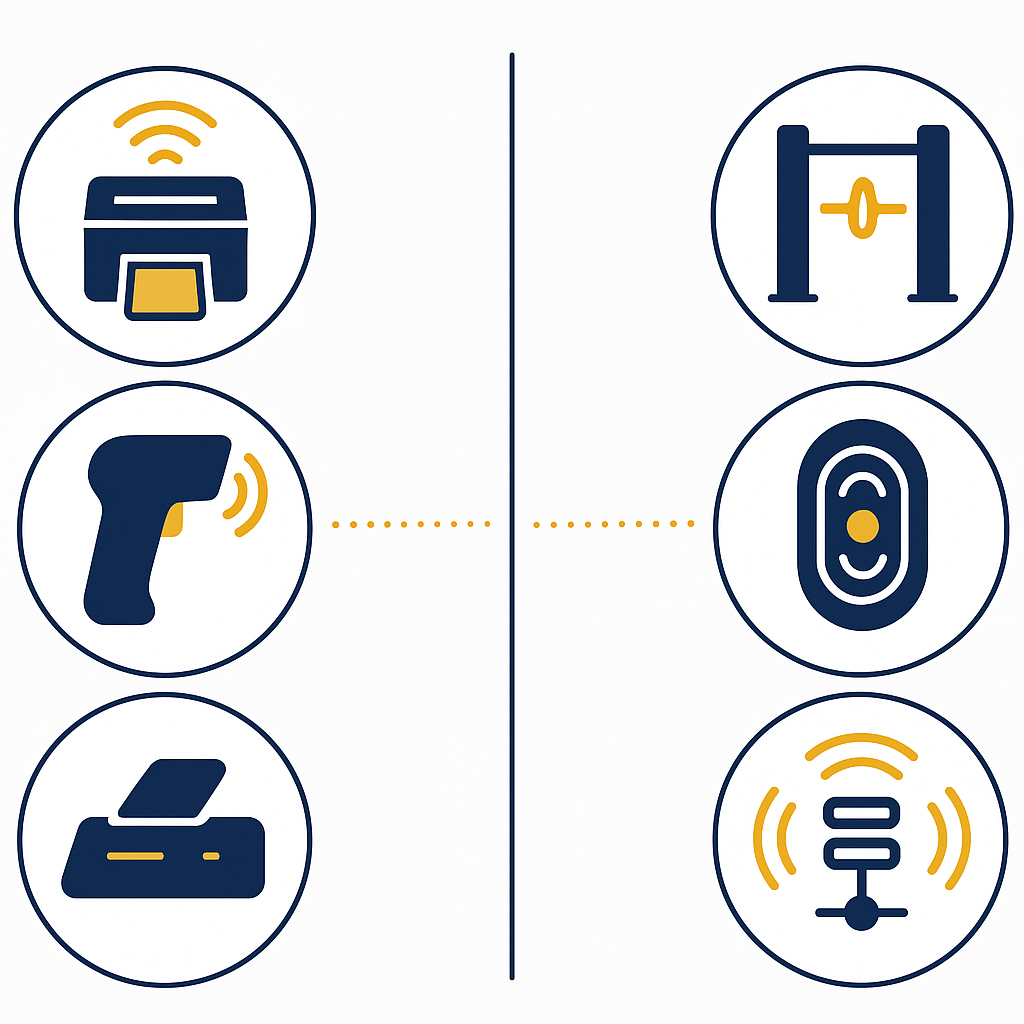
Each stage requires a suitable device: an RFID encoding printer for the encoding stage, a handheld reader for inventory counting, a desktop reader for the checkout counter, and a security gate for the exit. A single device should not be used for all stages because the requirements for read range, power and installation form differ. Below are the specifications of the two main devices in the system.
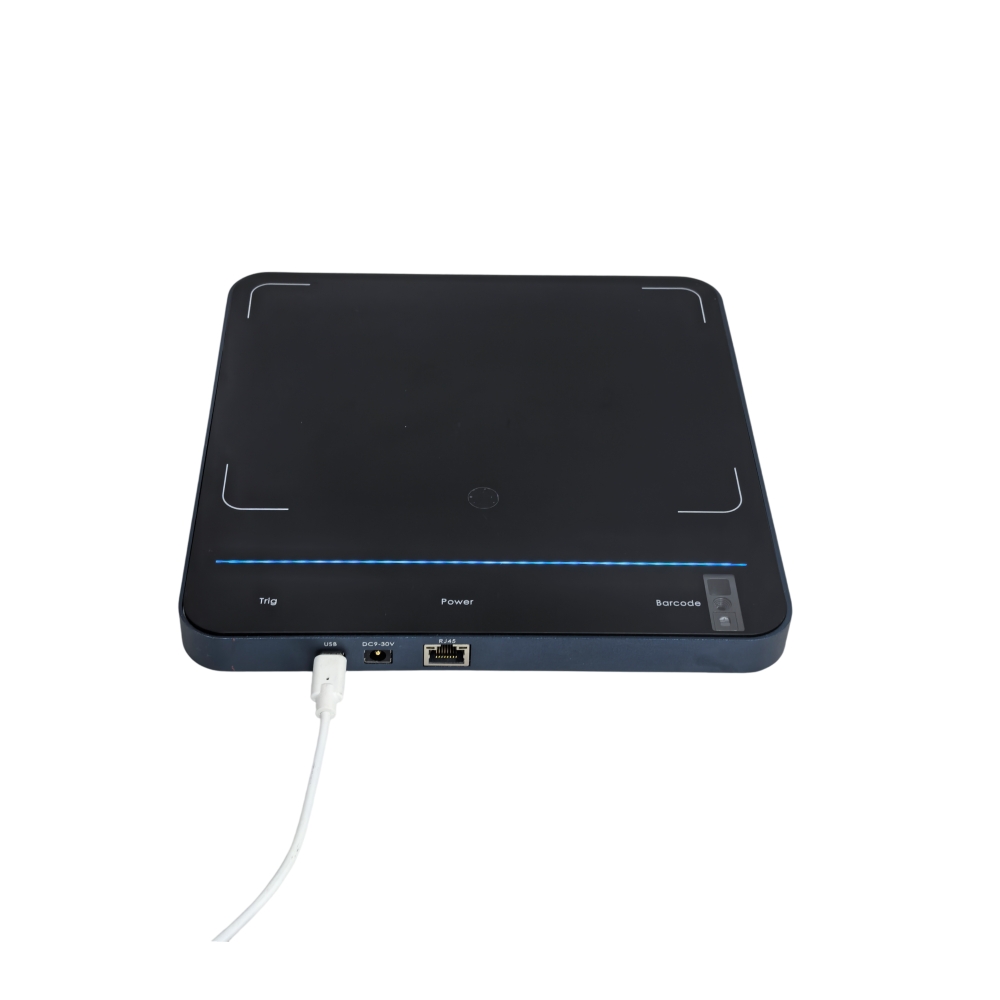
Aura A033 desktop reader – per manufacturer specifications
- Dimensions: 330 × 245 × 21 mm; net weight approximately 0.72 kg; PC+ABS housing.
- Air protocol: ISO 18000-6C / EPC C1G2, supports Gen2X.
- RF power: 5–30 dBm ±1 dB, adjustable in 1 dB steps.
- Read range: 0–1 m depending on power, tag type and environment.
- Read rate: over 350 tags/second with the Impinj E310 chip.
- Connectivity: USB Type-C, supports USB-to-serial and keyboard emulation.
With a read range of 0–1 m, the Aura A033 is suitable for placement at the cashier counter to read items in the checkout tray. Power adjustable in 1 dB steps helps limit cross-reads to the adjacent counter.
IntelliGate A8 security gate – per manufacturer specifications
- Dimensions per panel: 1470 × 325 × 129 mm; two panels; acrylic face, ABS base.
- Combines UHF RFID (ISO 18000-6C / EPC Gen2) and EAS (center frequency 8.2 MHz).
- Output power: 0–33 dBm, adjustable.
- Detection width: soft tags 0.9 m; small square tags 1.2 m; large square tags 1.5 m.
- Recommended read width: 1–2.4 m; communication RJ45 / RS232 / RS485.
- Anti-collision: supports reading multiple tags simultaneously.
The two-panel gate with phased-array antennas and 7 dBi gain allows installation at exits 1–2.4 m wide. Installation needs to account for distance from shelving to avoid misreading items on shelves.
Summary table: terms and their roles in the system
The table below summarizes the key terms and their roles in the process of an RFID tag passing through four stages. The example column helps quickly cross-reference with actual devices.
| Term | Short definition | Example / role |
|---|---|---|
| EPC (Electronic Product Code) | Unique code stored on the RFID chip | Each tag has its own EPC, used throughout the four stages |
| UHF RFID | Frequency band 865–928 MHz depending on region | Long-range, multi-tag reading; Aura A033 uses UHF |
| Desktop reader | Tag reading device fixed on the counter | Aura A033 at the checkout counter |
| RFID/EAS security gate | Dual-panel gate reading tags at the exit | IntelliGate A8 combines RFID and EAS |
| Sold status | Data flag in the software after payment | Determines whether the gate triggers an alarm |
Common mistakes when deploying one tag for three jobs
The most common mistake is expecting RFID to read 100% and ignoring the physical limits of UHF waves. Metal and liquids block waves; items placed close together can obscure each other. The second mistake is not synchronizing sales status between the POS and the gate. The third mistake is placing the gate too close to the shelves, causing the gate to misread unpurchased items.
- Expecting 100% reads: UHF RFID cannot read every tag under every condition. You need to measure the read rate on real merchandise before committing to the board of directors.
- Not synchronizing sales status: if the POS software does not mark sold EPCs, the gate will alarm on paid merchandise, causing inconvenience to customers.
- Placing the gate too close to shelves: the gate misreads items on the shelves, creating false alarms. You need to maintain distance and test before fixing the installation.
- Choosing unsuitable tags: tags applied to fabric, shoes, and metal accessories require different tag types. Using one tag type for all products leads to low read rates.
- Not training staff: if the gate alarms and staff do not know the handling procedure, it will harm the customer experience.
Deployment roadmap: where to start?
A reasonable roadmap is to start with one merchandise group and one stage, then expand gradually. You should choose the inventory or checkout stage first because it has less impact on the customer experience and is easy to measure. Once the process is stable, then install security gates and expand to the entire store or chain.
- Step 1 – Choose a pilot merchandise group: choose a merchandise group with high value or fast turnover, for example handbags or shoes.
- Step 2 – Apply tags and encode: use an RFID encoding printer to write the EPC for each item, synchronized with the sales software.
- Step 3 – Inventory with a handheld reader: measure inventory time and the actual read rate on the pilot merchandise group.
- Step 4 – Install a desktop reader at the counter: test with real merchandise, adjust power to avoid cross-reads.
- Step 5 – Install security gates: place the gate at the exit, test the distance to the shelves, train staff on the alarm handling procedure.
- Step 6 – Expand: once stable, expand tagging to the entire store and other branches.
This roadmap helps the store control risk and cost. For expanding to a chain, you can refer to RFID solutions for fashion chains.
When should you use RFID instead of barcodes?
RFID is suitable when the store has many SKUs, needs fast inventory, and wants to reduce shrinkage. Barcodes remain suitable for small stores with few SKUs and limited budgets. RFID does not fully replace barcodes; many stores use both in parallel: barcodes for low-value goods, RFID for high-value goods or goods that need tighter control.
The quick comparison table below helps store owners decide:
| Criterion | Barcode | RFID UHF |
|---|---|---|
| Batch reading | No, one item at a time | Yes, hundreds of tags per second |
| Read distance | Close contact | 0–1 m (desktop reader) or farther |
| Inventory | Slow, manual | Fast, handheld |
| Anti-theft | Requires a separate EAS gate | Integrated RFID/EAS gate |
| Tag cost | Low | Higher |
For fashion stores with thousands of SKUs, RFID helps reduce inventory time and increase stock accuracy. For small stores, you can start with barcodes and upgrade gradually. Shrinkage prevention solutions using RFID/EAS gates are presented at shrinkage prevention with RFID/EAS gates.
Frequently asked questions
Can a single RFID tag be used for inventory counts, checkout, and anti-theft?
Yes, as long as the tag is encoded with a unique EPC and the sales management software updates the "sold" status after payment. In that case, the same EPC is used for inventory counts, reconciliation at the counter, and checks at the exit gate. The condition is that the software system and the reading devices must be synchronized.
Can RFID read 100% of the products in a store?
No. UHF waves are blocked by metal and liquids, and can be obscured when items are placed close together. The read rate depends on the tag type, reader power, and how goods are arranged. Manufacturers usually recommend measuring the read rate on actual goods before rolling out at scale.
Which stage should we start with to save costs?
It is advisable to start with inventory counts or the checkout counter for one product group. These two stages have little impact on the customer experience and are easy to measure for effectiveness. Once the process is stable, install the security gates and expand to the entire store.
At what distance can the Aura A033 desktop reader read tags?
According to the manufacturer's specifications, the Aura A033 has a read distance of 0–1 m depending on power, tag type, and environment. RF power is adjustable from 5–30 dBm in 1 dB steps, allowing fine-tuning to suit the checkout counter and avoid reading across to the adjacent counter.
Is the IntelliGate A8 gate compatible with the magnetic tags currently in use?
The IntelliGate A8 gate combines UHF RFID (ISO 18000-6C / EPC Gen2) and EAS at a center frequency of 8.2 MHz. As a result, the gate can handle both RFID tags and traditional magnetic tags. However, the specific magnetic tag type in use should be checked to ensure compatibility before installation.
What does an RFID deployment for a fashion store include in terms of cost?
Costs include RFID tags, RFID encoding printers, handheld readers, desktop readers, security gates, and management software. Costs vary with store size and number of SKUs. It is advisable to start with one product group to control the budget and measure effectiveness before expanding.
How can false alarms at the gate be avoided for paid items?
The checkout software must be ensured to mark the "sold" status for the EPC immediately after payment. At the same time, place the gate away from shelving and adjust the read power appropriately. Training staff on the procedure for handling gate alarms also helps reduce confusion.
To choose the right devices and a deployment roadmap suited to your store, contact Việt POS via the hotline 0935 498 384 for consultation and to schedule a survey and read-rate measurement on actual goods.
Need advice on specific equipment or a solution?
Việt POS replies within 30 minutes · Hotlines in 4 regions · Free site survey.
