Table of contents (9)
- What components does an RFID self-checkout counter for a fashion shop include?
- What specifications of the Aura A032 desktop reader matter for a self-checkout counter?
- SA06A antenna — when do you need an external antenna for a self-checkout counter?
- How do you prevent cross-reading of items placed near the self-checkout counter?
- How does the RFID gate at the exit reconcile unpaid items?
- What must sales software support to run an RFID self-checkout counter?
- Summary table of terms and devices in an RFID self-checkout counter
- Common mistakes when setting up an RFID self-checkout counter
- Frequently asked questions

An RFID self-checkout counter is a point of sale that lets customers place their items on the reader surface, the system captures all RFID tags on the items at once, displays the item list and total amount on the screen, and the customer pays without a cashier scanning each item. For fashion, footwear and accessory shops, this is a way to reduce congestion at peak hours without opening additional traditional checkout counters. But for the counter to run correctly, shop owners need to assemble all 5 layers of hardware and software — missing one layer turns the counter into a source of errors.
An RFID self-checkout counter for a fashion shop needs: a desktop reader or reader chamber with an antenna, a screen displaying the item list, a payment gateway, sales software that receives RFID data, and an RFID gate at the exit to reconcile unpaid items. The Aura A032 reader (Impinj E310 chip, read range 0–1.2 m, TOF sensor) and the SA06A antenna (6 dBi, 106° beam) are a common configuration; power and counter position must be adjusted to avoid reading items placed nearby.
Table of contents
- What components does an RFID self-checkout counter for a fashion shop include?
- What specifications of the Aura A032 desktop reader matter for a self-checkout counter?
- SA06A antenna — when is an external antenna needed for a self-checkout counter?
- How do you prevent cross-reading of items placed near the self-checkout counter?
- How does the RFID gate at the exit reconcile unpaid items?
- What must sales software meet to run an RFID self-checkout counter?
- Summary table of terms and devices in an RFID self-checkout counter
- Common mistakes when setting up an RFID self-checkout counter
- Frequently asked questions
What components does an RFID self-checkout counter for a fashion shop include?
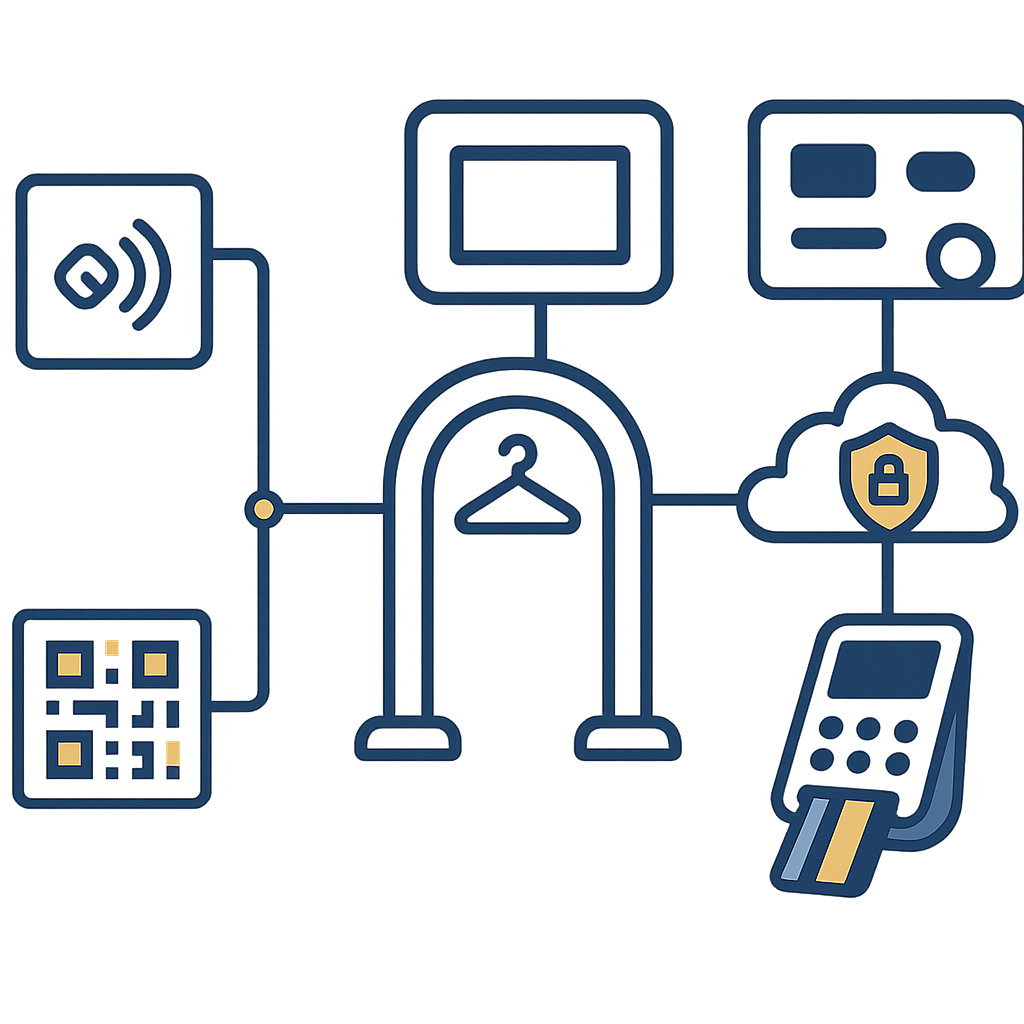
An RFID self-checkout counter minimally includes 5 components: (1) an RFID desktop reader or reader chamber with an antenna, (2) a screen displaying the item list and total amount, (3) a payment gateway (POS terminal, QR, card), (4) sales software that can read RFID data and sync it with item codes, (5) an RFID gate placed at the exit to reconcile unpaid items. Without the exit gate layer, the self-checkout counter easily becomes a shrinkage loophole.
Of the 5 layers above, the most easily overlooked layer is the RFID gate at the exit. Many shops build very nice self-checkout counters but still leave the exit without reconciliation equipment, leading to customers carrying unpaid items through without any warning signal. The second most easily overlooked layer is the sales software — if the software cannot receive EPC data from the reader, the counter is just a raw reading tray that cannot issue an invoice.
- RFID reader: placed on the counter surface, withstands light impacts, has a read zone wide enough for the entire basket.
- Screen: displays the item list, unit price, total amount, and a confirmation button — the customer must see which items have been charged.
- Payment gateway: a POS machine or QR/card device placed right next to the screen, so customers do not have to walk around.
- Sales software: receives EPC codes, matches them with SKUs, calculates the amount, issues invoices, and records the transaction to the management system.
- Exit RFID gate: re-reads the codes on the items the customer carries out, compares them with the paid list, and triggers an alarm if there is an unpaid item.
See the deployment approach, devices and phased roadmap on the RFID checkout counter solution page.
What specifications of the Aura A032 desktop reader matter for a self-checkout counter?
Related products
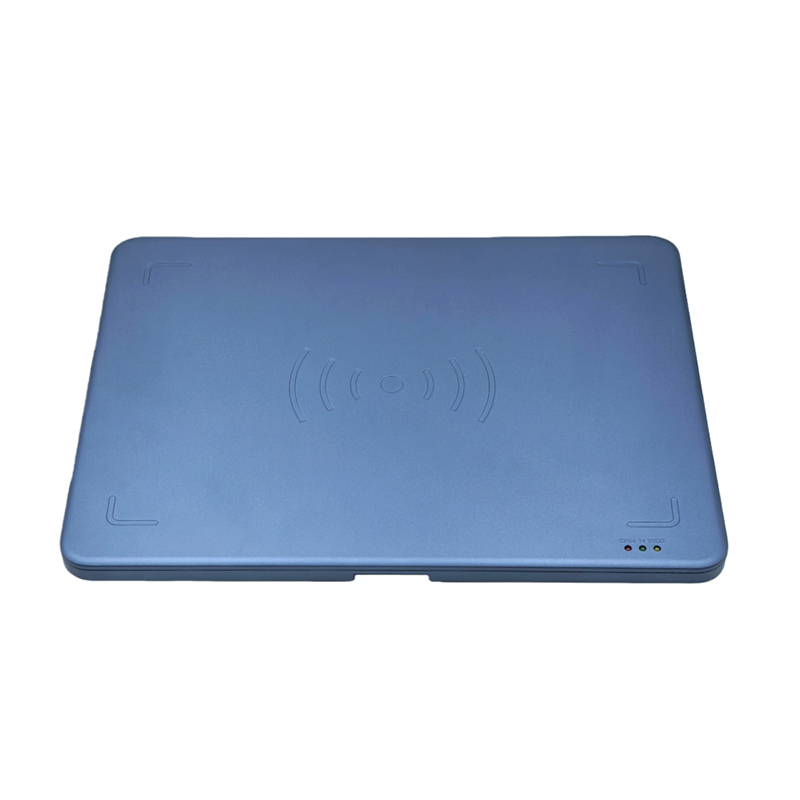
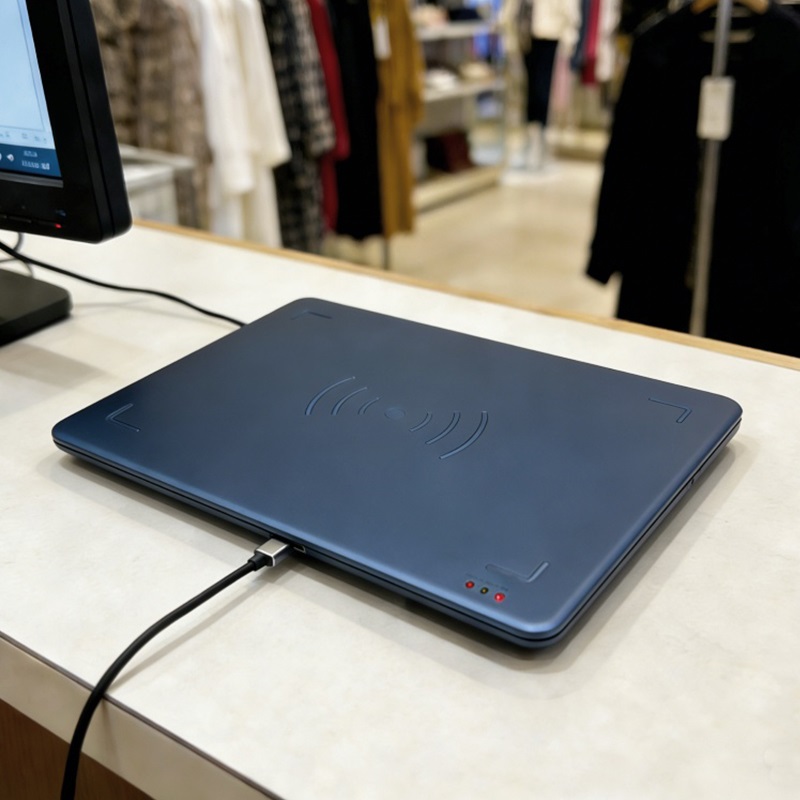
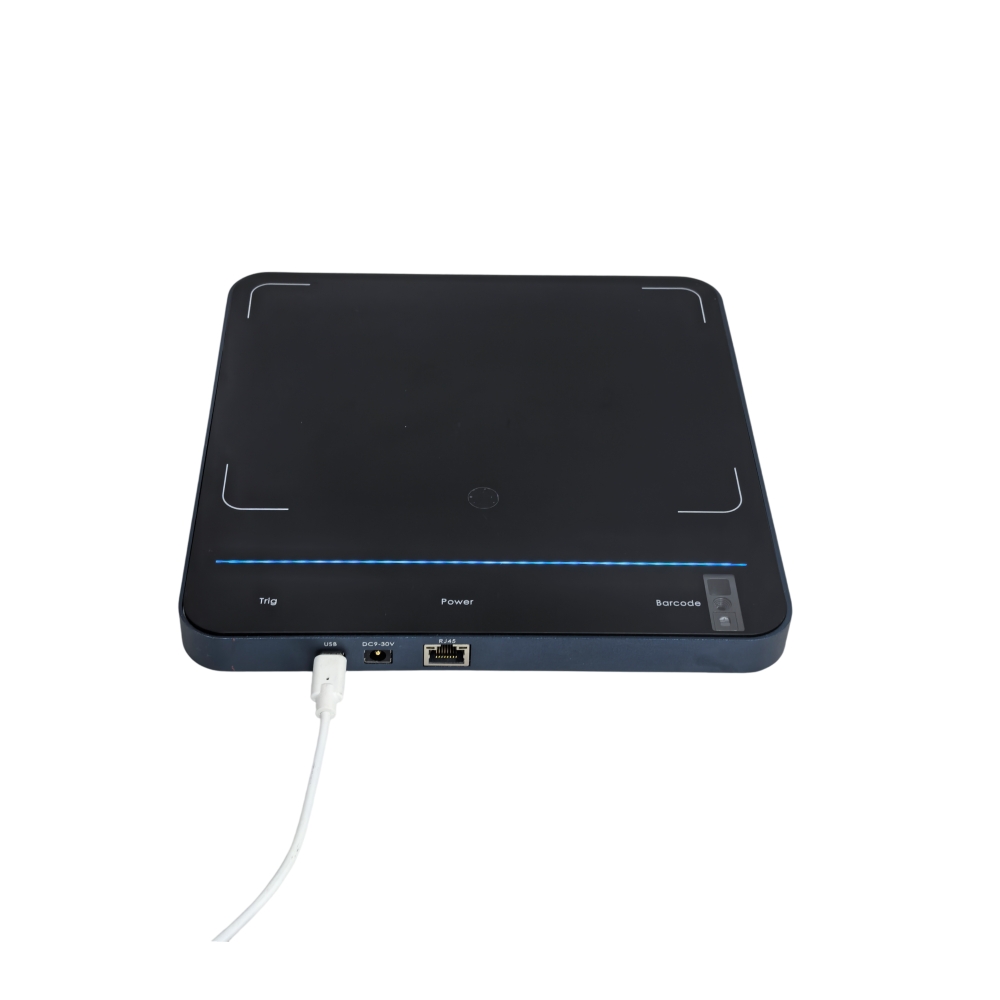
What notable specifications does the Aura A032 desktop reader have for self-checkout counters?

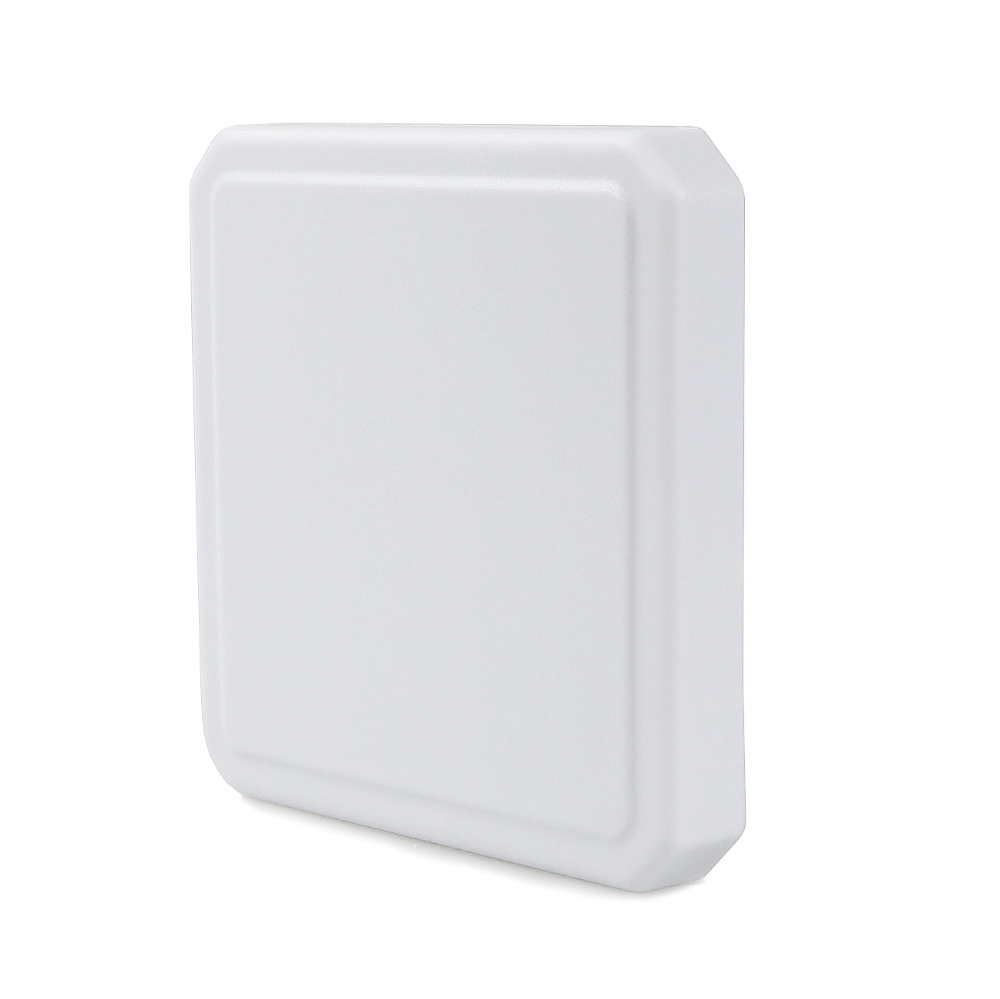
According to the manufacturer's specifications, the Aura A032 measures 320 × 320 × 18 mm, has a tempered glass and aluminum alloy surface, uses the Impinj E310 chip, and has a read range of 0–1.2 m depending on power and tag type. The device has a TOF laser distance sensor of 0–400 mm with an adjustable read threshold of 0–80 cm (default 15 cm on the A032) — this is an important detail for avoiding reading items placed near the counter.
For self-checkout counters, the 320 × 320 mm read surface lets customers place a whole stack of clothes or several pairs of shoes on it at once instead of scanning each item. The tempered glass and aluminum alloy housing withstands customers placing handbags and shoe boxes on the counter surface many times a day. The Impinj E310 chip is a common UHF reader chip that can read multiple tags at once and returns RSSI and phase angle — software can use these two parameters to filter out tags outside the intended read zone.
The TOF sensor is a major difference compared with conventional desktop readers. The sensor measures the distance from the counter surface to the object, and the read threshold can be adjusted from 0 to 80 cm. On the A032, the default threshold is 15 cm — meaning the counter only reads when an object is within that distance. When placing the counter next to shelving or next to the bags of customers waiting in line, store owners can lower the threshold further to avoid stray reads.
A032 also supports USB Type-C, RJ45, optional PoE 802.3af/at, and Bluetooth BLE 4.2. For self-checkout counters, the RJ45 port enables a direct connection to the store network instead of relying on USB; if the counter is far from a power outlet, the PoE version means a single network cable is enough for both power and data.
SA06A antenna — when do you need an external antenna for a self-checkout counter?
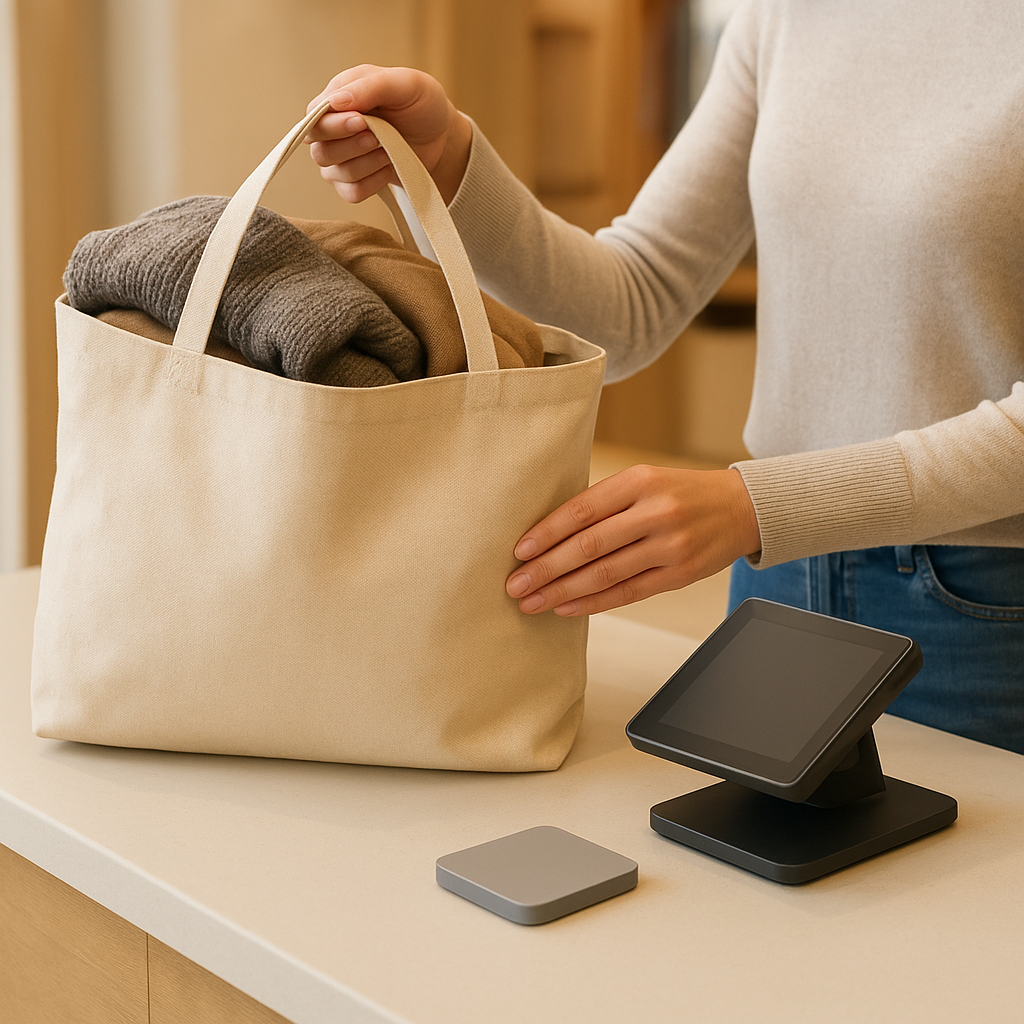
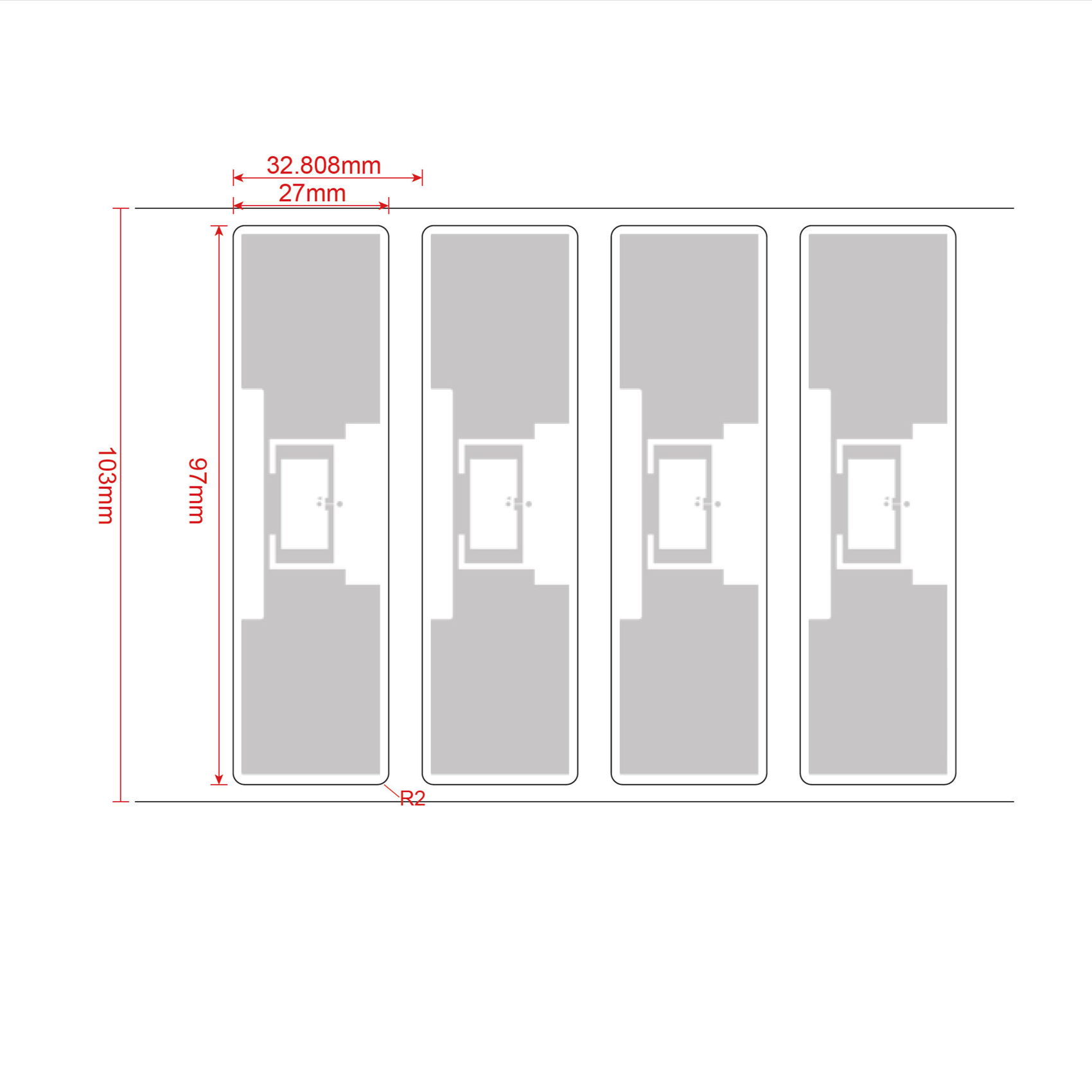
According to the manufacturer's specifications, the SA06A antenna has 6 dBi gain, circular polarization, a 106° horizontal and 106° vertical beamwidth, dimensions of 130 × 130 × 18 mm, an IP65 dust and water resistance rating, and a 902–928 MHz frequency version. This antenna is suitable when you need to extend the read zone for a large read chamber or when a desktop reader does not provide enough coverage for a bulky basket.
Desktop readers such as the A032 have a built-in antenna, suitable for small counters where customers place 3–10 items at a time. But for fashion shops with tote bags, thick coats, or customers buying full outfits, the built-in read zone may not cover everything. In that case, the SA06A external antenna helps extend coverage while maintaining circular polarization — an important factor because RFID tags on clothing labels often face random directions when customers place them on the counter.
The SA06A's IP65 rating is also useful if the counter is placed near an entrance where there is dust or moisture. The 902–928 MHz version is suitable for the Vietnamese market under current frequency allocations; before ordering, you should confirm with the supplier the specific frequency version for each batch.
Note: an external antenna does not by itself solve the cross-read problem. If the antenna is positioned in the wrong direction, the signal may spill over to adjacent shelves. Therefore, whether using the built-in antenna or the SA06A, testing on real merchandise and re-measuring the read zone at the actual counter position remains a mandatory step.
How do you prevent cross-reading of items placed near the self-checkout counter?
Preventing cross-reads requires combining three measures: using a distance sensor to limit the read zone, reducing RF power to the minimum sufficient level, and positioning the counter away from shelves or customer bags. On the Aura A032, the TOF sensor is adjustable from 0–80 cm and RF power is adjustable from 5–30 dBm in 1 dB steps — enough to fine-tune for each store layout.
These three measures should be done in order. First, place the counter at least far enough from shelves that the signal does not spill over; the specific distance depends on power and tag type, so measure on site rather than guessing. Second, lower RF power to the lowest level that still reads all tags on the counter — this is the most effective way to reduce cross-reads. Third, adjust the TOF sensor threshold so the counter only reads when an object is within the allowed distance.
- Measure the actual read zone: place tags on the counter and measure the farthest distance at which the reader still detects them; then place tags on an adjacent shelf and check whether they are cross-read.
- Lower RF power: start from a low level (e.g., 10–15 dBm) and increase gradually until all tags on the counter are read, then stop.
- Adjust the TOF threshold: set the threshold lower than the height of objects on the counter to prevent the counter from reading tags on nearby customers.
- Reposition the counter: if cross-reads persist, rotate the counter's orientation or move it 0.5–1 m away from shelves.
- Re-check after changing tags: new tags may have different sensitivity from old ones, so re-measure whenever you change tag batches.
How does the RFID gate at the exit reconcile unpaid items?
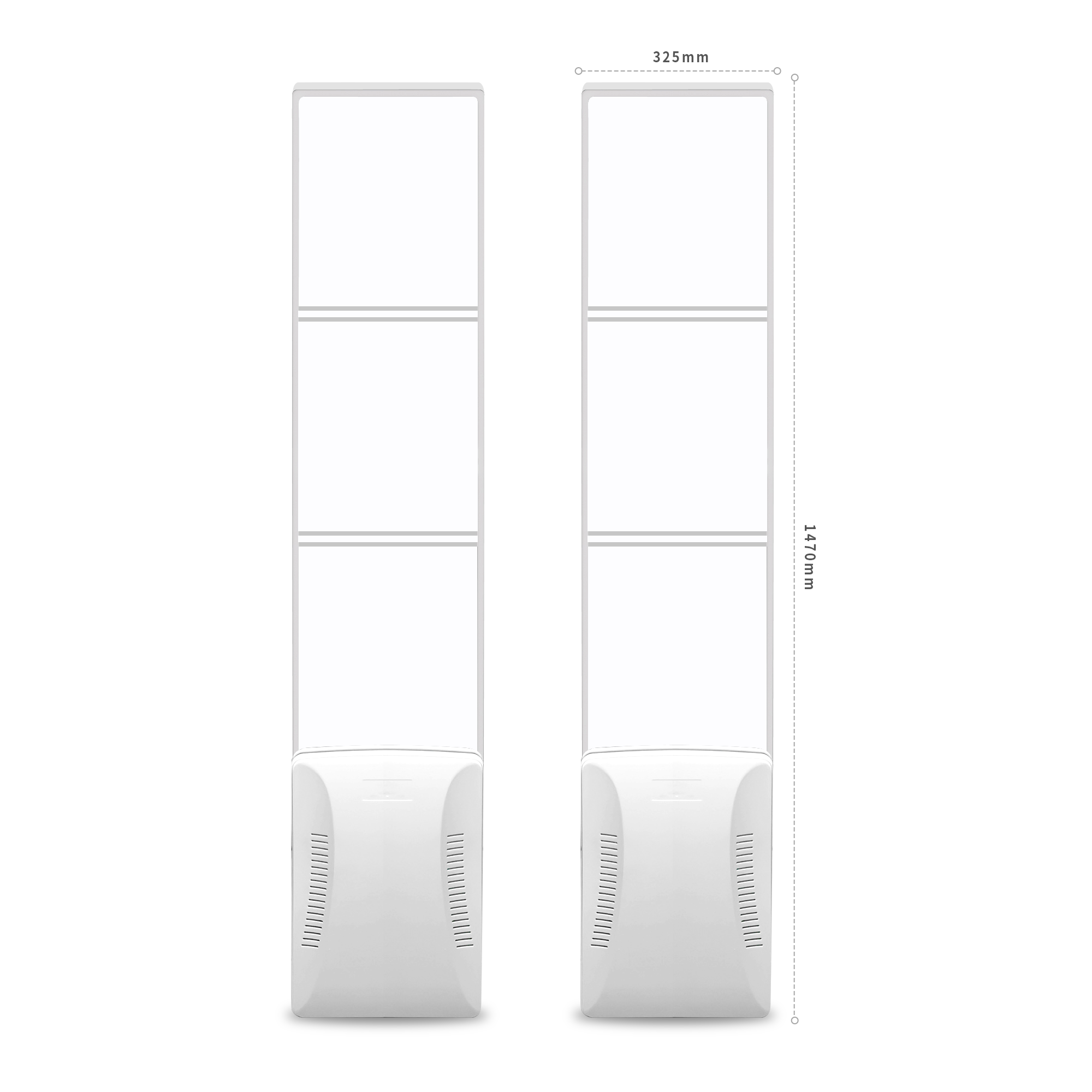
The RFID gate at the exit reads the codes on items customers carry, sends the list of codes to the point-of-sale software, and the software compares it against the list of items paid for at the counter. If any code does not match, the gate triggers an alert for staff to check. The gate must be placed where customers are required to pass through, with no shortcuts.
In principle, the exit RFID gate works like an automated checkpoint: customers walk through, the gate reads all tags on their person and bags, and the software reconciles against the just-paid receipt. If the customer has paid, the system records it normally; if there are unpaid items, the gate alerts staff to ask the customer to return to the counter. The RFID gate is only effective when every item in the shop has a tag and tags are attached in the correct position — this is a prerequisite, not an option.
One point to note: the exit RFID gate does not entirely replace staff. In the early phase, staff should be stationed near the self-checkout area to assist customers who are not yet familiar and to handle false-alarm situations. Once customers are accustomed and the false-alarm rate decreases, you can reduce the number of staff on duty, but you should not eliminate them entirely during peak hours.
What must sales software support to run an RFID self-checkout counter?
The sales software must receive EPC data from the reader, match the EPC to the SKU in the database, display the item list on the counter screen, calculate the total, issue an invoice, and record the transaction back to the management system. If the software has no API or does not support RFID reading, the self-checkout counter is just a raw reading tray.
In practice, many mainstream sales software packages only support barcode scanning. When upgrading to an RFID self-checkout counter, shop owners need to check whether the software supports EPC reading and has an API to connect to the reader. If not, there are two options: change the software or use middleware to convert EPC data into item codes. The second option usually incurs cost and latency, so consider it carefully before deployment.
Some modern POS software allows configuring a self-checkout workflow: the customer places items, the counter reads them, the screen displays the list, the customer taps confirm, the system generates an invoice and opens the payment gateway. This configuration should be tested on one counter before rolling it out across the chain.
Summary table of terms and devices in an RFID self-checkout counter
The table below summarizes the main terms and devices, with practical examples so shop owners can cross-check when working with suppliers. The example column helps quickly distinguish between a concept and a specific device.
| Term / Device | Short definition | Practical example |
|---|---|---|
| EPC | Unique electronic code on each RFID tag | Each shirt has its own EPC, linked to the SKU in the software |
| Desktop reader | Tag reading device placed on the counter surface | Aura A032, dimensions 320×320×18 mm, Impinj E310 chip |
| External antenna | Additional transmitting component to extend the read zone | SA06A, 6 dBi, beam 106°×106°, IP65 |
| TOF sensor | Laser-based distance measuring sensor | A032 has a TOF of 0–400 mm, read threshold adjustable 0–80 cm |
| Exit RFID gate | Tag reading device at the exit to cross-check invoices | Placed at the exit, reads all tags on the customer |
| RF power | Transmit power level of the reader | A032 adjustable 5–30 dBm in 1 dB steps |
Common mistakes when setting up an RFID self-checkout counter
The most common mistake is buying a reader, plugging it in, and not measuring the read zone on real goods, leading to reading items near the counter or missing tags. The second mistake is skipping the exit RFID gate, turning the self-checkout counter into a shrinkage gap. The third mistake is not having staff support in the early phase.
1. Not measuring on real goods: tags on thick jackets, shoes with metal, or bags with metal clasps usually read worse than tags on T-shirts. Placing a tag on a test counter is not enough; you must test the exact items customers buy.
2. Placing the counter too close to shelves: RFID waves spill over to adjacent shelves, reading unpaid tags. Keep distance and lower the power.
3. Skipping the exit RFID gate: a self-checkout counter without an exit gate is like a store with no staff checking — customers can take unpaid items outside.
4. No staff support in the early phase: customers who are not yet familiar easily place items in the wrong position, the counter under-reads, causing queues and complaints.
5. Using unsuitable tags: tags that are too small or placed in the wrong position (near metal zippers) reduce the read rate. Choose tags suited to each type of goods.
Frequently asked questions
Does an RFID self-checkout counter need staff on duty?
Yes, at least in the initial phase. Staff help customers place items in the correct position, handle false alerts from the RFID gate, and guide customers who are not yet familiar. Once customers are used to it and the false alert rate drops, the number of staff on duty can be reduced, but at least one person should be maintained during peak hours to handle unexpected situations.
Can the Aura A032 reader read an entire basket?
According to the manufacturer's specifications, the A032 has a read range of approximately 0–1.2 m and a read surface of 320×320 mm, sufficient for 5–10 items placed on the counter surface. However, read performance also depends on the tag type, power, and item material. You should test with the exact type of goods your shop carries before finalizing the configuration.
Is the SA06A antenna necessary for every self-checkout counter?
No. Small counters, where customers buy 3–10 items, can use the integrated antenna of the desktop reader. The SA06A is needed when the integrated read zone does not cover a bulky basket or when the coverage area needs to be extended for a large read chamber. The decision should be based on actual measurements, not on gut feeling.
How do metal and liquids affect an RFID self-checkout counter?
Metal and liquids block RFID waves, reducing the read rate. Shoes with metal buckles, bags with metal clasps, or water bottles in a bag can all cause missed reads. Therefore, you must test on real goods and position the counter away from areas with a lot of metal. There is no way to guarantee 100% reads in all conditions.
Can I upgrade my current checkout counter to RFID self-checkout?
It is possible if your current POS software supports EPC reading and has an API to connect to the reader. If not, you need to change the software or use middleware. In addition, you need to add an RFID gate at the exit and train staff. The upgrade cost is usually lower than building a new counter, but the integration time may be lengthy.
Is an RFID self-checkout counter suitable for small shops?
It is suitable if the shop has a sufficiently large customer volume and the goods are already tagged with RFID. Small shops with few customers may not yet need a self-checkout counter because the cost of hardware and software does not yet match the benefits. You should evaluate based on customer traffic and the goal of reducing congestion, not follow trends.
Việt POS provides RFID self-checkout solutions for fashion shops, from desktop readers, antennas, and exit RFID gates to POS software. Book a survey and read-rate measurement on real goods at your store — hotline 0935 498 384.
Need advice on specific equipment or a solution?
Việt POS replies within 30 minutes · Hotlines in 4 regions · Free site survey.
