Table of contents (10)
- Why do fashion shops often lose merchandise?
- What is item-code verification?
- Common sources of shrinkage and how to identify them
- When the RFID gate alarms: check the item list, respect the customer
- Periodic RFID stock counts: knowing which items are missing when the gate does not alarm
- Reference equipment and configuration for fashion shops
- Summary table: item-code-based checking versus manual methods
- Common mistakes in loss prevention
- In-store deployment roadmap
- Frequently asked questions

Preventing merchandise loss in a fashion shop is an operations problem, not just a matter of catching thieves. There are three common sources of shrinkage: theft, receiving and issuing errors, and merchandise misplaced inside the store. The effective approach is item-code checking — each product has an identifier, so when the security gate alarms or during stocktakes, staff match the exact item instead of searching bags or manually checking records.
Prevent loss in a fashion shop with an item-code checking process: attach RFID/EAS tags to each product, use an RFID security gate to read the item list when an alarm triggers so staff can reconcile quickly and respect customers, and combine it with periodic stocktakes using a handheld reader to detect items that go missing without the gate alarming. There is no committed loss-reduction rate before piloting on real merchandise.
Table of contents
- Why do fashion shops often lose merchandise?
- What is item-code checking?
- Common sources of shrinkage and how to identify them
- When the RFID gate alarms: reconcile the item list, respect the customer
- Periodic stocktakes with RFID: know which items went missing without the gate alarming
- Reference devices and configuration for fashion shops
- Summary table: item-code checking versus manual methods
- Common mistakes in loss prevention
- In-store rollout roadmap
- Frequently asked questions
Why do fashion shops often lose merchandise?

Fashion shops are characterized by many SKUs, many sizes and colors, customers constantly trying on items, and hanging and folded stock mixed together. The three main sources of shrinkage are: theft (by customers or insiders), receiving and issuing errors (miscounts, wrong code entry), and merchandise misplaced inside the store (hung in the wrong area, fallen behind shelving, transferred between warehouses without being recorded). There is no single percentage figure that applies to every shop, so it must be measured on each store's actual data.
These three sources differ in how they are detected. Theft usually surfaces when the security gate alarms or when a stocktake shows a shortfall. Receiving and issuing errors surface when receiving documents are reconciled against actual stock. Misplaced merchandise surfaces during area-by-area stocktakes. Relying on a single measure means the shop will miss the other two sources.
One easily overlooked point: items can go missing without the gate alarming. Tags can be removed, tags can be shielded, or an item can pass through a weak signal zone. That is why periodic stocktakes with a handheld reader are a complementary layer of checking that the gate cannot replace.
See the rollout approach, devices and phased roadmap on the loss prevention solution with RFID + EAS gates page.
What is item-code verification?
Related products


What is item-code verification?

With UHF RFID tags, the item code is read without contact, and multiple items at once. With EAS tags, the gate only signals that an object that has not been deactivated is passing through. These two technologies are often combined: RFID for list reconciliation, EAS for the traditional alarm layer.
Conditions for the process to work: the tag must be attached in the correct position, the code on the tag must match the code in the sales system, and staff must have a reader at the counter or a handheld reader. If any one of the three is missing, item-code verification will fall back to manual reconciliation.
Common sources of shrinkage and how to identify them

Correctly identifying the source of shrinkage helps you choose the right tool. Theft requires security gates and an alarm response procedure. Receiving and issuing errors require reconciling documents and item tags. Lost items require area-based stock counts and handheld readers. Each source has its own signs and should not be lumped into a single unverified report.
Theft
Signs: gate alarms, camera footage of unusual behavior, or stock counts showing shortages in groups of items that are easy to carry out. In fashion shops, small, high-value items are often targeted. RFID/EAS gates help detect incidents on the spot, but a clear handling procedure is needed to avoid making customers uncomfortable.
Receiving and issuing errors
Signs: system stock differs from actual stock but there are no signs of theft. Causes are usually miscounting when receiving goods, entering the wrong code, or transferring stock without updating. The fix is to standardize receiving and issuing documents and apply item tags immediately upon receipt.
Items lost within the store
Signs: items are still in the store but not in the right place, or are hung in the wrong area. Periodic counts with a handheld reader help detect them quickly. This is an easily overlooked source because it does not trigger an alarm.
When the RFID gate alarms: check the item list, respect the customer
When the gate alarms, staff should not ask the customer to open their bag immediately. The correct approach is to use the screen or reader to view the list of items just read and reconcile it with the receipt or payment status. If the item has been paid for or the tag has not been deactivated, handle the deactivation. If the item has not been paid for, invite the customer to discuss privately. This procedure preserves the experience and reduces disputes.
- Step 1 — Record the alarm: the staff member closest to the gate confirms which gate alarmed and at what time.
- Step 2 — Read the item list: view the list of items just read on the management screen or reader. This list usually shows item codes and read times.
- Step 3 — Quick reconciliation: compare the item codes with the receipt or payment status in the system. If they match, deactivate the tag and thank the customer.
- Step 4 — Handle privately if needed: if the item has not been paid for, invite the customer to a private area to discuss, avoiding a scene at the store entrance.
- Step 5 — Record the incident: save the item codes, time, and handling staff member for future stock counts and training.
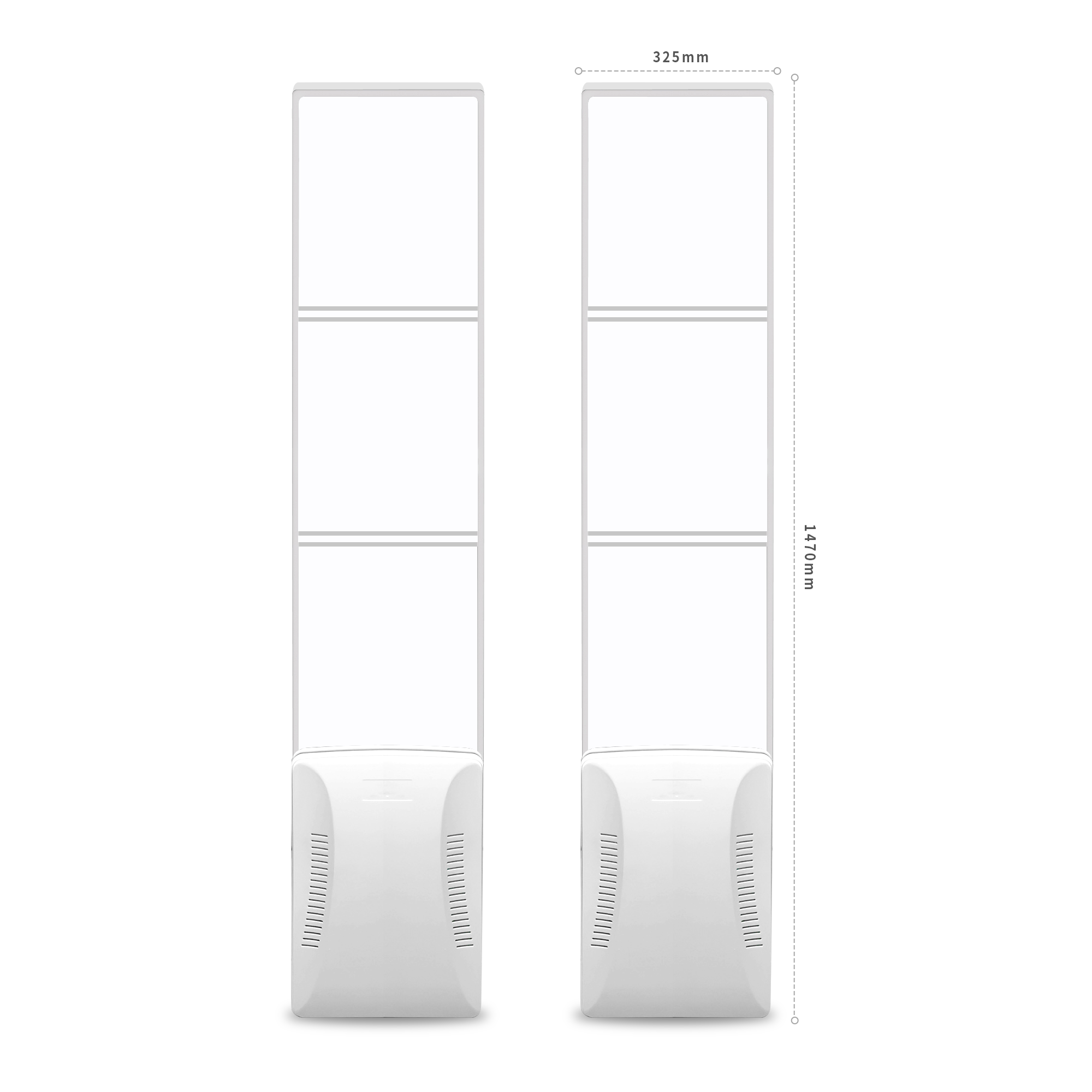
The important point is that staff see the list of items just read, not the entire inventory list. This enables quick reconciliation, reduces the time customers are held at the gate, and reduces the feeling of being suspected. With the IntelliGate A8 gate, according to the manufacturer's specifications, the gate has two panels, each measuring 1470 × 325 × 129 mm, with an acrylic surface, combining RFID UHF (ISO 18000-6C / EPC Gen2) and EAS. The gate has two phased-array antennas, 7 dBi gain, adjustable output power 0–33 dBm, and supports reading UHF tags and optional EAS.
Combining RFID and EAS allows the store to have both an alert layer and item code data for reconciliation. However, do not expect the gate to read 100% of all tags under all conditions. Metal and liquids block signals, so testing on actual goods is needed before broad deployment.
Periodic RFID stock counts: knowing which items are missing when the gate does not alarm
Periodic RFID stock counts help detect items that are already missing but did not trigger the gate, or items still in the store but in the wrong place. Frequency depends on scale, typically once every 1–4 weeks for small shops and once every 1–2 weeks for chains. Handheld devices such as the Zebra MC3390R read quickly by area, reducing counting time compared with manual barcode scanning.
Suggested procedure:
- Divide the store into counting areas (counter, hanging racks, back stockroom, fitting area).
- Use the handheld reader to scan each area in turn, recording the item codes read.
- Compare with the system stock list to find missing and excess items.
- Investigate missing items: check cameras, sales history, stock transfer documents.
- Update stock and record the causes to improve the process.
Periodic counts also help evaluate gate effectiveness. If a group of items is continuously missing without the gate alarming, recheck tag placement, gate orientation, and the type of tag in use.
Reference equipment and configuration for fashion shops
A typical configuration includes: UHF RFID tags attached to products, an RFID/EAS security gate at the exit, a desktop reader at the counter for deactivation or reconciliation, and a handheld reader for stocktaking. Depending on scale, a shop can start with the gate and desktop reader, then add handheld devices when frequent stocktaking is needed.
| Equipment / term | Short definition | Example / reference specifications |
|---|---|---|
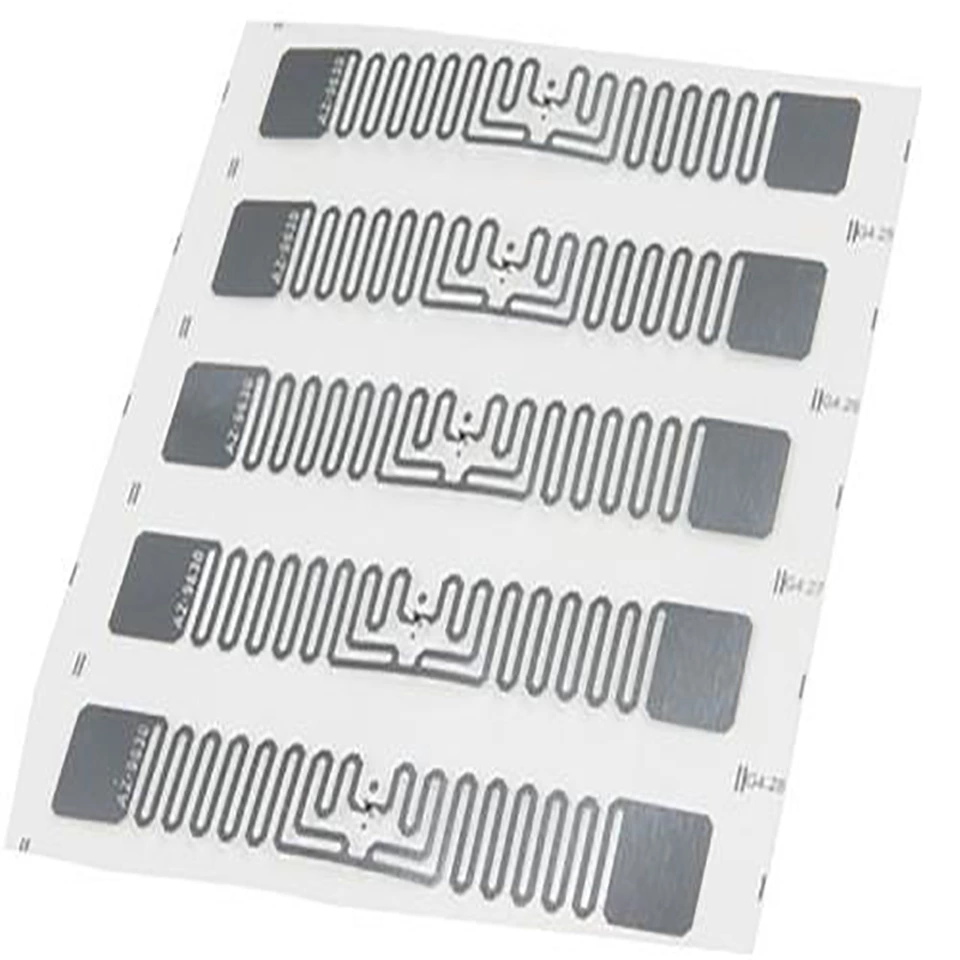
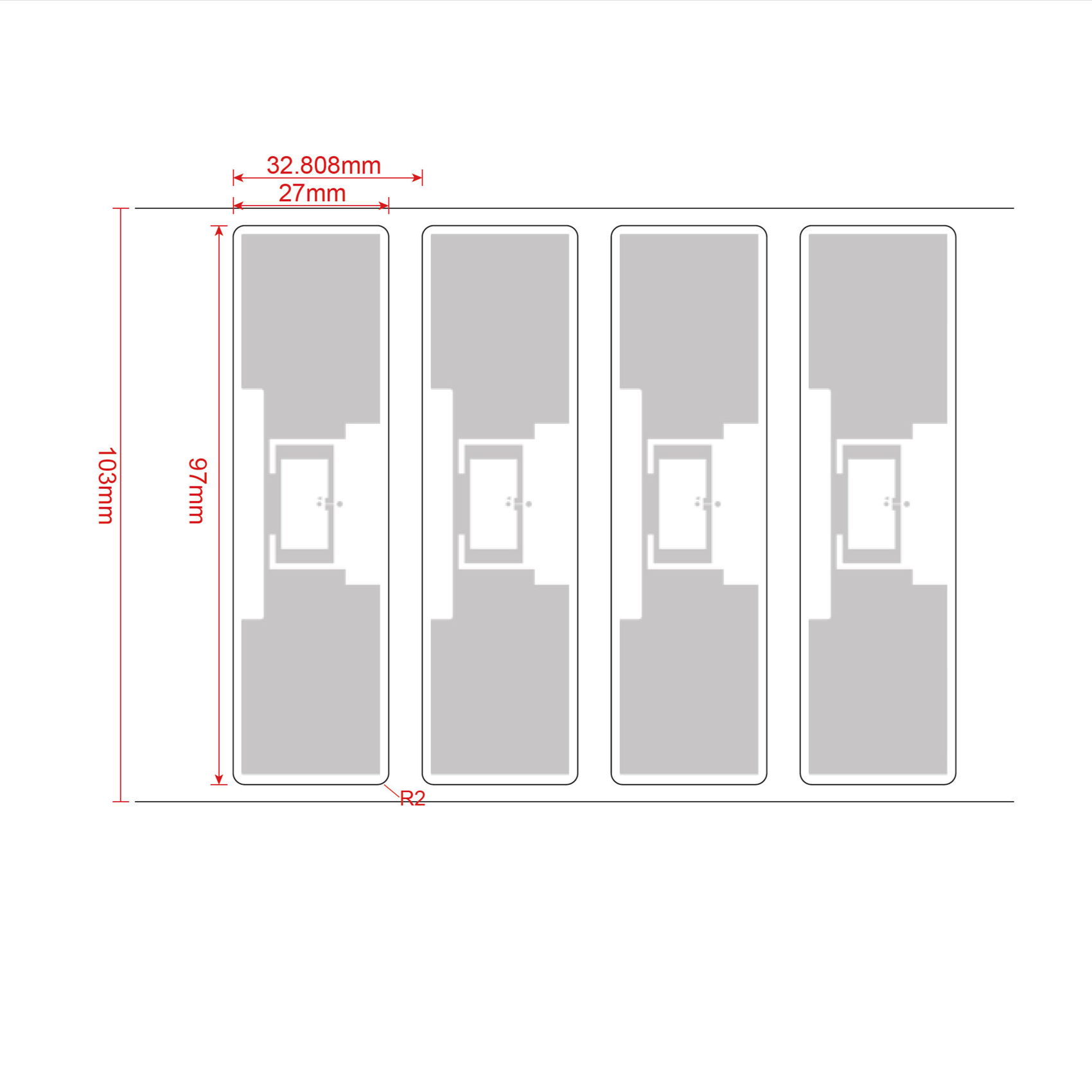
| UHF RFID tag | Chip-equipped tag that stores the item code, read without contact | NXP U9 EPC Gen2 tag, size 97 × 27 mm, frequency 840–960 MHz (per manufacturer specifications) |
| RFID/EAS security gate | Device placed at the exit that detects tags that have not been deactivated | IntelliGate A8: two panels 1470 × 325 × 129 mm, RFID UHF ISO 18000-6C/EPC Gen2, optional EAS |
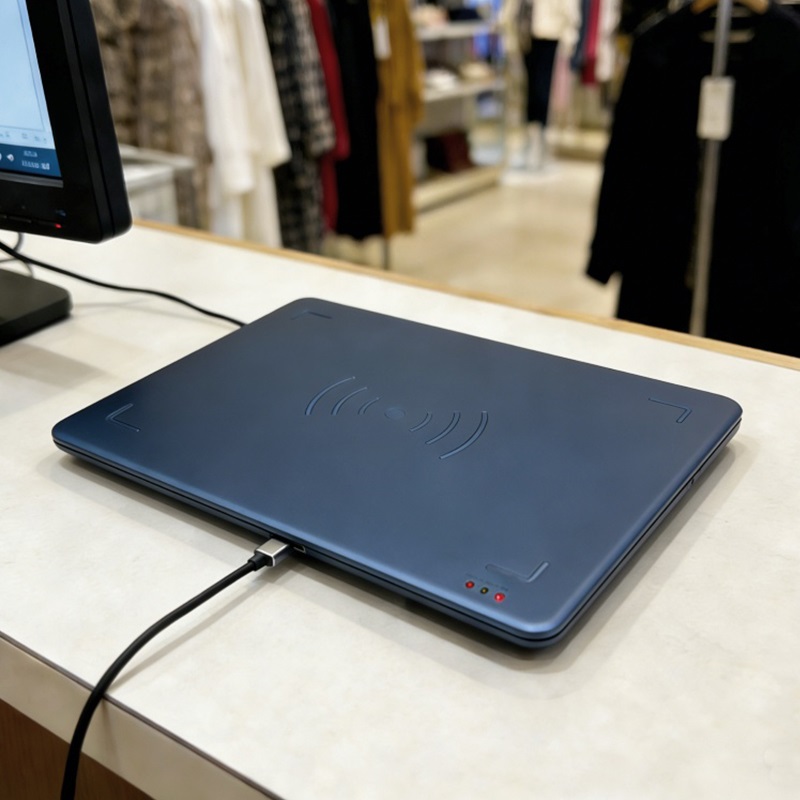
| Desktop RFID reader | Device that reads tags at the counter, connected to a computer | Aura A033: frequency 865–928 MHz depending on region, power 5–30 dBm, USB Type-C |
| Handheld reader | Device for stocktaking by area | Zebra MC3390R: Android, 5200 mAh battery, RFID reading support |
| Tag deactivation | The action of marking a paid item so the gate does not alarm | Performed at the counter using a reader or POS software |
For the Aura A033 desktop reader, according to manufacturer specifications, the device supports the ISO18000-6C/EPC C1G2 protocol, frequency 865–868 MHz or 902–928 MHz depending on region, power 5–30 dBm, read range 0–1 m depending on power, antenna and environment. This is a suitable device for quick reconciliation at the counter when the gate alarms.
Regarding tags, the R6 Wet Inlay UHF 860–960 MHz RFID tag for apparel is programmable and suitable for attaching to hang tags. The NXP U9 EPC Gen2 T9727L tag has 96-bit EPC memory, 96-bit TID, size 97 × 27 mm, per manufacturer specifications. Tag selection needs to be tested on the actual material because tags on fabric, leather, or products containing metal may give different read results.
Summary table: item-code-based checking versus manual methods
The table below quickly compares two ways of handling suspected shrinkage: item-code-based checking and manual reconciliation. The goal is to help shop owners choose the approach that fits their scale and risk tolerance.
| Criterion | Item-code-based checking | Manual reconciliation |
|---|---|---|
| Speed when the gate alarms | A few seconds to under a minute if the list is clearly displayed | A few minutes, depending on staff experience |
| Customer experience | Maintains respect if the process is clear | Easily creates a feeling of being suspected |
| Detecting missing items when the gate does not alarm | Yes, thanks to periodic stocktaking with readers | Difficult, easy to miss |
| Equipment requirements | Requires tags, gate, readers | Only requires records and staff |
| Data accuracy | Higher if tags are attached correctly and the system is updated | Depends on record-keeping |
Common mistakes in loss prevention
1. Relying only on the security gate: the gate cannot detect items whose tags have been removed or are shielded. Periodic stocktaking is needed as a supplement.
2. Asking customers to open their bags as soon as the gate alarms: this harms the experience and easily leads to disputes. The item list should be reconciled first.
3. Attaching tags in the wrong position: tags on folds, or tags shielded by metal or liquids, will read poorly. Testing on actual merchandise is needed.
4. Not synchronizing item codes between tags and the system: this causes incorrect reconciliation. Codes need to be standardized as soon as goods are received.
5. Expecting 100% reads: no device guarantees this under all conditions. The actual read rate needs to be measured before committing.
In-store deployment roadmap
The roadmap should start with a small area, measure the read rate on actual merchandise, then expand. Do not commit to a shrinkage reduction rate before you have pilot data. The steps are: select a pilot product group, apply tags, install the gate and reader, run a 2–4 week pilot, measure results, then adjust.
- Select a pilot product group: prioritize groups with high value or frequent losses.
- Apply tags and sync codes: make sure the code on the tag matches the sales system.
- Install the gate and reader: place the gate at the main exit, the reader at the counter.
- Run the pilot: record the number of alarms, the number of items reconciled, and processing time.
- Measure and adjust: check the read rate on actual merchandise, adjust tag placement or gate power.
Việt POS provides loss prevention solutions with RFID/EAS gates, readers and tags. To find out which device is suitable, you should schedule a site survey and measure the read rate on actual merchandise before deciding to invest.
Frequently asked questions
Can an RFID gate read every type of tag?
No. According to manufacturer specifications, the IntelliGate A8 gate supports RFID UHF ISO 18000-6C/EPC Gen2 and optional EAS, but read performance depends on the tag type, placement, product material and environment. Metal and liquids can block the signal. That is why you need to test on actual merchandise before rolling out broadly. Do not commit to a 100% read rate.
When the gate alarms, what should staff do first?
Staff should check the list of items just read on the management screen or the reader, then cross-check against the invoice or payment status. If the item has been paid for, deactivate the tag and thank the customer. If not, invite the customer to discuss privately. Do not ask to open bags right at the gate, as this easily causes disputes and affects the experience.
How often should inventory be counted?
It depends on scale and sales traffic. Small shops can count inventory every 2–4 weeks; chains or high-traffic shops should count every 1–2 weeks. Periodic inventory counts help detect items that are lost without the gate alarming and assess gate effectiveness. Divide by area to reduce time and avoid disrupting sales.
Can RFID tags be attached to all types of clothing?
There are many tag types suitable for apparel, for example the R6 Wet Inlay UHF 860–960 MHz tag or the NXP U9 EPC Gen2 T9727L tag, 97 × 27 mm, according to manufacturer specifications. However, tags on thick fabric, leather, or products containing metal may give different read results. You need to test on actual materials and choose a suitable placement.
Should we commit to a shrinkage reduction rate before the pilot?
No. Each store has a different product mix, operating method and level of compliance. Việt POS recommends running a 2–4 week pilot on one product group, measuring the read rate and the number of alarm incidents, and only then evaluating effectiveness. Committing before you have actual data easily leads to wrong expectations and disputes.
What is the Aura A033 desktop reader used for?
According to manufacturer specifications, the Aura A033 is a desktop RFID UHF reader supporting ISO18000-6C/EPC C1G2, frequency 865–868 MHz or 902–928 MHz depending on region, power 5–30 dBm, USB Type-C connection. The device is suitable for reading tags at the counter, cross-checking item codes when the gate alarms, or deactivating tags after payment. Read range 0–1 m depending on power and environment.
Need to measure the read rate on actual merchandise before investing? Call 0935 498 384 or email info@vietpos.vn so Việt POS can survey your store, test tags on real products and advise on a suitable RFID/EAS gate configuration.
Need advice on specific equipment or a solution?
Việt POS replies within 30 minutes · Hotlines in 4 regions · Free site survey.
Related articles