Table of contents (9)
- What is an anti-theft gate alarm and why is a handling procedure needed?
- Common causes of anti-theft gate alarms
- Alarm Handling Procedure for Staff at the Anti-Theft Gate
- Handling alarms with an RFID gate: view the list of item codes just read
- Record alarm history to review the checkout procedure
- Summary table: Terms and concepts
- Common mistakes when handling alarms
- Frequently asked questions
- Conclusion and recommendations

An anti-theft gate alarm is a signal that must be handled according to a standard procedure to both protect assets and preserve the customer experience. In Vietnam, electronic article surveillance (EAS) gates and RFID gates are being widely deployed in fashion, cosmetics, accessories stores and retail chains. This article guides staff on how to handle a gate alarm, from common causes to handling steps and data logging.
When the anti-theft gate alarms, staff should stay calm, politely invite the customer back to the counter, and check the receipt and the tag on the item. Do not search the person, and do not accuse. With an RFID gate, review the list of item codes just read to identify the item that triggered the alarm. Log the alarm history to review the cashier process and reduce false alarms.
Table of contents
- What is an anti-theft gate alarm and why is a handling procedure needed?
- Common causes when the EAS gate alarms
- EAS gate alarm handling procedure for staff
- Handling alarms with an RFID gate: review the list of item codes just read
- Logging alarm history to review the cashier process
- Summary table: Terms and concepts
- Common mistakes when handling alarms
- Frequently asked questions
- Conclusion and recommendations
What is an anti-theft gate alarm and why is a handling procedure needed?
An anti-theft gate alarm is a signal from an electronic article surveillance (EAS) gate system or an RFID gate when it detects an un-deactivated or unpaid tag passing through. A handling procedure helps staff respond consistently, avoid upsetting customers and limit missed merchandise. Without a procedure, staff tend to handle situations on impulse, leading to disputes or ignored alerts.
See the deployment approach, devices and phased roadmap on the loss prevention solution using RFID + EAS gates page.
Common causes of anti-theft gate alarms
Related products


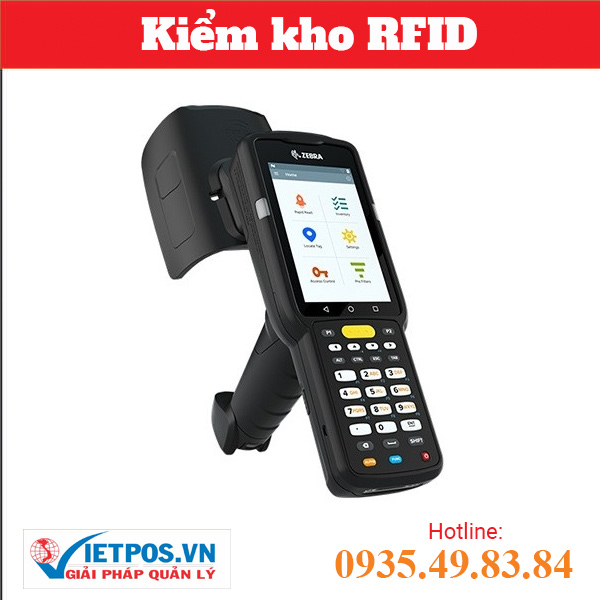
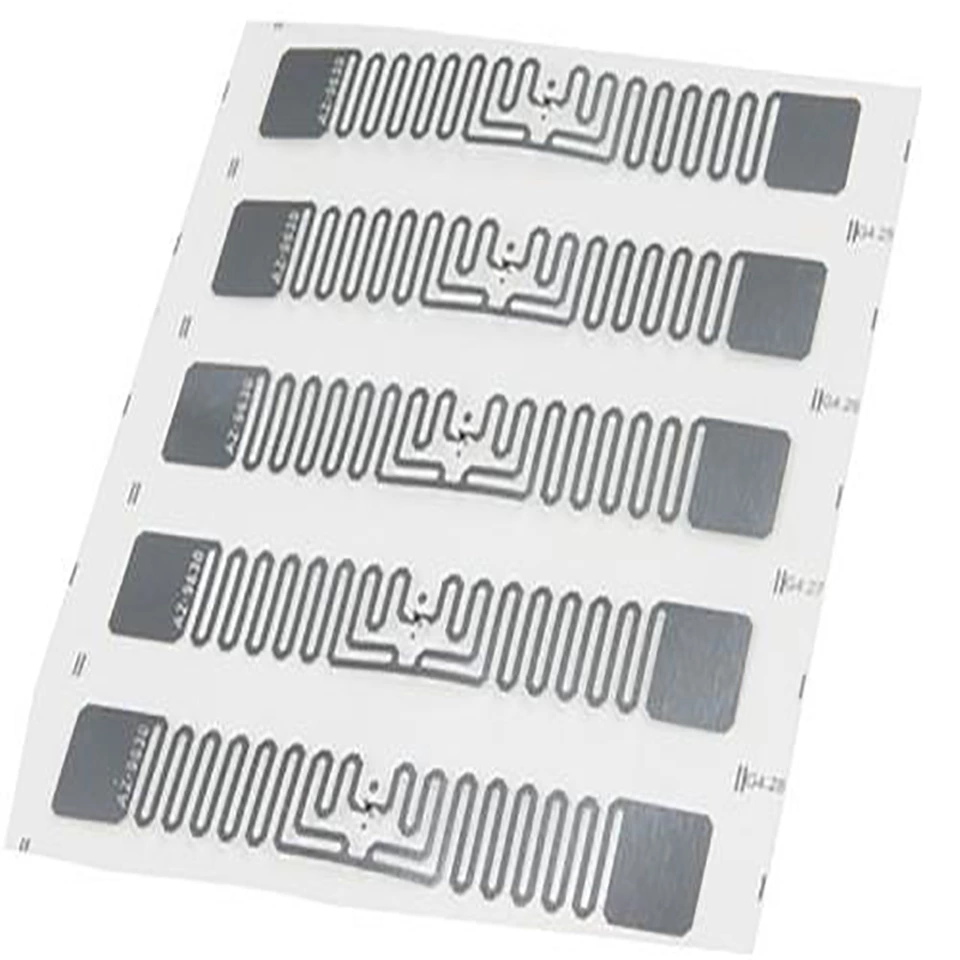
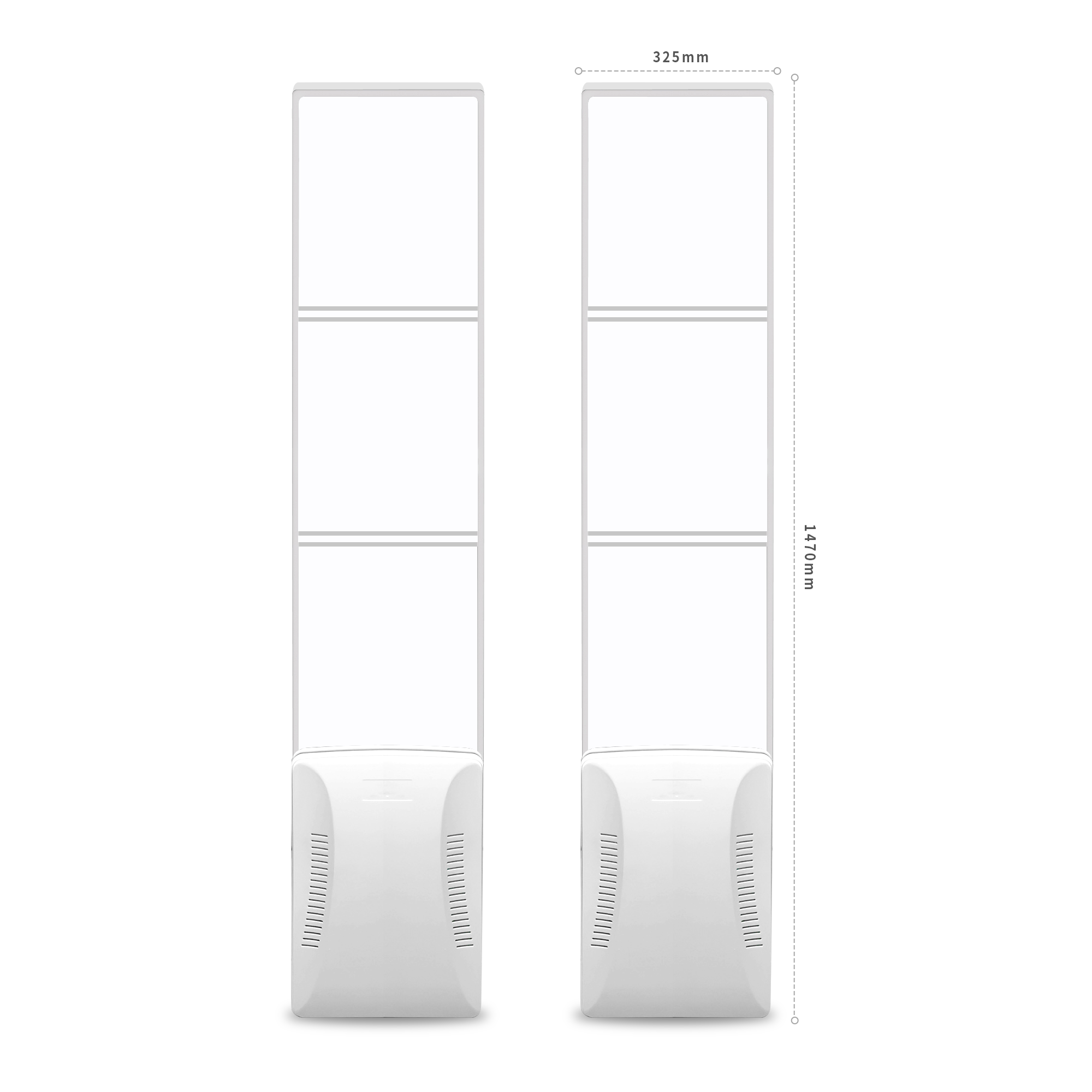
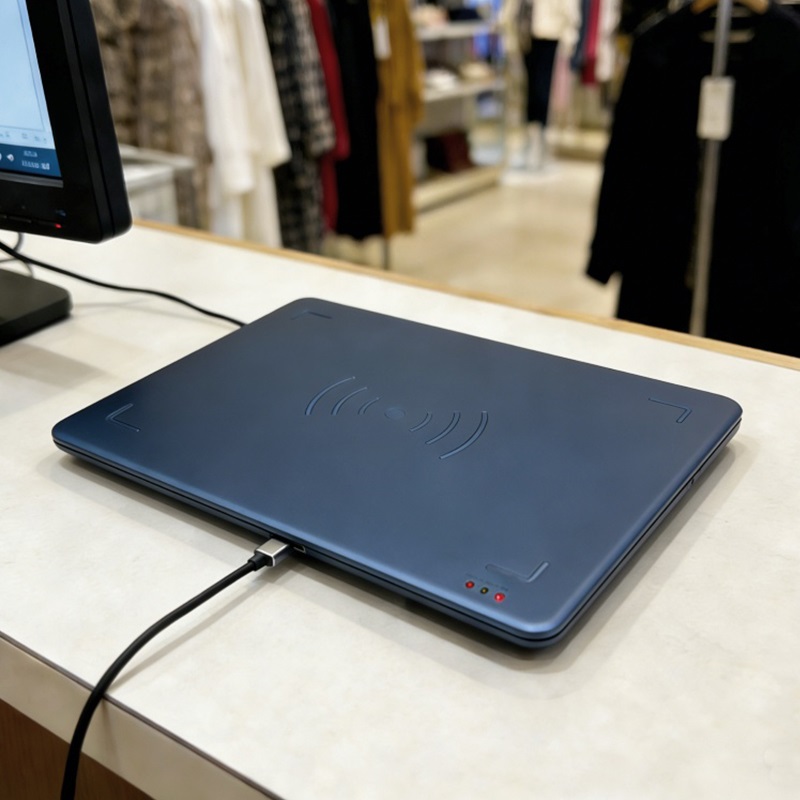

There are three main groups of causes: cashiers forgetting to deactivate labels, merchandise brought from another store, and customer labels from elsewhere. In addition, some environmental factors such as metal, liquids, or labels placed in the wrong position can also cause false alarms. Understanding the causes clearly helps staff respond quickly and correctly.
- Cashier forgot to deactivate the label: The EAS label or RFID tag has not been deactivated or has not been recorded as paid. This is the most common cause, especially during peak hours.
- Merchandise brought from another store: The customer bought the item elsewhere, that store's label is still active, and it passes through your gate and triggers an alarm.
- Customer labels from elsewhere: Customers may carry personal items bearing labels from another store (clothing, bags, accessories) and accidentally trigger the gate.
- Environmental factors: Metal, liquids, or scratched labels can increase the risk of false alarms. Testing on actual merchandise is needed to verify.
Alarm Handling Procedure for Staff at the Anti-Theft Gate

The procedure consists of 5 steps: stay calm and observe, greet the customer politely, invite the customer back to the counter, check the receipt and tags, handle the outcome and record it. Each step should be carried out gently, avoiding drawing the attention of other customers. The goal is to verify the cause, not to accuse.
- Stay calm and observe: When the gate sounds, the nearest staff member approaches, without rushing over. Observe the customer's attitude, note the time and direction of movement.
- Greet the customer politely: Smile and greet in a friendly manner. You can say: "Hello, may I help you check something quickly?" Avoid a suspicious tone.
- Invite the customer back to the counter: Ask the customer to return to the checkout counter to check the receipt and the tags on the items. Explain briefly: "The anti-theft gate can trigger a false alarm, so let me check to be sure."
- Check the receipt and tags: Look at the payment receipt and match it against the items. Check whether the EAS label or RFID tag has been deactivated. With an RFID gate, view the list of item codes just read on the management screen to identify exactly which item triggered the alarm.
- Handle the outcome and record it: If the tag has not been deactivated, apologize to the customer and deactivate the tag immediately. If the item is from another store, explain gently and invite the customer to continue. Record the information in a logbook or software for later review.
In all cases, staff must never conduct a personal search on their own initiative and must not conclude that the customer has stolen. If the customer does not cooperate, ask the manager to handle it.
Handling alarms with an RFID gate: view the list of item codes just read

An RFID gate provides more detailed data than a conventional EAS gate: when an alarm is triggered, the system displays the list of EPC codes of the tags just read within the coverage area. Staff match these codes against the receipt to determine which item has not been paid for or whose tag has not been deactivated. For example, the IntelliGate A8 RFID & EAS security gate (per the manufacturer's specifications: two antennas, each 1470 × 325 × 129 mm, acrylic face, combining RFID UHF ISO 18000-6C/EPC Gen2 and EAS) displays tag codes on the management screen.
The specific procedure:
- Open the RFID gate management software, view the "Events" or "Alarms" tab.
- The list of EPC codes appears, sorted by time. The code that appeared most recently is usually the cause.
- Match the codes against the receipt: if a code is not on the receipt, that item has not been paid for. If it is on the receipt but the tag has not been deactivated, deactivate it again.
- For items brought from another store, the tag code may not be in your system. Explain this to the customer and record it.
Note: RFID UHF can be affected by metal and liquids. Test on real items to ensure a stable read rate.
Record alarm history to review the checkout procedure
Every time the gate triggers an alarm, it should be recorded in a logbook or software, including the time, item code (if any), cause and the staff member who handled it. This data helps identify patterns: which cashier often forgets to deactivate tags, which time slots have many alarms, which items often cause false alarms. From there, management can retrain staff or adjust the procedure.
For example, if within one week there are 5-7 alarms caused by the same cashier forgetting to deactivate tags, a reminder and a recheck of the operation are needed. If alarms are concentrated on a few specific items, recheck the tag placement or the type of tag in use.
Recording also helps evaluate the effectiveness of the anti-theft gate and plan maintenance and calibration.
Summary table: Terms and concepts
Term Definition Example EAS pedestal Security pedestal system that uses electromagnetic waves to detect tags that have not been deactivated Sensormatic Synergy 2.5 Acrylic Pedestal pedestal RFID pedestal Pedestal that reads UHF RFID tags and displays the item's EPC code Pedestal
| Term | Definition | Example |
|---|---|---|
| EAS pedestal | Security pedestal system that uses electromagnetic waves to detect tags that have not been deactivated | Sensormatic Synergy 2.5 Acrylic Pedestal pedestal |
| RFID pedestal | Pedestal that reads UHF RFID tags and displays the item's EPC code | IntelliGate A8 RFID & EAS security pedestal |
| EAS tag | Magnetic tag attached to merchandise, deactivated at the checkout counter | Tag attached to shirts and handbags |
| RFID tag | RFID label with a unique EPC code, read without contact | RFID UHF EPC Gen2 NXP U9 T9727L tag |
| False alarm | Pedestal alarms even though the item has been paid for or has no tag | Metal in a handbag causing interference |
Common mistakes when handling alarms
Accusing the customer immediately: Saying "You stole the merchandise" before checking is a serious mistake that can lead to a lawsuit.
- Accusing the customer immediately: Saying "You stole the merchandise" before checking is a serious mistake that can lead to a lawsuit.
- Searching a person or bag without authorization: Staff do not have the right to search a person. You may only ask the customer to open their bag themselves if they consent.
- Ignoring the alarm because you think it is a false alarm: You may miss unpaid merchandise. Always check according to procedure.
- Not recording history: This prevents managers from detecting system errors or cashier errors.
- Not testing on real merchandise: This leads to inaccurate read rates and increases false alarms.
Frequently asked questions
The pedestal alarms when a customer walks through but the customer says they have paid, what should be done?
Stay polite and invite the customer back to the counter to check the receipt and the tag. If the tag has not been deactivated, apologize and deactivate the tag. If the item is from another store, explain gently. Do not accuse.
How can you distinguish an alarm caused by a tag that has not been deactivated from one caused by merchandise from another store?
Check the receipt: if the item is on the receipt but the tag has not been deactivated, that is a cashier error. If the item is not on the receipt and the tag has an unfamiliar code, it may be from another store. With an RFID pedestal, check the EPC code to cross-reference.
The RFID pedestal displays multiple codes at once, how do you know which code caused the alarm?
The code that appears most recently or the code that is not on the receipt is usually the cause. Sort by time and cross-reference with the list of paid items.
Are staff allowed to ask a customer to open their bag?
You may not search a person without authorization. You may only ask the customer to open their bag themselves if the customer agrees. If the customer refuses, invite a manager to handle it.
How should alarm history be recorded?
Record it in a logbook or software: time, item code (if any), cause, staff member who handled it. This data is used for review and retraining.
Can the pedestal read metal merchandise?
Metal and liquids can block waves and reduce the read rate. You need to test on real merchandise, and a specialized tag for metal may be required.
Conclusion and recommendations
The procedure for handling pedestal alarms needs to be standardized and staff need to be trained on it. The goal is to protect assets and preserve the customer experience. For advice on installing a suitable pedestal, schedule a survey and measure the read rate on real merchandise with Việt POS. Contact the hotline 0935 498 384 or email info@vietpos.vn.
Need advice on a suitable anti-theft pedestal? Call 0935 498 384 now for a survey and read-rate measurement on real merchandise.
Need advice on specific equipment or a solution?
Việt POS replies within 30 minutes · Hotlines in 4 regions · Free site survey.
Related articles