Mục lục bài viết (9)
- Mistake 1 — Choosing software that does not meet international standards
- Mistake 2 — Self-checkout Kiosk incompatible with SIP2
- Mistake 3 — Skipping security gates
- Mistake 4 — Placing RFID tags in the wrong position
- Mistake 5 — Designing a system that does not fit Vietnamese schools
- Checklist to avoid 5 mistakes when upgrading school libraries to RFID
- Phased process for upgrading school libraries to RFID
- Actual costs and ROI when upgrading school libraries to RFID
- Frequently asked questions

Upgrading school libraries to RFID is a solution that integrates Radio Frequency Identification technology into the library management system, enabling automated check-in/check-out, fast inventory, and document security control. In Vietnam, the wave of upgrading school libraries to RFID in 2026 is strong in nationally accredited K-12 schools and universities, but the rate of failed or delayed deployments remains concerning — mostly due to 5 avoidable mistakes if known in advance.
The 5 most common mistakes when upgrading school libraries to RFID are: choosing software that does not meet international standards (MARC21, AACR2, SIP2); buying self-checkout Kiosks incompatible with SIP2; skipping security gates; placing RFID tags in the wrong position; and designing a system that does not fit Vietnamese school characteristics. Avoiding these 5 mistakes helps schools save 6-18 months of deployment and 150-500 million VND in correction costs.
Table of contents
- Mistake 1 — Choosing software that does not meet international standards
- Mistake 2 — Self-checkout Kiosk incompatible with SIP2
- Mistake 3 — Skipping security gates
- Mistake 4 — Placing RFID tags in the wrong position
- Mistake 5 — Designing a system that does not fit Vietnamese schools
- Checklist to avoid 5 mistakes when upgrading school libraries to RFID
- Phased process for upgrading school libraries to RFID
- Actual costs and ROI when upgrading school libraries to RFID
- Frequently asked questions
Mistake 1 — Choosing software that does not meet international standards

An international-standard library management software (ILS) is a system that supports MARC21 cataloging per AACR2, ISO 2709 record exchange, Z39.50 data retrieval, and DDC classification. If the software lacks these standards, the school cannot interoperate with the provincial library, cannot import records from external sources, and cannot connect to RFID/SIP2 devices later.
This is the most costly mistake because it is at the root. Many schools choose cheap "book management" software for 5-15 million VND, then discover it does not support SIP2 — the mandatory protocol for self-checkout Kiosks and security gates to communicate with the ILS. The result: RFID devices are purchased but must be operated manually, or new software must be bought after 6-12 months.
Three mandatory criteria when choosing software for library management software combined with RFID:
- MARC21 / AACR2 cataloging — international record standard, mandatory for data interoperability.
- SIP2 support — protocol for connecting self-checkout Kiosks, security gates, 24/7 book-drop.
- Full-text search OPAC — accent-insensitive search, merging print and digital materials on one interface.
Mistake 2 — Self-checkout Kiosk incompatible with SIP2
Related products






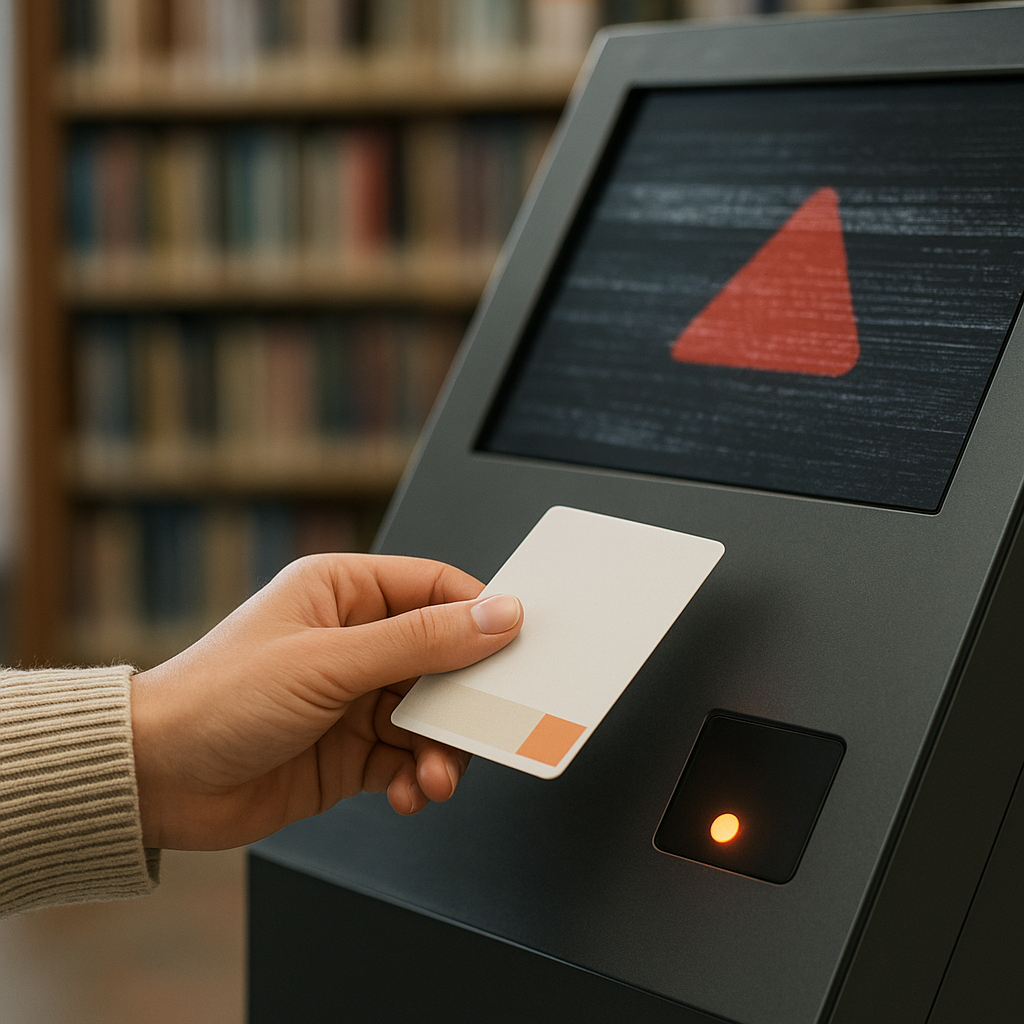
A self-checkout Kiosk is a device that allows students to scan their card and check books in/out without library staff. The Kiosk only works when it communicates with the ILS via the SIP2 standard. If the Kiosk does not support SIP2 or supports an old version, it cannot read patron status, loan due dates, or group-based lending policies — forcing the school back to manual processes.
There are three groups of self-checkout Kiosks on the market: Kiosks with a built-in ILS from the same vendor, standalone SIP2 Kiosks, and "closed" Kiosks that only run with proprietary software. The third group is often 30-50% cheaper but is a trap — the school gets locked into one ecosystem and cannot upgrade the ILS later.
| Criterion | Standalone SIP2 Kiosk | Closed Kiosk (proprietary software only) | Kiosk with built-in ILS |
|---|---|---|---|
| Connect to other ILS | Yes | No | Limited |
| Investment cost | Medium | Low | High |
| Upgrade capability | High | Low | Vendor-dependent |
| Suitable for VN schools | Yes | Not recommended | Depends on scale |
Mistake 3 — Skipping security gates

An RFID security gate is a device placed at the library entrance/exit that automatically detects documents not registered for checkout when students pass through. Skipping security gates means the school invests in RFID but does not solve the document loss problem — which is the most common reason schools upgrade.
Some schools cut the budget by buying only self-checkout Kiosks and handheld readers, skipping security gates. After 6-12 months, the book loss rate does not decrease, and may even increase because the self-checkout process is easily abused without control. RFID security gates work on the principle: a tag on a book that has not been "deactivated" at the Kiosk will trigger an alarm when passing through the gate.
Notes when choosing security gates for Vietnamese schools:
- Choose gates capable of distinguishing book tags from student card tags to avoid false alarms.
- Place gates at the only exit, not in areas with many side passages.
- Check integration capability with cameras to record alarm events.
Mistake 4 — Placing RFID tags in the wrong position
RFID tags need to be placed at a fixed position on each book — usually the inside cover or spine — so the reader detects them consistently. Wrong placement causes readers to miss 15-30% of transactions, especially when students stack multiple books at the Kiosk.
Three common tag placement errors: placing too close to the spine causing the tag to bend when the book opens, placing inconsistently across books causing uneven signal strength, and placing over the old barcode making backup lookup impossible. The standard process is to place tags at the same relative position on every book, then run a sample check of 5-10% of the total collection to confirm the read success rate exceeds 98%.
If the school already has an old barcode system, refer to the conversion guide in the article Library management software combined with RFID: 2026 selection guide to avoid having to re-tag a second time.
Mistake 5 — Designing a system that does not fit Vietnamese schools
An RFID system for Vietnamese schools must account for specific characteristics: class size of 40-50 students, library staff often part-time, unstable network infrastructure, and limited maintenance budgets. Copying a foreign university library model into a Vietnamese K-12 school leads to excess equipment, complex processes, and staff unable to operate it.
Three characteristics to consider:
- Concentrated peak hours — 40-50 students enter the library within 10-15 minutes during break. Self-checkout Kiosks must handle 3-5 transactions/minute, not 1-2 transactions/minute like Kiosks for sparsely populated university libraries.
- Part-time staff — many schools have only 1-2 library staff, often also teaching. Software must have a simple interface, not requiring in-depth training.
- Network infrastructure — internet connection may be intermittent. The system needs a temporary offline mode, syncing again when the network is available.
For schools expanding library space or combining with display areas, RFID device placement needs to be planned together with the layout — similar to how some units deploy central load racks for showrooms to synchronize traffic flow and equipment.
Checklist to avoid 5 mistakes when upgrading school libraries to RFID
The checklist below summarizes mandatory checkpoints before signing an upgrade contract for school libraries to RFID, helping schools avoid the 5 common mistakes and reduce the risk of having to redo after 6-12 months.
| Item | Check question | Pass standard |
|---|---|---|
| ILS software | Does it support MARC21, AACR2, SIP2, Z39.50? | All 4 standards present |
| Self-checkout Kiosk | Does it connect via standalone SIP2 to the ILS? | Yes, no ecosystem lock-in |
| Security gate | Does it distinguish book tags vs student card tags? | Yes, reduces false alarms |
| RFID tag | Is there a standard placement process and 5-10% sample test? | Read success rate above 98% |
| VN characteristics | Does it have offline mode, simple Vietnamese interface? | Yes, suitable for part-time staff |
If the school also operates other areas such as gyms, play areas, or service areas, experience integrating multi-purpose RFID systems can be referenced from articles like multi-branch gym management software — where the same RFID card infrastructure serves multiple purposes.
Phased process for upgrading school libraries to RFID
The standard process for upgrading school libraries to RFID consists of 4 phases: survey and software selection (2-4 weeks), tagging and digitizing the collection (4-12 weeks depending on scale), equipment installation and integration (2-4 weeks), training and trial operation (2-4 weeks). Total actual time for a K-12 school with 10,000-30,000 book copies is typically 3-6 months.
The tagging phase is the most time-consuming and easily underestimated. For a collection of 20,000 copies, two people working continuously 6 hours/day need about 8-10 weeks. If tagged hastily, the error rate increases and re-tagging is required — costs rise 30-50%.
For schools planning to combine library space with experience areas, the deployment model at how to set up a booth in a shopping mall can provide a reference for arranging traffic flow and reader devices.
Actual costs and ROI when upgrading school libraries to RFID
The cost of upgrading school libraries to RFID for a K-12 school with 15,000-25,000 book copies ranges from 180-450 million VND, including ILS software, RFID tags, self-checkout Kiosks, security gates, and training. Payback period is typically 18-30 months thanks to reduced counter staff and 60-85% reduction in document loss.
Three main savings:
- Counter staff — reduces 1-2 hours/day of library staff time thanks to self-checkout Kiosks, equivalent to 20-30% of working time.
- Document loss — reduced 60-85% thanks to security gates, equivalent to 15-40 million VND/year for an average school.
- Inventory — from 2-3 weeks manually down to 1-2 days with handheld readers, saving 15-20 person-days/year.
Frequently asked questions
How long does it take to upgrade a school library to RFID?
Actual deployment time for a K-12 school with 15,000-25,000 book copies is 3-6 months, divided into 4 phases: survey and software selection (2-4 weeks), tagging and digitization (4-12 weeks), equipment installation and integration (2-4 weeks), training and trial operation (2-4 weeks). The tagging phase takes the most time and is easily underestimated.
What international standards must library management software meet?
ILS software for school libraries needs at least 4 standards: MARC21 cataloging per AACR2 (record standard), ISO 2709 exchange (data import/export), Z39.50 (retrieving records from other libraries), and SIP2 (protocol for connecting RFID devices, self-checkout Kiosks, security gates). Missing any standard limits the system's scalability and interoperability.
What to do if the self-checkout Kiosk is incompatible with SIP2?
If the Kiosk has been purchased but does not support SIP2, the school has three options: (1) ask the vendor to upgrade firmware if feasible, (2) buy a SIP2 conversion module if the Kiosk has an open API, (3) replace the Kiosk. Option 3 is the most expensive but sometimes the only choice. How to avoid: check SIP2 technical documentation before signing the contract, request a demo connecting to the actual ILS.
Do RFID security gates cause false alarms when students pass through?
False alarms occur when the gate cannot distinguish tags on books from tags on student cards, or when tags are interfered with by surrounding electronic devices. How to reduce: choose gates with tag-type distinction features, place gates away from electromagnetic interference sources (speakers, refrigerators, transformers), and place tags correctly for stable signals. Target false alarm rate below 2% of total gate passages.
How much does it cost to upgrade a school library to RFID?
For a K-12 school with 15,000-25,000 book copies, total cost ranges from 180-450 million VND, including
Cần tư vấn thiết bị/giải pháp cụ thể?
Việt POS phản hồi trong 30 phút · Hotline 4 vùng · Khảo sát miễn phí.
Bài viết cùng chủ đề