Mục lục bài viết (9)
- What is a library security gate?
- How does a library security gate work?
- Which RFID equipment is needed for a school library?
- Self-checkout kiosk integrated with security gate: which international standards?
- Summary table of library security gate terminology
- Deploying a school library security gate: 5 steps
- Common mistakes when choosing a library security gate
- Cost and ROI: how long to break even?
- Frequently asked questions

A school library security gate is a 13.56 MHz RFID antenna system placed at the exit, automatically detecting books not recorded as borrowed and triggering an alarm within 0.5-1 second. In Vietnam, this model is being deployed at high schools, colleges, and universities with collections of 5,000-30,000 copies, combined with library management software integrated with RFID to synchronize borrow-return data in real time.
A school library security gate uses 13.56 MHz RFID to detect books that have not passed through the checkout desk, triggering an on-site alarm. Combined with a self-checkout kiosk (SIP2 protocol) and MARC21/ISO 15693-standard software, a school with 1,500-3,000 students reduces loss by 70-90% within 1-2 semesters, at a cost of 60-250 million VND for a library of 5,000-30,000 copies.
Table of Contents
- What is a library security gate?
- How does a library security gate work?
- Which RFID equipment is needed for a school library?
- Self-checkout kiosk integrated with security gate: which international standards?
- Summary table of library security gate terminology
- Deploying a school library security gate: 5 steps
- Common mistakes when choosing a library security gate
- Cost and ROI: how long to break even?
- Frequently asked questions
What is a library security gate?
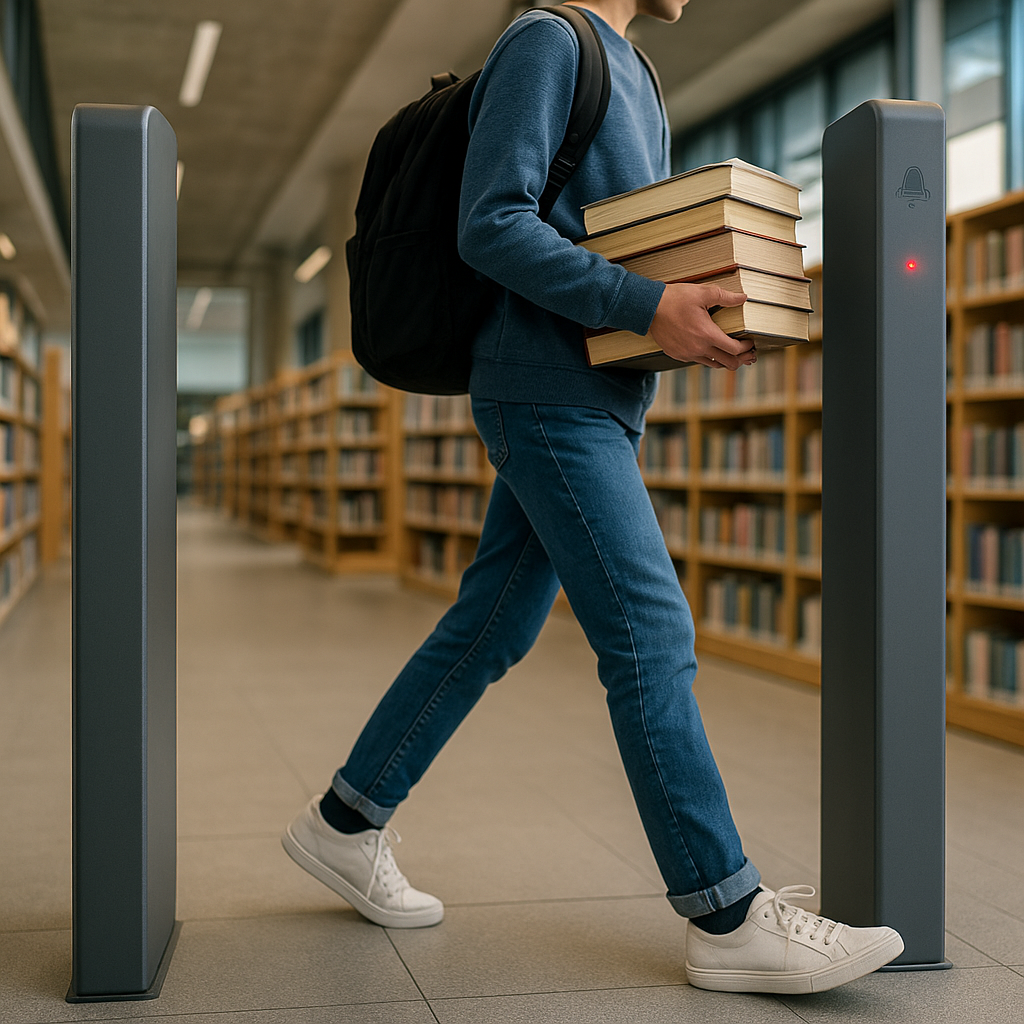
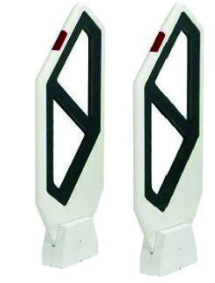
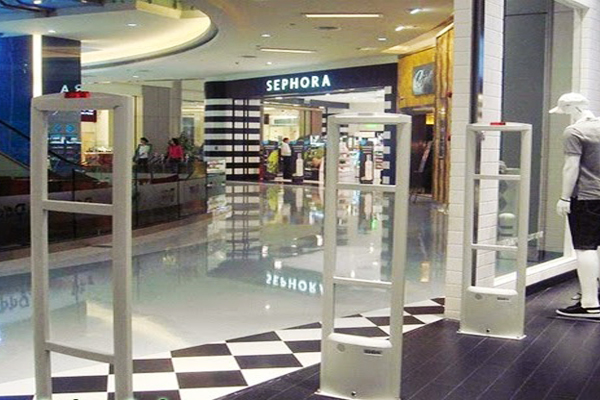
A library security gate is a structure of 2-3 RFID antenna columns placed at the entrance/exit, emitting 13.56 MHz signals to read RFID tags embedded in books. When a tag not desensitized from borrowed status is detected, the system alarms with a siren and LED lights, while logging the event to the management software.
Unlike traditional electromagnetic gates (EM) that only detect magnetic metal, RFID gates can read the identity of each individual book, support automated inventory, and integrate directly with library software via the SIP2 protocol. This is why schools with 1,000 or more students typically choose RFID over pure EAS.
How does a library security gate work?
Related Products
![Time Attendance and Access Control Device - SpeedFace-V5L [P]](https://vietpos.sgp1.digitaloceanspaces.com/wp-content/uploads/2025/06/17115110/speedface-v5lp.jpg)
![SpeedFace V5L [TD] Time Attendance Access Control](https://vietpos.sgp1.digitaloceanspaces.com/cms/vietpos-vn/2026/05/2bc87f95-speedface-v5l-td-cham-cong-kiem-soat-truy-cap-1.png)
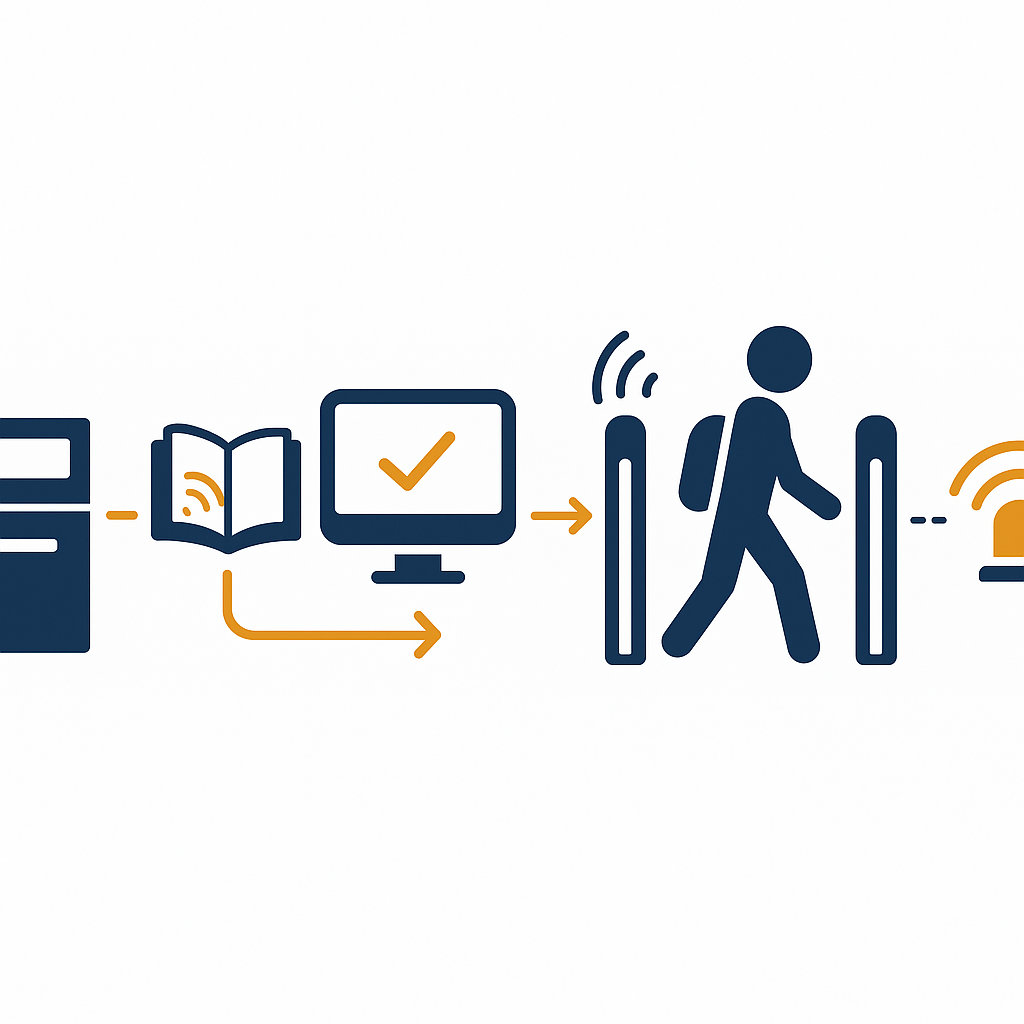
The system consists of 4 layers: RFID tags affixed in books, gate antennas that read tags, software that matches borrow status, and the alarm mechanism. When a student walks through the gate, the antenna reads the tag UID; the software checks the status — if the book is checked out, it stays silent; if not, it triggers the alarm within 0.5-1 second.
- Attach RFID tags: each book is affixed with one 13.56 MHz tag (ISO 15693 or ISO/IEC 18000-3), recording the accession number and linking to the MARC21 record.
- Check-out at the desk or kiosk: the librarian or student scans the patron card + book; the software records "borrowed" status and updates via SIP2.
- Gate antennas read continuously: 2-3 antenna columns cover a 60-90 cm zone on each side, reading 5-20 tags simultaneously within the zone.
- Matching & alarm: if the tag is not checked out, the gate emits an 80-95 dB siren and red light; the log is pushed to the software with a timestamp.
- On-site handling: staff verify, allow additional checkout, or record the incident — no physical blocking required.
Which RFID equipment is needed for a school library?
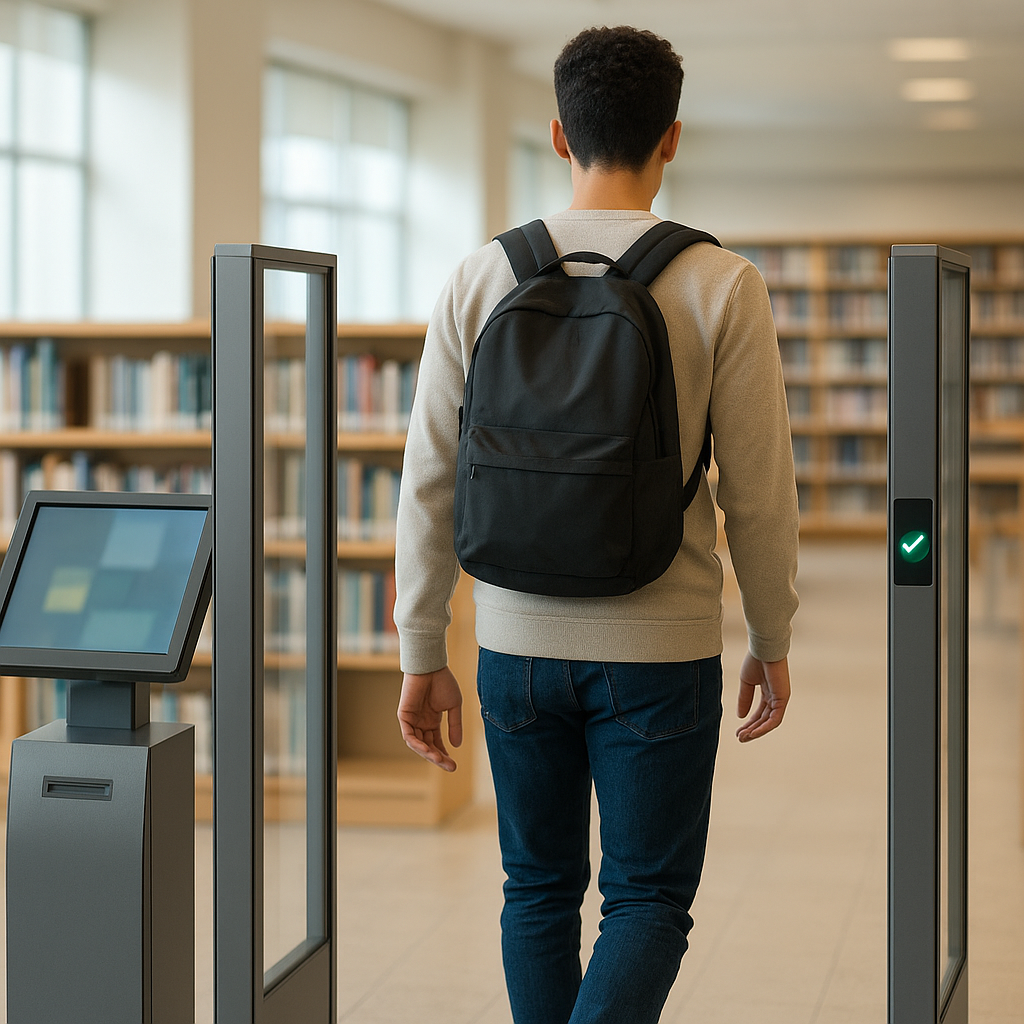
A school library with 1,500-3,000 students needs at minimum 5 groups of RFID equipment: a 2-3 column security gate, a handheld reader for inventory, a borrow-return station (kiosk or desk), RFID tags for books, and patron cards. The total cost for a complete set ranges from 60-250 million VND depending on the collection size.
- Security gate: 2-3 antenna columns, supporting EAS/AFI/DSFID, LCD screen displaying entry/exit counts, storing 50,000+ log records.
- Self-checkout kiosk: 21.5-27 inch touchscreen, integrated RFID reader and SIP2 protocol, enabling 24/7 borrow-return without a librarian.
- Handheld reader: periodic inventory 1-2 times/year, scanning 200-500 tags/minute, error rate under 1%.
- RFID tags: 13.56 MHz, 10-15 year lifespan, priced at 3,000-8,000 VND/tag.
- Patron cards: printed photo, barcode, integrated RFID — used for book borrowing, gate access, and parking.
Self-checkout kiosk integrated with security gate: which international standards?
The self-checkout kiosk connects to library software via the SIP2 protocol (Standard Interchange Protocol version 2) — a 3M/American Library Association standard widely used globally. Thanks to SIP2, the kiosk can read patron cards, check borrowing limits, record borrow-return transactions, and synchronize immediately with the security gate.
Three international standards that must be verified when choosing equipment:
- ISO 15693 / ISO/IEC 18000-3: 13.56 MHz RFID standard for vicinity cards, read range 10-100 cm — suitable for affixing to books.
- MARC21 / AACR2: cataloging standard, ensuring book data can be exchanged with other libraries via ISO 2709 and Z39.50.
- SIP2: protocol connecting kiosks, security gates, and book-drops with ILS software, enabling 24/7 self-service.
For schools, the practical requirement is that the software must export reports by class and by grade, and calculate overdue fines — this feature is typically found in the Circulation module of library management software integrated with RFID.
Summary table of library security gate terminology
Below are 6 terms that school boards and library staff commonly encounter when working with suppliers. Understanding these terms correctly helps avoid purchasing equipment incompatible with existing software.
| Term | Definition | Practical Example |
|---|---|---|
| RFID 13.56 MHz | High-frequency radio wave identification technology, read range 10-100 cm | Tags affixed in textbooks, readable when passing through the gate |
| AFI | Application Family Identifier — status flag on the tag, marking whether a book is borrowed or not | Checked-out book: AFI = 0; not borrowed: AFI = 1 |
| EAS | Electronic Article Surveillance — traditional electromagnetic gate alarm mode | Hybrid gate reads RFID and triggers EAS alarm simultaneously |
| SIP2 | Standard protocol connecting self-service devices with library software | Self-checkout kiosk reads patron card and records transaction |
| MARC21 | International library cataloging standard, describing book records | Accession number, author, publisher data stored in fields 245, 100 |
| Accession Number | Item registration — unique identifier for each physical copy | The book "Math 12 Volume 1" copy #3 has its own accession number |
Deploying a school library security gate: 5 steps
An RFID gate deployment project for a school library of 10,000-20,000 copies typically takes 4-8 weeks, divided into 5 steps: survey, tagging, software configuration, gate and kiosk installation, training-operation. Reference budget is 100-180 million VND for this scale.
- Site survey (1 week): measure exit width, count the collection, check whether existing software supports SIP2.
- Attach RFID tags (2-3 weeks): 2-3 staff can tag 800-1,500 books/day; prioritize reference books and expensive textbooks first.
- Configure software (1 week): synchronize accession numbers, set borrowing policies by patron group (students/teachers), enable gate event logging.
- Install gate and kiosk (2-3 days): 2-3 gate columns spaced 80-100 cm apart, kiosk placed next to the desk or in the self-service area.
- Training and operation (1 week): train librarians, communicate procedures to students during homeroom, run a 1-2 week trial before officially enabling the alarm.
Common mistakes when choosing a library security gate
The three most common mistakes are choosing a pure EAS gate that cannot read book identity, not verifying the software's SIP2 integration capability, and skipping tagging 100% of the collection — leading to 20-40% false alarms in the first month.
- Buying a cheap EAS gate: only detects magnetism, cannot read book codes, does not support inventory — must be replaced after 1-2 years.
- Not verifying SIP2: gate and kiosk do not synchronize with software, requiring manual transaction entry.
- Incomplete tagging: 5-10% of untagged books cause false alarms, eroding student and librarian trust in the system.
- Placing the gate too close to windows/metal: magnetic interference reduces sensitivity by 20-30%, missing books.
- Not buying a handheld reader: manual inventory of 10,000 copies takes 2-3 weeks and is error-prone.
Cost and ROI: how long to break even?
For a school library of 15,000 copies, the complete cost of an RFID gate + kiosk + software is approximately 120-180 million VND. If 60-100 books are lost each year (average value 80,000-150,000 VND/book), book savings alone recover 8-15 million VND/year — not counting 1-2 library staff freed from manual inspection.
The actual break-even point typically comes from 3 sources: reduced book loss (70-90%), reduced inventory labor hours (from 2-3 weeks down to 1-2 days thanks to handheld readers), and a 20-40% increase in borrowing volume thanks to self-checkout kiosks operating outside office hours. Universities can also reference the model at smart people counting cameras to measure patron traffic during peak hours.
Frequently asked questions
Does a library security gate trigger many false alarms?
The false alarm rate depends on 3 factors: the percentage of tagged books (needs to reach 98-100%), gate spacing (80-100 cm), and avoiding placement near electromagnetic interference sources. If done correctly, the false alarm rate is under 2-5% in the first month and drops below 1% after 2-3 months of operation.
Can an RFID gate distinguish borrowed from unborrowed books?
Yes. The gate reads the UID/accession number and sends a query to the software via SIP2. The software checks the transaction status: if the book was checked out that day, the gate stays silent; if not, it alarms. Some gate models use the AFI flag on the tag to handle offline processing when the network connection is lost.
Does a school with 1,000 students need to invest in an RFID gate?
Yes, if the collection is 3,000 copies or more. For smaller libraries, you can start with a self-checkout kiosk + handheld reader, using MARC21-standard software to be ready to upgrade the gate after 1-2 years. The starting cost is approximately 30-60 million VND.
Does an RFID security gate interfere with other devices?
At 13.56 MHz, RFID gates cause little interference with wifi (2.4/5 GHz) or phones. The main issue is placement near large metal objects, steel cabinets, or other supermarket electromagnetic gates — a minimum distance of 1.5-2 m is needed to avoid reducing antenna sensitivity.
Can a self-checkout kiosk replace a librarian?
The kiosk handles 70-85% of routine borrow-return transactions, especially outside office hours. Librarians are still needed for cataloging, incident handling, patron consultation, and fine management. The goal is to free up 1-2 hours/day for professional work, not to fully replace staff.
Need consultation on library security gates, self-checkout kiosks, and MARC21/SIP2-standard software for schools? Call Việt POS via hotline 0935 498 384 or email info@vietpos.vn for a survey and quote based on your school's collection size.
Cần tư vấn thiết bị/giải pháp cụ thể?
Việt POS phản hồi trong 30 phút · Hotline 4 vùng · Khảo sát miễn phí.
Bài viết cùng chủ đề