

Godex GS-220 Barcode Scanner
SKU: GODEX GS 220 1,050,000 VND
Xem chi tiết
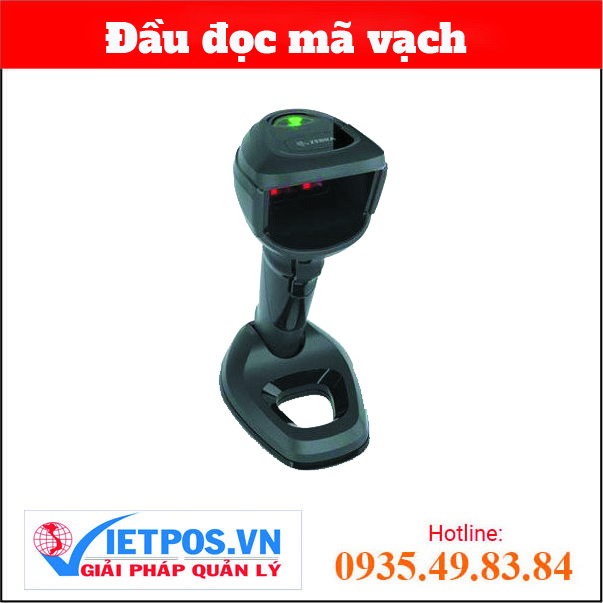
Category: Barcode reader, Zebra (Symbol) Readers, General barcode reader
Liên hệ để nhận báo giá nhanh trong 30 phút
DS9908R RFID Barcode Reader will close the RFID loop by capturing RFID-tagged goods at the POS, as well as installing RFID tags on returned goods and new items for faster processing. The free RFID data conversion software allows you to read RFID tags without modifying your existing POS application. Contact Viet Pos imm…
DS9908R RFID Barcode Reader will close the RFID loop by capturing RFID-tagged goods at the POS, as well as installing RFID tags on returned goods and new items for faster processing. The free RFID data conversion software allows you to read RFID tags without modifying your existing POS application. Contact Viet Pos immediately for quick consultation.
8.0 in. H x 3.9 in. W x 5.75 in. D
20.3 cm H x 9.9 cm W x 14.6 cm D
COLOUR
Midnight Black
DROP TOLERANCE
Designed to withstand multiple drops at 4.0 ft./1.2 m to concrete
SCANNING TECHNOLOGY
Array/RFID
WEIGHT
14.8 oz./420.0 g
SEALING
IP42
DECODE CAPABILITY
1D, 2D, OCR, Digimarc
An 800 MHz microprocessor, high-resolution megapixel sensor, and exclusive PRZM Intelligent Imaging technology deliver unparalleled performance on 1D, 2D, and Digimarc® barcodes – even if they are poorly printed or damaged. And with fast first-pass read rates and the widest field of view in its class, it's easy to keep checkout lines moving.
TWO SCANNERS IN ONE
While other products are handheld scanners with an added base, the DS9908 Barcode Reader is designed for both handheld and hands-free use. A robust, one-piece design with a small footprint. Proper ergonomics. And an auto-adjusting scanning range when needed.
UNPARALLELED MANAGEABILITY
Industry-best free tools make it easier than ever to remotely configure scanners, upgrade firmware, and format data for your application. Right out of the box, the scanner is configured for common applications, and the auto-host detect cable automatically selects the correct host interface – just plug in the scanner and you're ready to go.
https://www.zebra.com/content/dam/zebra_new_ia/en-us/solutions-verticals/product/barcode-scanners/hands-free/ds9900-series/ds9908-ds9908r/video-website/ds9900-series-retail-video-website-product-overview-en-us.mp4


