Mục lục bài viết (8)
- #What technology do cafe bill printers use?
- #What features are needed in a cafe bill printer?
- #Which cafe bill printer is best for Vietnamese businesses?
- #How much do cafe bill printers cost?
- #How should a cafe bill printer be installed?
- #How should a cafe bill printer be maintained?
- Related products
- Related articles
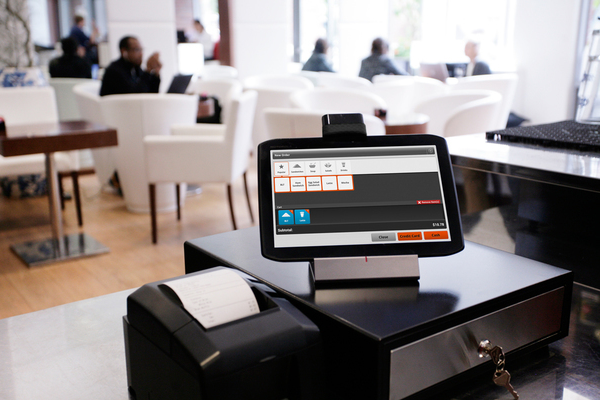
A cafe bill printer is a specialized device for printing receipts and calculating bills in food and beverage service models. Unlike conventional inkjet printers, bill printers use thermal printing technology, allowing for fast printing, saving paper and ink costs, and integrating directly with POS systems to automate the billing process.
What technology do cafe bill printers use?
The most common cafe bill printers today use thermal printing technology. This technology does not require ink, only thermal paper, reducing operating costs by 40-60% compared to inkjet printers. Printing speed reaches 150-300mm/s, allowing a receipt to be printed in 2-5 seconds. The durability of thermal bill printers is typically 3-5 years with a print volume of 5-10 million pages, suitable for normal to high-end cafes and restaurants.
Based on Viet POS's experience implementing at cafes like Lá Me, Tân Phát, and Đồi Cát, thermal bill printers significantly reduce customer waiting times, enhancing service experience.
What features are needed in a cafe bill printer?
To choose a suitable bill printer, cafe businesses should consider the following key features:
Bạn đang tìm sản phẩm cho chủ đề này?
Việt POS phân phối chính hãng — bảo hành 24-36 tháng, hỗ trợ kỹ thuật 24/7.

PRP250 Bill Printer
SKU: PRP250
AB320M Handheld Bill Printer
SKU: AB320M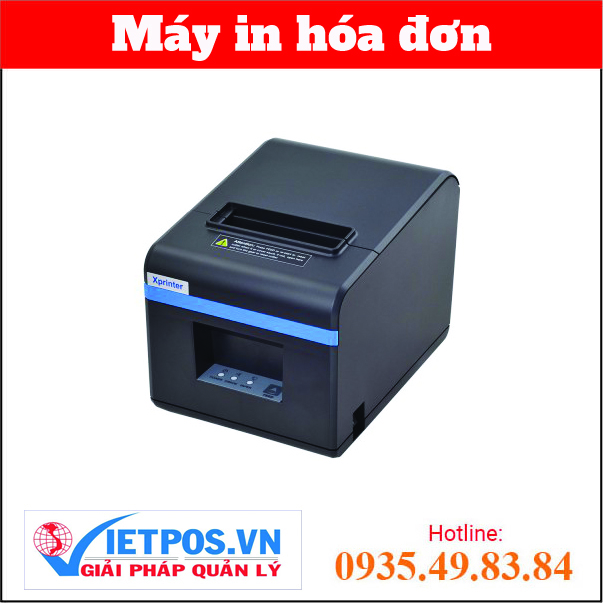
Xprinter XP-N160II Thermal Bill Printer
SKU: XP-N160II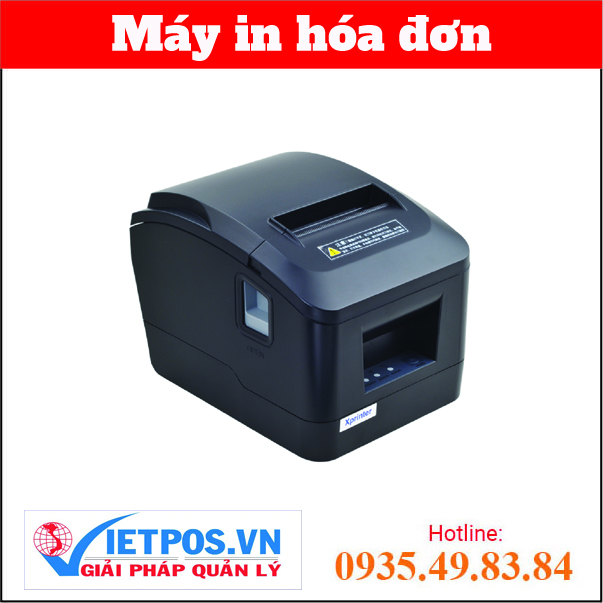
Xprinter XP-A160M Thermal Bill Printer
SKU: XP-A160MAre you looking for products on this topic?
Việt POS is an authorized distributor — 24-36 month warranty, 24/7 technical support.
- Printing speed: 150-300mm/s is standard, sufficient for regular cafes; high-end cafes with large customer volumes should choose 200mm/s or higher.
- Paper width: 58mm (common) or 80mm (for detailed receipts). Cafes typically use 58mm to save paper.
- Connectivity: USB, Ethernet, or Bluetooth for POS integration. Modern bill printers support all three standards.
- Paper cutting feature: Automatic or semi-automatic, helping staff avoid manual cutting, increasing speed.
- Barcode/QR support: Ability to print barcodes and QR codes for customer payment scanning or order tracking.
Which cafe bill printer is best for Vietnamese businesses?
The cafe bill printer market offers many options from reputable vendors. Below is a comparison of popular printer models:
| Vendor/Model | Print Speed | Paper Width | Advantages | Suitable For |
|---|---|---|---|---|
| Sunmi T2 (L1521/L1522) | 200mm/s | 58mm | Integrated POS with 1-2 screens, Android, barcode support | Medium-large cafes, restaurants |
| ZPOS 1563 (Core i3/i5) | 150-200mm/s | 58/80mm | Cash register + 2-in-1 bill printer, Windows, powerful | Restaurants, bars, hotels |
| Bixolon SRP-350 | 180mm/s | 58/80mm | High durability, multi-language support, automatic paper cutting | High-end cafes, chains |
| Epson TM-T20 | 150mm/s | 58/80mm | Affordable, good durability, easy to maintain | Small-medium cafes, bars |
Việt POS provides all the above bill printer models with installation support, POS configuration, and staff training. Contact smart retail solutions for detailed consultation.
How much do cafe bill printers cost?
The cost of a cafe bill printer depends on the type of machine and its features:
- Standalone bill printer: 2-5 million VND (Epson TM-T20, Bixolon SRP-350).
- 2-in-1 POS cash register + bill printer: 8-15 million VND (Sunmi T2, ZPOS 1563).
- Complete POS system (cash register + bill printer + scanner + cash drawer): 15-30 million VND.
In addition to the purchase cost, businesses need to consider paper costs (50-100 thousand VND/month) and periodic maintenance (200-500 thousand VND/year). Việt POS offers comprehensive maintenance packages at reasonable costs.
How should a cafe bill printer be installed?
Installing a cafe bill printer involves the following main steps:
- Choose location: Place the bill printer near the cashier counter, avoiding damp or direct hot areas.
- Power connection: Use a dedicated outlet, avoid overloading. It is recommended to install a UPS to prevent data loss during power outages.
- Connect to POS: Via USB, Ethernet, or Bluetooth depending on the printer type. Configure the print driver on the POS cash register.
- Software installation: Configure receipt format, cafe logo, and payment information in the POS software.
- Test print: Print a sample receipt to check quality, alignment, and brightness.
Việt POS technical team deploys bill printer installation at cafes and restaurants within 1-2 hours, including staff training on usage.
How should a cafe bill printer be maintained?
To ensure stable operation of the bill printer, businesses need to perform periodic maintenance:
- Weekly: Clean the print head with a damp cloth, check for paper jams.
- Monthly: Check power connections, USB/Ethernet cables, clean external dust from the machine.
- Quarterly: Replace rollers if worn, check print head alignment.
- Annually: Comprehensive maintenance, replacement of worn components, firmware updates.
Việt POS provides periodic maintenance services at a cost of 200-500 thousand VND/year, ensuring continuous 24/7 operation of the bill printer.
To learn more about sales management solutions or POS cash register product catalog, contact Việt POS now.
Need specific equipment/solution consultation?
Việt POS responds within 30 minutes · 4 regional hotlines · Free survey.
Related products
Related articles

Cần tư vấn thiết bị/giải pháp cụ thể?
Việt POS phản hồi trong 30 phút · Hotline 4 vùng · Khảo sát miễn phí.
Bài viết cùng chủ đề