Mục lục bài viết (4)
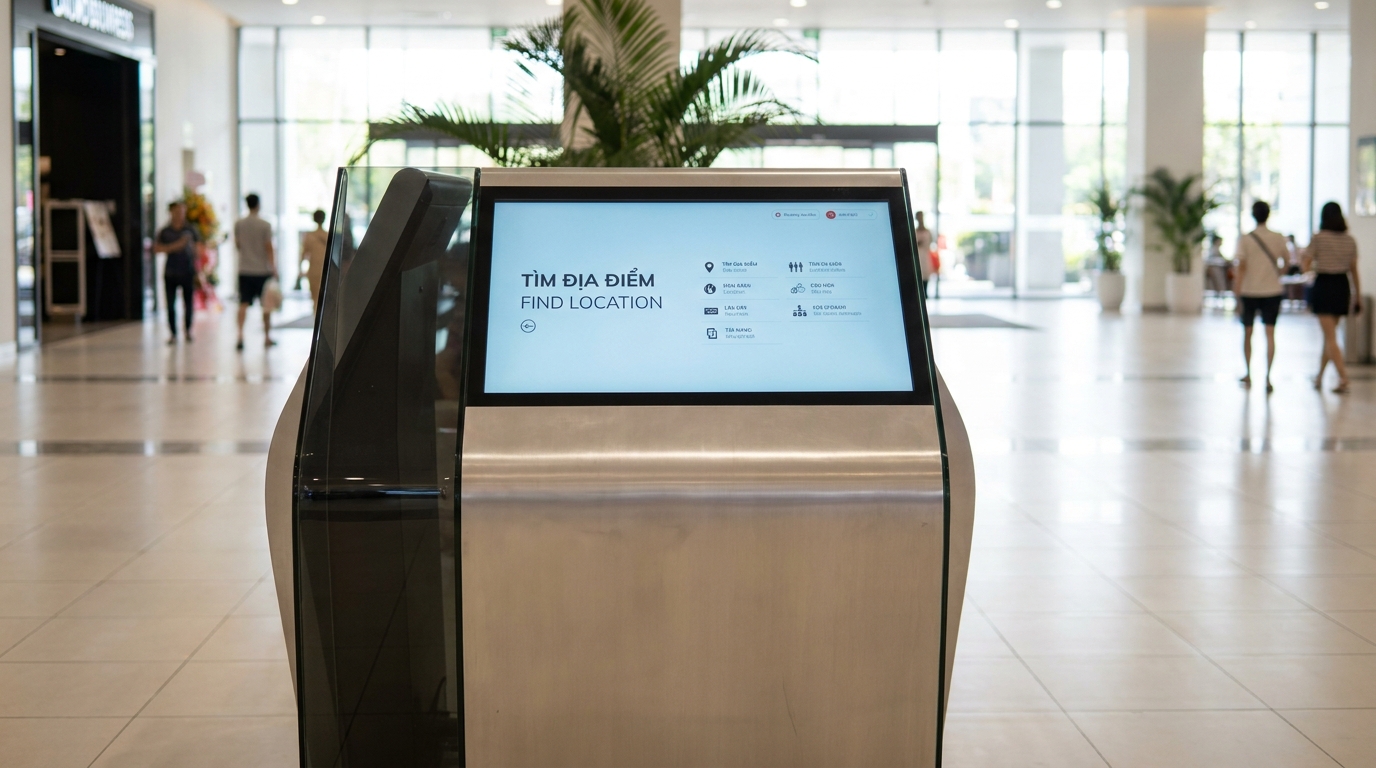
Offline kiosk software is a solution that stores all wayfinding map data, directories, and display content on the device's local hard drive, allowing the system to operate continuously 24/7 for search and directions even when the internet connection is lost. In Vietnam, shopping malls, hospitals, and showrooms frequently face weak or unstable networks — the offline solution completely eliminates the risk of freezes, blue screens, and lost customer experiences.
Offline kiosk software stores all map data and wayfinding content on the device's hard drive, allowing the kiosk to operate independently when the internet is lost. Data is automatically synchronized when the network is available, ensuring new maps are updated without reprinting. Suitable for hospitals, shopping malls, and showrooms that require high stability.
Table of Contents
- Why do traditional wayfinding kiosks frequently crash when the network goes down?
- What architecture does offline kiosk software operate on?
- What are the specific benefits of switching to offline kiosk software?
- Applications in hospitals and medical centers
- Applications in shopping malls and showrooms
- Applications in schools, hospitals, and factories
- Hardware configuration selection criteria for offline kiosks
- 7-step deployment process for offline kiosk software
- Related kiosk products and devices
- Comparison of offline and online kiosk software
- Related articles
- FAQ - Frequently asked questions about offline kiosk software
Why do traditional wayfinding kiosks frequently crash when the network goes down?

Internet-dependent wayfinding kiosks face 3 main errors: the screen freezes on the logo when the connection is lost, map loading is slow (10-20 seconds) during peak hours, and data becomes inaccessible when the central server fails. The cloud-only architecture creates a single point of failure — if the router dies, the entire system stops working.
⚠ 5 common problems with online-only kiosks:
- Screen freeze when the network is lost: The kiosk displays a frozen logo or blue screen, and customers cannot search for anything.
- Slow response of 10-20 seconds: Especially severe during peak hours when many people access simultaneously.
- Recurring internet subscription costs: Each kiosk needs a dedicated line or 4G — costing 100,000-300,000 VND/month/device.
- Data security risks: Data transmitted over the internet is at risk of interception, especially for building maps with restricted areas.
- Cannot operate during power outages combined with network loss: Many buildings lose power and internet simultaneously — online kiosks become completely useless.
What architecture does offline kiosk software operate on?
Related Products




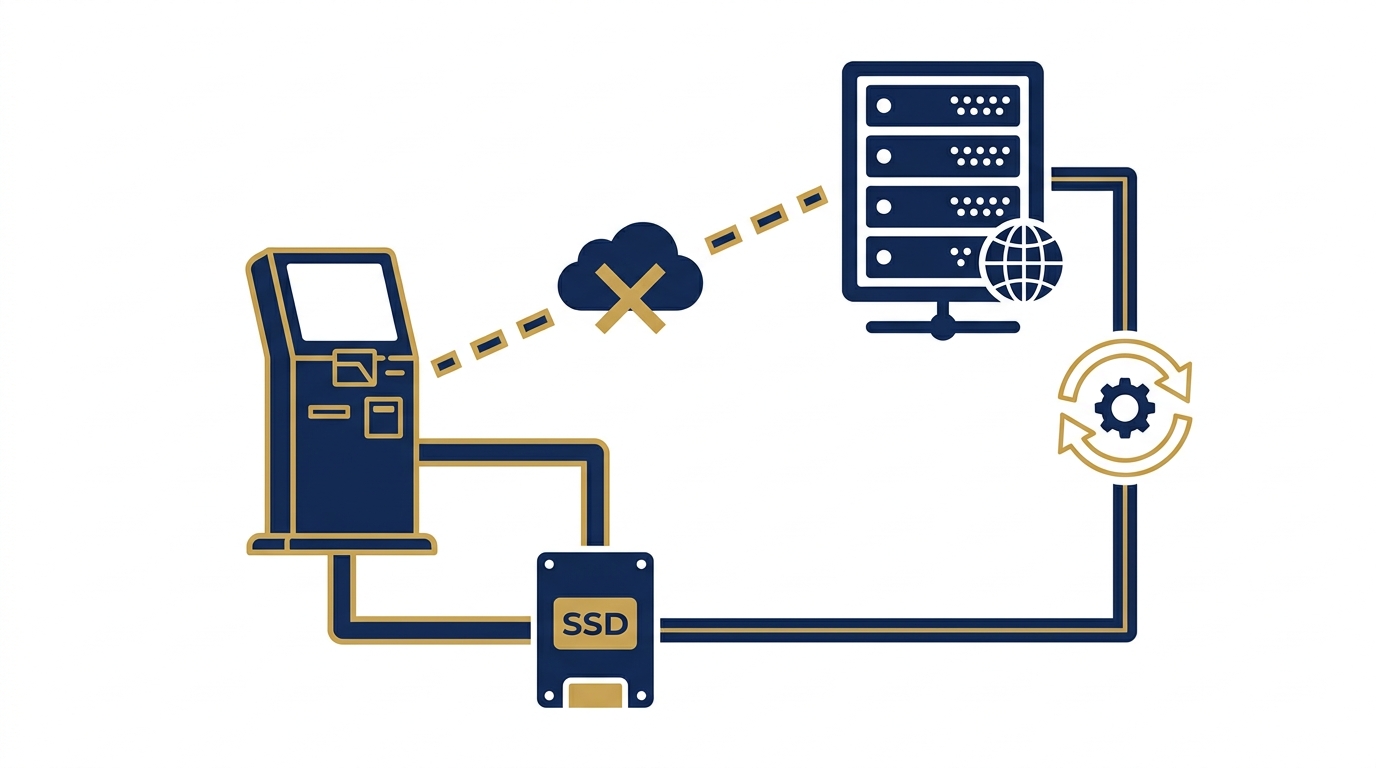
Offline kiosk software uses a local-first architecture: all map data, directories, and multilingual content are stored on the kiosk's SSD. When the network is available, the software automatically syncs new data from the central server. When the network is lost, the kiosk switches to fully offline mode — all search features continue to work normally.
- Step 1 — Initial data installation: Technicians load all maps, directories, and content onto the kiosk's hard drive via USB or local LAN.
- Step 2 — Offline operation: The kiosk runs completely independently, no internet required. Users touch, search, and view directions — all actions are processed directly on the device.
- Step 3 — Periodic synchronization: When the network is available (on a schedule or manually), the software checks and downloads new map and content updates from the server.
- Step 4 — Activity logging: All searches are recorded in local memory and synced to the server when online for analytics.
- Step 5 — Safe restart: After syncing, the kiosk checks data integrity and restarts if needed — without affecting the user experience.
What are the specific benefits of switching to offline kiosk software?

Switching to offline kiosk software helps businesses save on internet costs, increase operational stability, and especially enables updating wayfinding maps without reprinting. Below are 5 quantified benefits recorded from real projects.
Data is stored locally, so there is no network latency — customers search immediately without waiting.
No need for a dedicated internet subscription for each device; only a local LAN is needed for periodic synchronization.
Change floor plans, add new stores — update in the management software, sync automatically, no printing costs.
Building maps and restricted areas do not need to be transmitted over the internet — reducing the risk of information leakage.
Combined with a UPS, the kiosk still operates for 2-4 hours during a power outage — no service interruption.
Vietnamese - English - Chinese - Korean language packs are stored on the device, switching instantly without downloading.
Applications in hospitals and medical centers

Hospitals are the harshest environment for wayfinding kiosks: Wi-Fi interference from thick concrete walls, signal interference from medical equipment, and the need for continuous 24/7 search. Offline kiosk software thoroughly solves this problem.
Outpatient departments in public hospitals are often overcrowded, and patients need to look up examination rooms and procedures. With offline kiosk software, department data, doctors, and procedures are pre-stored — patients can search on their own without staff guidance. When there are changes in doctor assignments or department relocations, administrators only need to update in the central management software and sync via the local LAN — no need to reprint signage.
A special point for the medical environment is the ability to operate
Cần tư vấn thiết bị/giải pháp cụ thể?
Việt POS phản hồi trong 30 phút · Hotline 4 vùng · Khảo sát miễn phí.
Bài viết cùng chủ đề