Mục lục bài viết (6)
- What is Locker Management Software?
- Centralized Admin Web: View All Lockers at All Branches
- Unlock Logs and Operational Reports: Data for Decision-Making
- Six Usage Models on a Single Locker — Configurable via Settings
- Lockers Remain Operational Offline: On-Device Data and Synchronization
- API and Webhooks: Open for HRM, ERP, Resident Apps, Delivery Services
Multi-branch locker management software is a centralized control layer that helps building owners, office chains, schools, or residential areas monitor all smart lockers from a single web interface, instead of managing each locker separately. Unlike standalone unlock apps, locker management software handles permission assignment, logging, occupancy reports, offline synchronization, and provides APIs for HRM, ERP, and resident apps. This article dissects its architecture, six usage models on a single locker, and common mistakes when choosing software.
Multi-branch locker management software is a centralized control layer that allows viewing all lockers at all locations, remote unlocking with mandatory reason logging, owner/manager permission assignment, and exporting occupancy reports and unlock logs. Lockers continue to operate offline thanks to on-device data storage, synchronizing when connectivity is restored. APIs and webhooks with OpenAPI documentation are available for connecting HRM, ERP, resident apps, and delivery services. A single locker can switch between 6 usage models via settings, without hardware changes.
Table of Contents
- What is Locker Management Software?
- Centralized Admin Web: View All Lockers at All Branches
- Unlock Logs and Operational Reports: Data for Decision-Making
- Six Usage Models on a Single Locker — Configurable via Settings
- Lockers Remain Operational Offline: On-Device Data and Synchronization
- API and Webhooks: Open for HRM, ERP, Resident Apps, Delivery Services
- Summary Table: Components and Roles in Locker Management Software
- Common Mistakes When Choosing Locker Management Software
- Frequently Asked Questions
What is Locker Management Software?
Locker management software is a system for controlling and monitoring electronic lockers, allowing administrators to view the status of each compartment, remotely unlock, assign user permissions, log activities, and export usage reports. The software runs in parallel with the locker's controller, ensuring continued operation when offline and data synchronization upon reconnection.
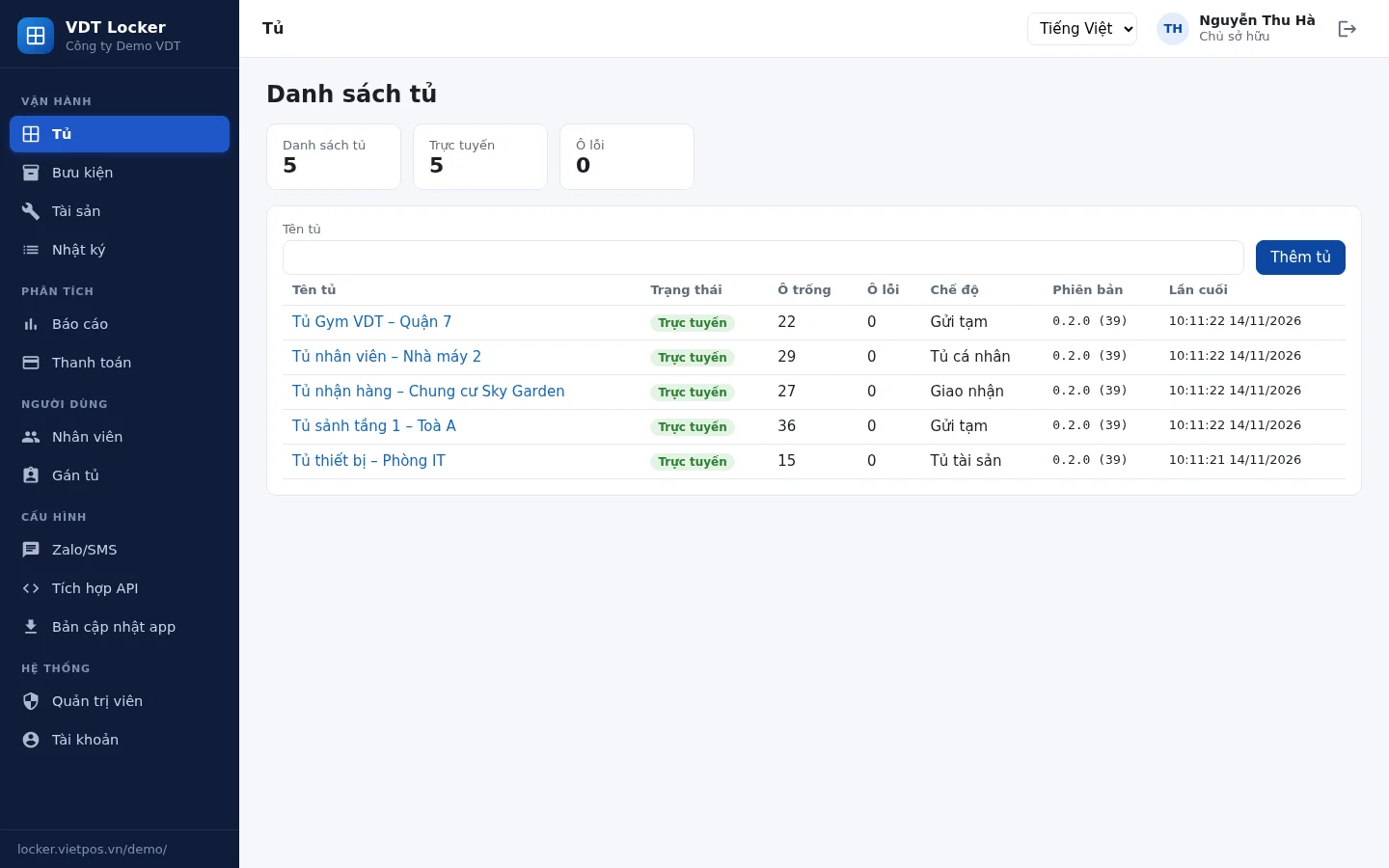
In a multi-branch model, locker management software must address three challenges: gaining a comprehensive overview (which lockers are online, how many empty compartments, what mode they are running, which app version), controlling actions (who opened which compartment, when, and why), and connecting with other systems (HRM, ERP, resident apps, delivery services). Lacking any of these, the investor will have to manage manually or use multiple disparate tools.
Centralized Admin Web: View All Lockers at All Branches
Related Solutions
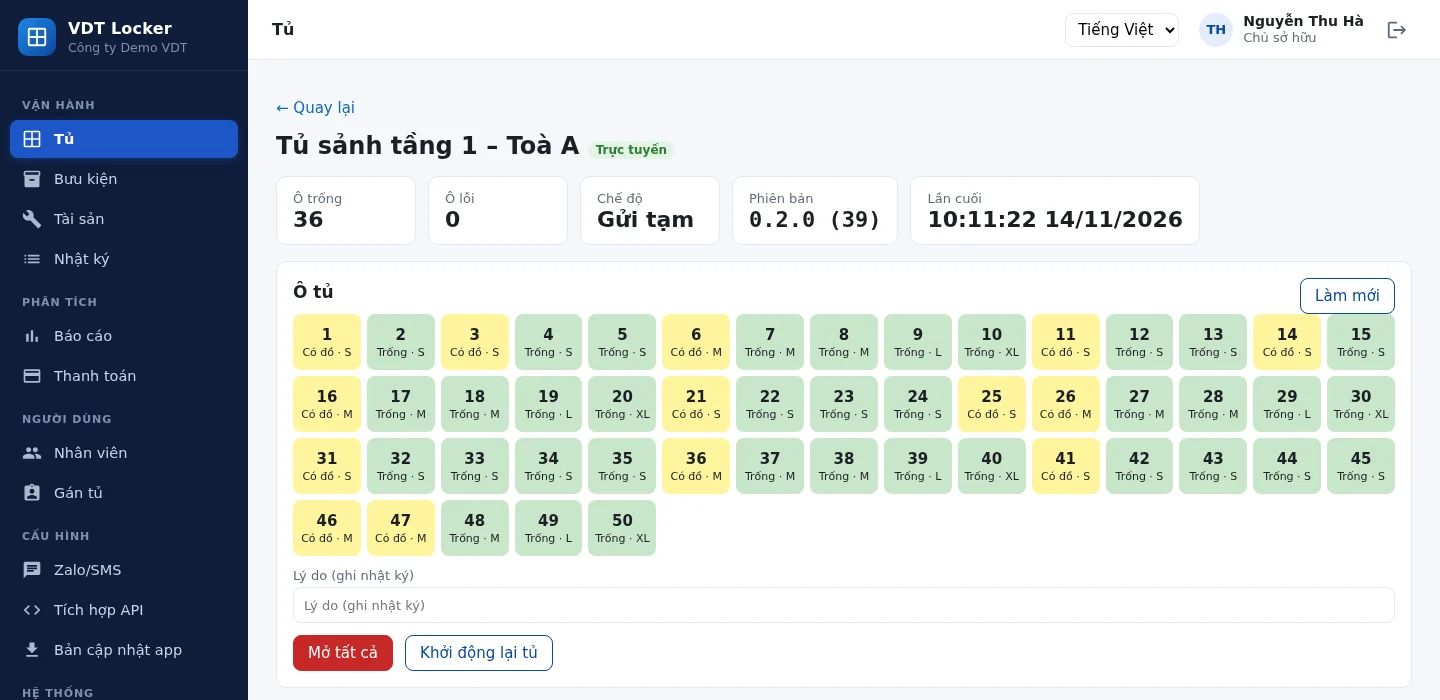
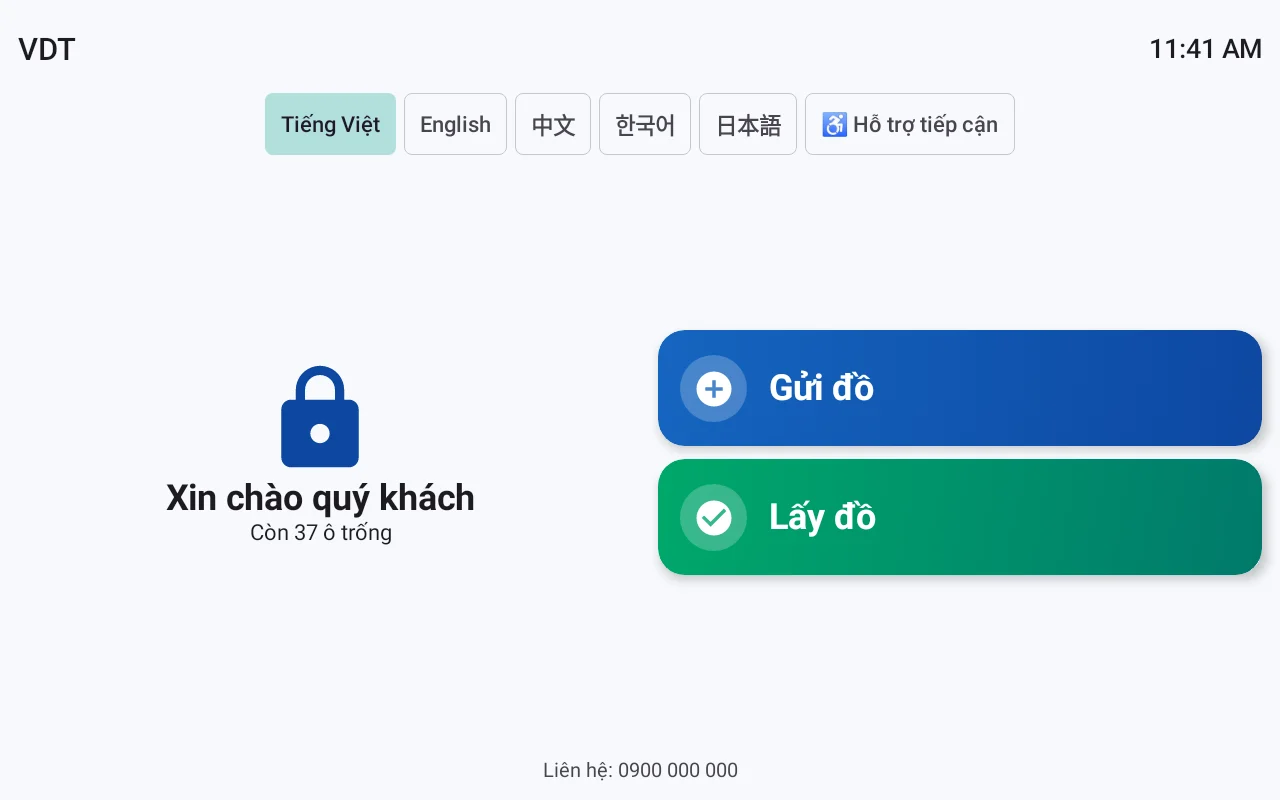
VDT Locker Smart Lockers: a single locker configurable as a storage locker, employee locker, package reception locker, asset lending locker, or paid locker. View solution and schedule a demo →
The centralized administration web displays a list of all lockers at all branches with their online status, number of empty compartments, current operating mode, and app version. From here, administrators can remotely unlock compartments with mandatory reason logging, assign owner and branch manager permissions, and monitor each compartment in detail for troubleshooting.
A good administration web interface allows investors to quickly answer operational questions:
- Is the locker at Branch A online? How many empty compartments are there? Is it running in temporary storage mode or employee locker mode?
- Has the app version on the locker been updated? Are there any lockers running old versions that need remote upgrades?
- Is compartment #12 at Branch B jammed or is the sensor reporting incorrectly? Does it need to be remotely opened for staff inspection?
- Who has permission to open compartments? Building owner, branch manager, or receptionist?
The remote unlock function must be accompanied by a mandatory reason field. This is a key difference between professional locker management software and simple unlock apps: every action leaves a trace, serving for later reconciliation. Role-based permissions allow owners to view everything, while branch managers can only operate on lockers within their scope, preventing accidental unlocks or misuse.
Each enterprise has its own administration web URL and enables two-factor authentication. This is crucial when lockers are located in multiple buildings, residential areas, or when a contractor operates on behalf of the owner. Separate URLs help segregate data between entities, while two-factor authentication reduces the risk of administrative account compromise.
Unlock Logs and Operational Reports: Data for Decision-Making
The software logs who opened which compartment, when, and by what method; it also compiles reports on daily send/retrieve counts, peak hours, occupancy rates, problematic compartments, and allows CSV export. This data serves as input for deploying additional lockers, adjusting shifts, or evaluating usage efficiency.
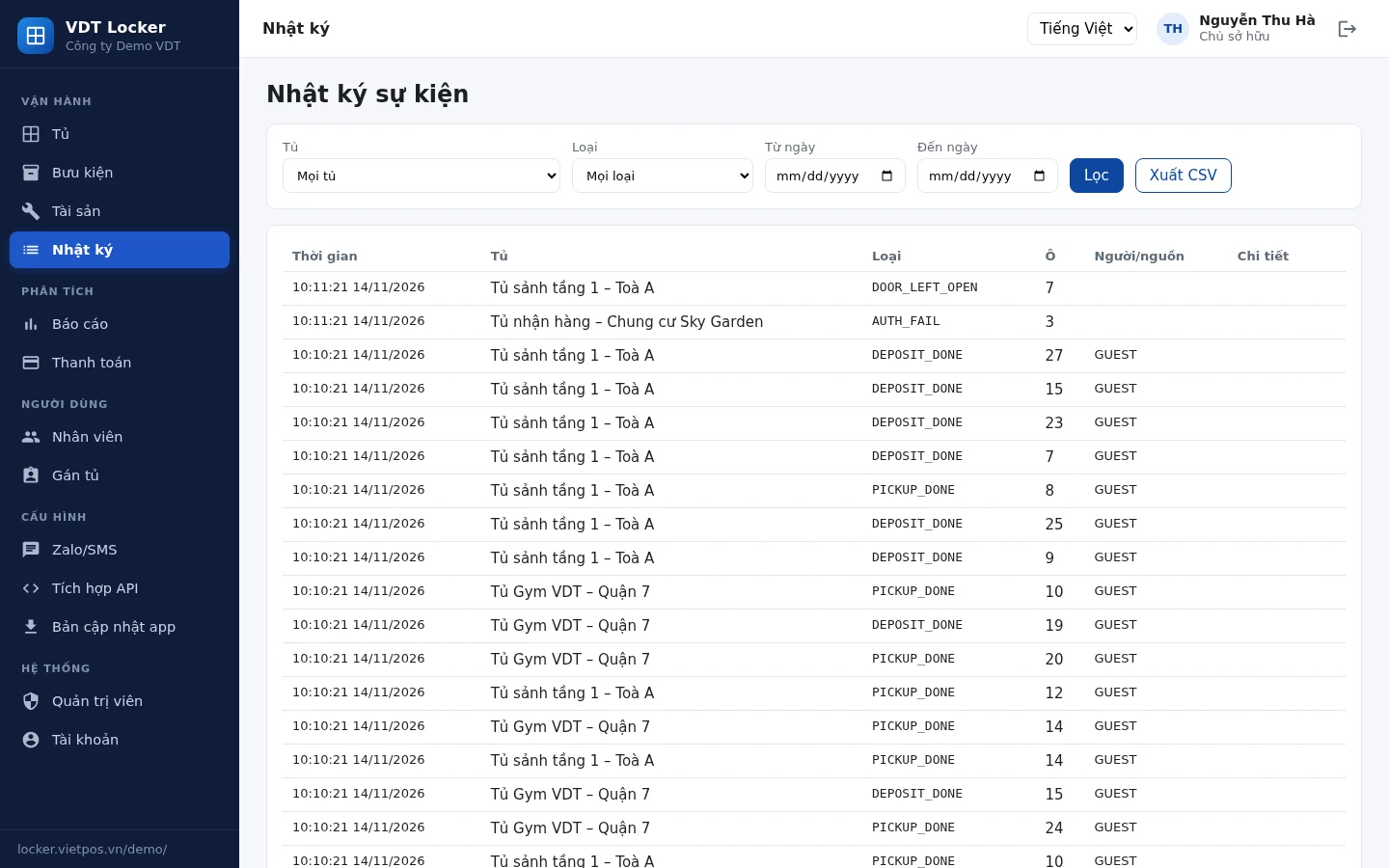
Unlock logs should clearly record: timestamp, user (or administrative account), compartment number, unlock method (PIN, card, face, remote unlock), and reason if it was a remote unlock. In case of lost item disputes, the log serves as a reference instead of having to re-ask staff.
Operational reports should include the following slices:
- Daily and hourly send/retrieve counts: identify peak hours to allocate support staff or advise users to avoid busy times.
- Occupancy rate: calculated per locker, per branch, per usage model; helps decide whether to expand or reduce the number of compartments.
- Problematic compartments: compartments with failed unlock attempts, incorrect sensor readings, or jams; prioritize maintenance before affecting users.
- CSV export: transfer data to Excel or BI tools for deeper analysis, serving internal reporting.
For multi-branch chains, location-specific reports help compare usage efficiency. A locker in an office area might be nearly full during business hours but empty on weekends; a locker in a residential area might be full in the evenings. Locker management software displays these slices to help investors adjust usage models accordingly.
Six Usage Models on a Single Locker — Configurable via Settings
A smart locker can operate in six models: temporary storage, employee locker, package reception, asset lending, combined guest and employee use, and paid usage. The model is selected in the software via settings, without requiring hardware changes, helping investors adapt as needs evolve.
Below is a description of each model and how the software supports it:
- Temporary storage: users enter a code or scan a card to open an empty compartment, the system automatically assigns a compartment and calculates storage time. Suitable for shopping malls, gyms, supermarkets.
- Employee locker: each employee is assigned a fixed compartment, opened by card or face. The software manages employee lists, usage times, and reclaims compartments upon termination.
- Package reception: delivery services place packages into compartments, the system sends notifications to recipients with an unlock code. Suitable for residential areas, offices with frequent courier traffic.
- Asset lending: manages shared equipment such as drills, cameras, medical devices; the software records the borrower, loan period, and return status.
- Combined guest and employee: a single locker serves both guests for temporary storage and has dedicated compartments for employees; permissions are assigned by user group.
- Paid usage: charges fees based on storage time, payable via e-wallet or cash; the software reconciles revenue per locker.
The key point is that the same hardware can switch models via settings. Investors do not have to buy new lockers when they want to experiment with a paid model, or when switching from employee lockers to package reception lockers. This is a clear operational benefit compared to traditional lockers tied to a single purpose.
Lockers Remain Operational Offline: On-Device Data and Synchronization
When offline, the locker still allows compartment unlocking via code, card, or face thanks to data stored on the locker's controller. When connectivity is restored, the software synchronizes logs and compartment status to the administration web, ensuring no operational data is lost.
This is a mandatory requirement for lockers placed in residential areas, rental buildings, or areas with unstable internet connections. If the software relies entirely on the cloud, losing connectivity means the locker stops functioning, and users cannot retrieve their items. The correct architecture is for send/retrieve session data to reside on the locker, with the administration web acting as a monitoring and command layer; when offline, the locker processes autonomously according to its pre-synchronized configuration.
The software also needs to support locker data backup and restoration, and remote app updates. Backup helps restore compartment configurations, user lists, and logs if the controller malfunctions. Remote app updates allow feature upgrades without sending personnel to each branch. Remote commands should have an expiration date to prevent unintended replay of old commands.
API and Webhooks: Open for HRM, ERP, Resident Apps, Delivery Services
Locker management software provides public APIs and webhooks with OpenAPI documentation, allowing integration with HRM, ERP, resident apps, and delivery services. Businesses can synchronize user lists, send notifications when packages arrive in lockers, and receive real-time compartment unlock events.
Cần tư vấn thiết bị/giải pháp cụ thể?
Việt POS phản hồi trong 30 phút · Hotline 4 vùng · Khảo sát miễn phí.
Bài viết cùng chủ đề