Mục lục bài viết (7)
- Why does an F&B chain need a 4G backup router for restaurants?
- How does a dual-WAN fiber + 4G router work?
- VietPOS server model hosted at enterprise headquarters
- Design principle: failures must surface immediately, not hang silently
- Connect stores to headquarters via VPN without exposing server ports to the internet
- Specific applications in each F&B model
- Criteria for selecting a dual-WAN router for F&B chains
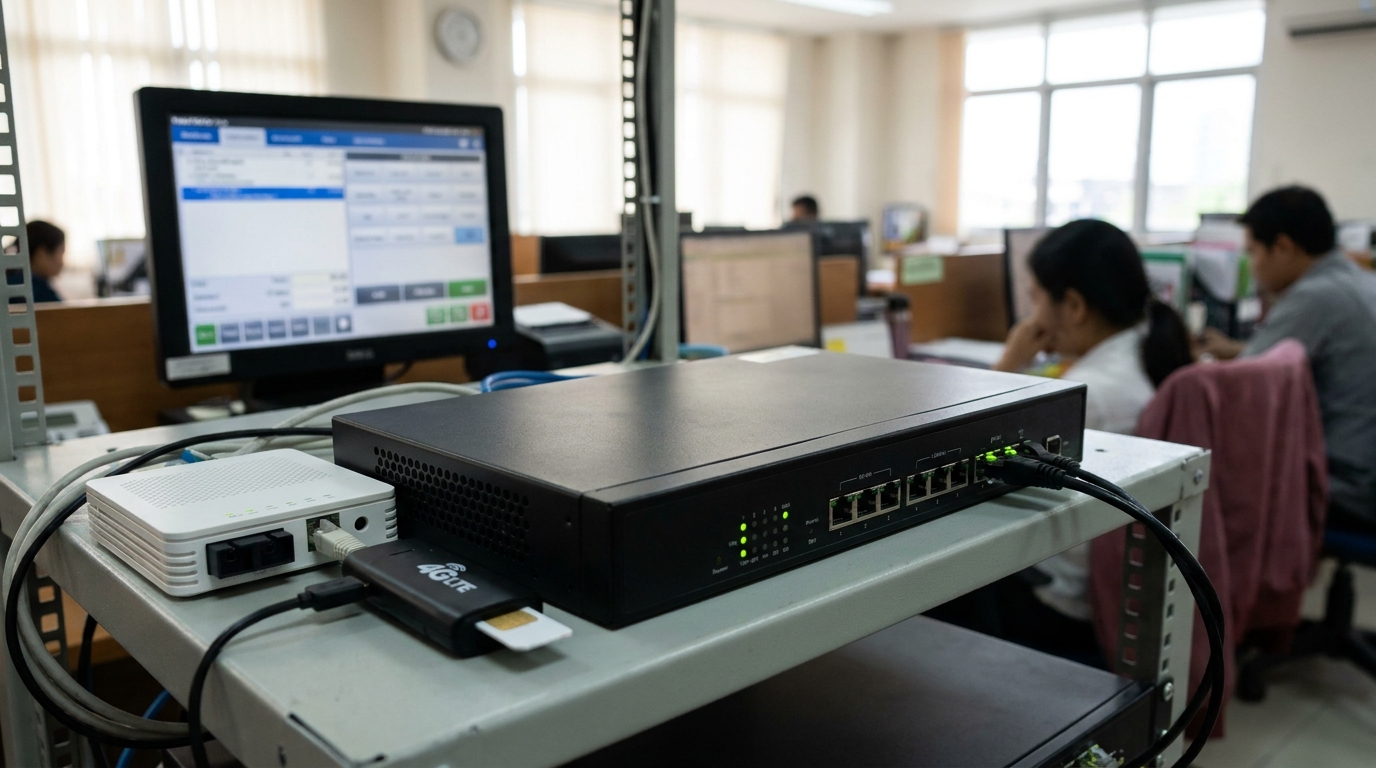
A dual-WAN fiber + 4G backup router for F&B chains is an enterprise routing device with at least two WAN ports: one port receiving the primary fiber line and one port for a 4G SIM. When the fiber line at headquarters fails, the router automatically switches traffic to 4G within seconds, maintaining connectivity from stores in the chain to the VietPOS server hosted at headquarters. In an F&B chain model operating an on-premise server, this is mandatory infrastructure — not an optional accessory.
A dual-WAN fiber + 4G backup router for F&B chains is a routing device with 2 WAN ports: one for the primary fiber line, one for a 4G SIM. When the headquarters fiber line is cut, the router automatically switches to 4G within seconds, maintaining connectivity from stores to the VietPOS server hosted at headquarters. This device is mandatory because the POS server is hosted at the enterprise, not in the cloud — losing the headquarters network means the entire chain loses synchronization.
Table of Contents
- Why does an F&B chain need a 4G backup router for restaurants?
- How does a dual-WAN fiber + 4G router work?
- VietPOS server model hosted at enterprise headquarters
- Design principle: failures must surface immediately, not hang silently
- Connect stores to headquarters via VPN without exposing server ports to the internet
- Specific applications in each F&B model
- Criteria for selecting a dual-WAN router for F&B chains
- Related products and devices
- Related articles
- Frequently Asked Questions
Why does an F&B chain need a 4G backup router for restaurants?

When an F&B chain uses a VietPOS server hosted at headquarters, every transaction from stores must connect back to headquarters to sync. If the headquarters fiber line is cut without a backup line, stores lose all connectivity to the server: cannot print bills, cannot push orders to the kitchen, cannot update ingredient inventory. A 4G backup router for restaurants keeps the connection to headquarters always available, even when the carrier experiences a widespread outage.
⚠ Order sync loss: When the headquarters fiber line is cut, stores cannot record new orders to the server. Cashiers may still be able to sell if the software has an offline mode, but data does not reach headquarters, and end-of-day reconciliation becomes very time-consuming.
⚠ Kitchen printers do not receive commands: Many kitchen printing configurations route through the headquarters server. Losing connectivity means preparation tickets do not print, the kitchen does not know which dishes to prepare, and customers wait longer.
⚠ Realtime reporting paralyzed: Chain owners cannot view revenue by branch, cannot tell which store is overloaded. Staffing and ingredient coordination decisions are delayed.
⚠ Silent hang failures: When the connection is unstable, the software may display a normal status while actually being unable to connect to the server. Staff believe orders were saved, only to discover data loss upon checking.
⚠ No clear accountability: Network incidents are often passed back and forth between the carrier, the POS provider and internal IT staff. Without a device that records centralized logs, it is very difficult to determine the cause.
How does a dual-WAN fiber + 4G router work?
Related products




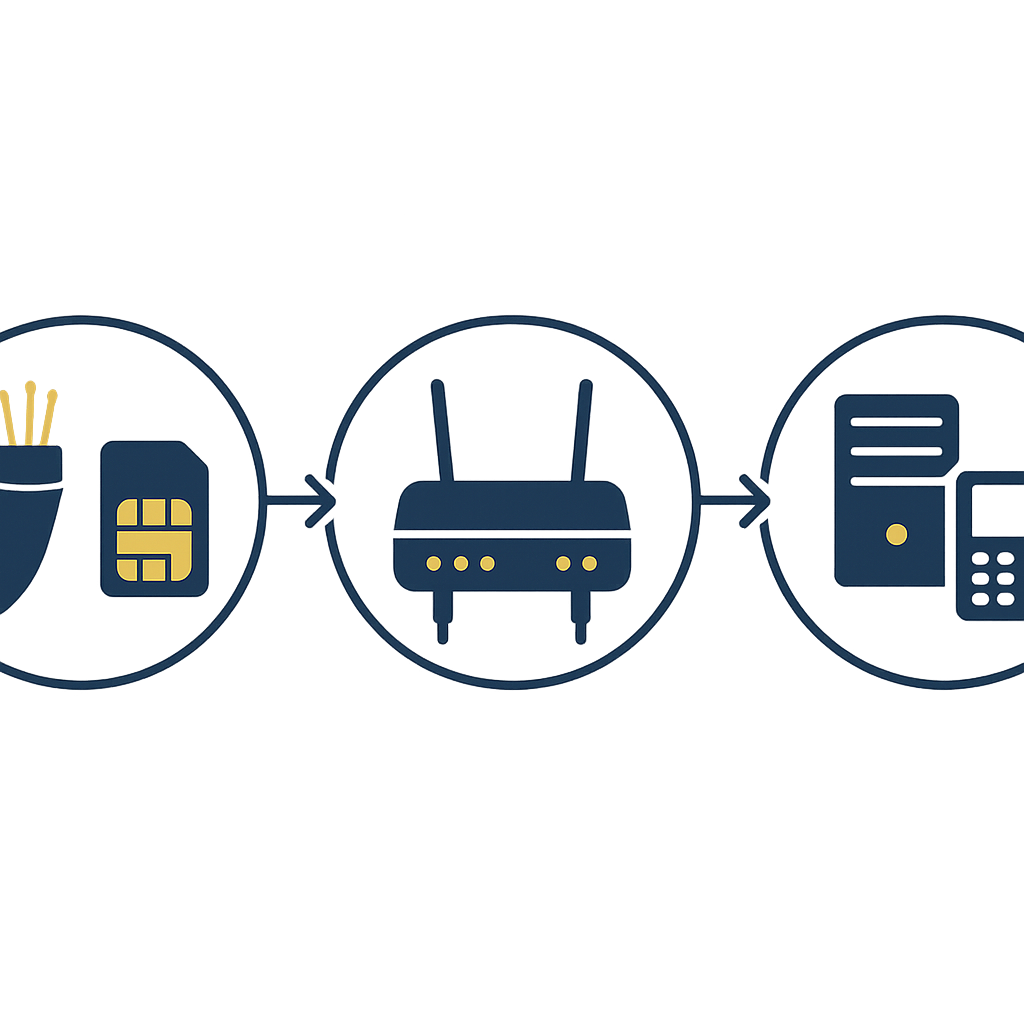
A dual-WAN router receives two internet sources simultaneously: primary fiber and 4G backup. The router continuously checks the health of the primary line using probe packets. When it detects that the primary line has lost connectivity or latency exceeds a threshold, the router switches to the 4G port while keeping the internal IP address of the VietPOS server unchanged so stores do not need to change connection settings.
- Step 1 — Identify two connections: WAN1 port connects to the fiber modem, WAN2 port holds a 4G SIM (or 4G USB modem). The router is configured in failover mode: WAN1 is preferred, WAN2 activates only when WAN1 fails.
- Step 2 — Monitor the connection: The router sends probe packets to a trusted address every 5-10 seconds. If there is no response for 3 consecutive times, the router marks WAN1 as disconnected.
- Step 3 — Automatic switching: Traffic from stores to the VietPOS server is routed to WAN2. Switching time is typically 3-10 seconds depending on configuration. POS software sessions may be temporarily interrupted but will reconnect automatically.
- Step 4 — Maintain VPN to headquarters: Stores connect to headquarters via virtual private network (VPN). The router at headquarters maintains the VPN tunnel over both connections, ensuring stores do not need to change the destination address during switching.
- Step 5 — Log and alert: The router records switching events, outage and recovery times. Some enterprise router models send email or phone notifications to administrators when incidents occur.
VietPOS server model hosted at enterprise headquarters
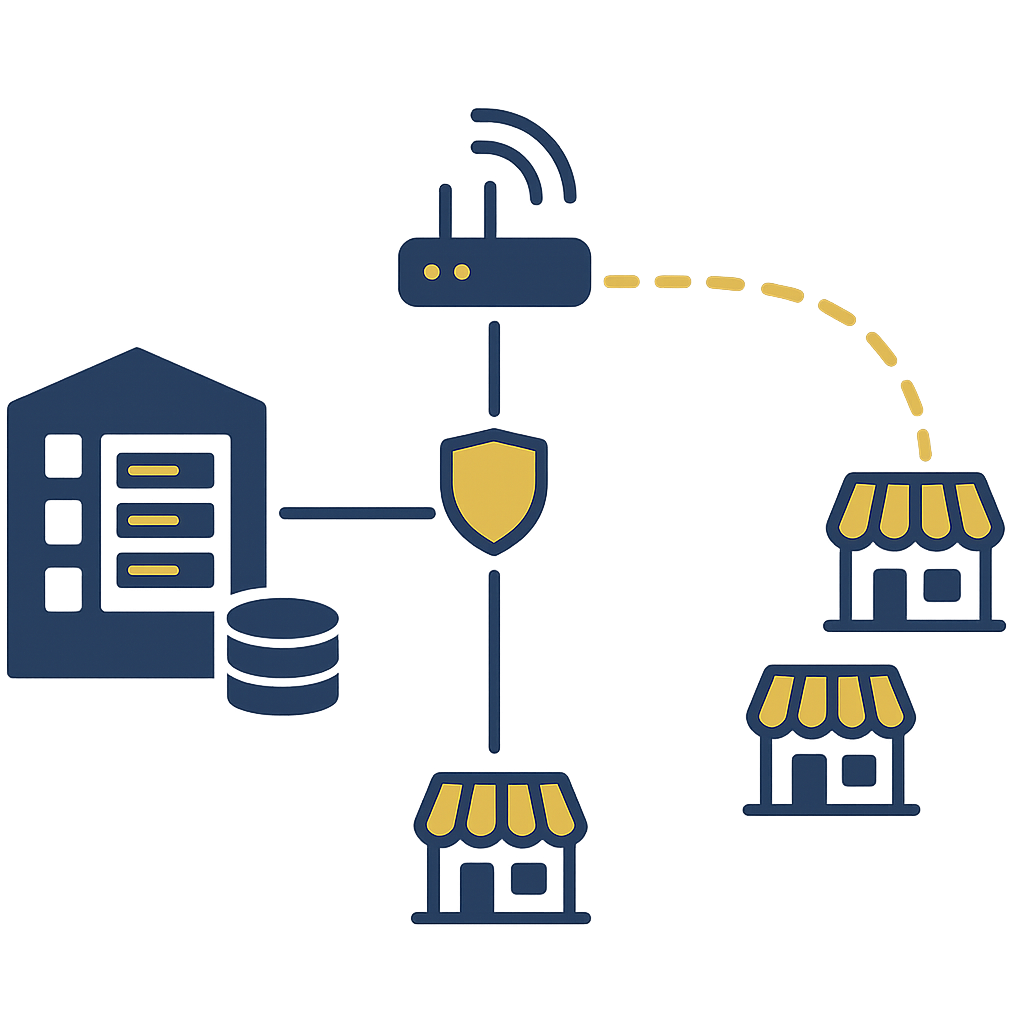
In the model where VietPOS is installed on the enterprise's own server, all sales data, inventory, preparation recipes and transaction history are stored on a computer located at headquarters. Stores in the chain connect to this server via virtual private network (VPN). Data resides on the customer's machine, independent of external cloud services, but in exchange, the internet connection at headquarters becomes the lifeline of the entire chain.
This is why a dual-WAN fiber + 4G backup router for restaurants is indispensable. If headquarters has only a single fiber line, any incident — carrier maintenance, cable cut during construction, router failure — causes all stores to lose connectivity to the server. A dual-WAN router with a 4G backup SIM handles most of these situations at a much lower cost than the damage caused by data desynchronization.
When choosing a computer as the POS server for a restaurant chain, consider the ability to add a network card to separate internal data traffic and VPN traffic. Refer to the guide choosing a computer as the POS server for a restaurant chain to configure a stable server running 24/7.
Design principle: failures must surface immediately, not hang silently
A good POS system for an F&B chain must make connection failures clearly visible on the cashier screen and kitchen printer. When a store loses connectivity to the headquarters server, the software must report a disconnected status and must not pretend the order was saved. This principle is more important than the router's switching speed: staff need to know immediately in order to respond, rather than discovering data loss at the end of the day.
In system design, VietPOS prioritizes displaying connection status in real time on the cashier interface. When the connection to headquarters fails, the screen shows a warning and also logs it for later reconciliation. Kitchen printers are also configured not to print tickets until the command has been confirmed as sent to the server — avoiding the situation where the kitchen prepares dishes but the system does not record them. This is the difference between a system designed for chain operations and standalone sales software.
Connect stores to headquarters via VPN without exposing server ports to the internet
Stores in the chain connect to the VietPOS server at headquarters via virtual private network (VPN) instead of exposing server ports to the internet. VPN creates an encrypted tunnel between the router at the store and the router at headquarters, and only authenticated devices can access the server. This approach reduces the attack surface and avoids having to open public ports on the headquarters modem.
In terms of configuration, the router at headquarters acts as a VPN server, and the router at each store is a VPN client. When the headquarters fiber line is cut and the router switches to 4G, the VPN tunnel is re-established over the 4G line, and stores can still connect to the server without changing the destination IP address. This is why you should choose an enterprise router with stable site-to-site VPN support, rather than a consumer router with only VPN pass-through.
Some industrial router lines such as DrayTek Vigor, TP-Link ER or Four-Faith industrial 4G routers support site-to-site VPN, failover and logging. Depending on chain scale, you can choose a router with 1 SIM slot and 2 WAN ports, or a router with 2 SIM slots to provide backup for both 4G carriers.
Specific applications in each F&B model
Restaurants with a central kitchen and multiple branches: For chain restaurants with a central kitchen, the VietPOS server at headquarters both manages orders from branches and syncs preparation recipes and ingredient quotas.
Restaurants with a central kitchen and multiple branches
For chain restaurants with a central kitchen, the VietPOS server at headquarters both manages orders from branches and syncs preparation recipes and ingredient quotas. A dual-WAN fiber + 4G backup router for restaurants ensures branches can still send orders to the central kitchen when the primary connection fails. If connectivity is lost for an extended period, the central kitchen does not receive production orders, directly affecting delivery schedules.
In this model, configure the router at headquarters to prioritize bandwidth for VPN traffic from branches. Some enterprise routers have QoS features that allow high priority for the VPN port, preventing office staff from using the network to watch videos and congesting the connection to the server.
Coffee and milk tea shop chains
Coffee and milk tea chains often have many small points of sale, with modest revenue per location but high transaction volume. The VietPOS server at headquarters aggregates revenue, manages menus and promotions. When connectivity is lost, points of sale cannot apply new promotions or update prices, and sales data does not reach headquarters.
With this model, a 4G backup router for restaurants helps maintain connectivity during peak hours. Note that you should choose a 4G SIM plan with appropriate data capacity: order and report sync traffic is usually not large, but if the store has surveillance cameras or shared customer wifi, traffic must be separated so that 4G only serves the connection to the server.
Central kitchen and ingredient warehouse
The central kitchen is usually located at a separate site, connecting to headquarters to receive production orders and update ingredient inventory. A dual-WAN router at the central kitchen ensures production orders from headquarters still arrive when the primary connection fails. If the central kitchen loses connectivity, branches may run out of ingredients without timely replenishment.
For the ingredient warehouse, combine the dual-WAN router with a barcode scanner and barcode printer to record inbound and outbound. Refer to Zebra DS9308 Barcode Scanner for Supermarkets and Retail if the warehouse needs a dedicated barcode scanning device for F&B operations.
Reduce downtime
The dual-WAN router switches to 4G within seconds, maintaining connectivity from stores to the VietPOS server.
No server ports exposed
Connection via site-to-site VPN, only authenticated devices can access the headquarters server.
Data resides on enterprise machines
The VietPOS server is hosted at headquarters, data does not depend on external cloud services.
Failures clearly displayed
The software reports disconnection instead of hanging silently, staff know immediately to respond.
Centralized logging
The router records switching events, supporting reconciliation and root cause identification.
Flexible expansion
A second SIM slot can be added or the router upgraded as the chain grows.
Criteria for selecting a dual-WAN router for F&B chains
When choosing a dual-WAN fiber + 4G backup router for an F&B chain, prioritize automatic failover capability, site-to-site VPN support, event logging and centralized management. Consumer routers typically have only one WAN port and are not capable of maintaining a stable VPN tunnel during switching. Enterprise routers cost more but offer much better stability and troubleshooting capability in return.
| Criterion | Consumer 4G router | Enterprise dual-WAN router |
|---|---|---|
| Number of WAN ports | 1 (fiber or 4G) | 2 (fiber + 4G) |
| Automatic failover | None or very limited | Yes, switching within seconds |
| Site-to-site VPN | Usually pass-through only | Full support, stable |
| Event logging | Limited | Yes, supports log export |
| Centralized management | No | Yes, manage multiple sites via cloud or controller |
| Suitable for F&B chains | Not suitable | Suitable |
Cần tư vấn thiết bị/giải pháp cụ thể?
Việt POS phản hồi trong 30 phút · Hotline 4 vùng · Khảo sát miễn phí.
Bài viết cùng chủ đề