Mục lục bài viết (7)
- What are Employee Lockers with Facial Recognition?
- Why are Key-Locked Metal Lockers No Longer Suitable for Modern Factories and Offices?
- How the System Manages Hundreds of Lockers on One Screen
- Lockers Still Operate When Offline: Storage and Synchronization Mechanism
- A Single Locker Can Change Its Usage Model via Settings, No Hardware Replacement
- Centralized Administration Web: Monitor All Lockers Across All Branches
- Summary Table of Features and Operational Benefits
Employee lockers opened by facial recognition are personal storage solutions integrating biometrics and centralized management software, allowing each employee to use a private compartment and HR to monitor everything on one screen. In Vietnam, this model is being deployed in factories, industrial parks, hybrid offices, hospitals, retail chains, and hotels to replace traditional key-locked metal lockers.
Employee lockers opened by facial recognition or card are replacing traditional key-locked metal lockers in factories, offices, hospitals, and retail chains.
Table of Contents
- What are Employee Lockers with Facial Recognition?
- Why are Key-Locked Metal Lockers No Longer Suitable for Modern Factories and Offices?
- How the System Manages Hundreds of Lockers on One Screen
- Lockers Still Operate When Offline: Storage and Synchronization Mechanism
- A Single Locker Can Change Its Usage Model via Settings, No Hardware Replacement
- Centralized Administration Web: Monitor All Lockers Across All Branches
- Summary Table of Features and Operational Benefits
- Common Mistakes When Deploying Smart Employee Lockers
- Frequently Asked Questions
What are Employee Lockers with Facial Recognition?
Employee lockers with facial recognition are electronic lockers that allow authentication by face or card to open an assigned compartment, combined with centralized management software to help HR create profiles, assign compartments, and track usage status. The system is not just hardware but also a software layer that controls, synchronizes data, and manages permissions.
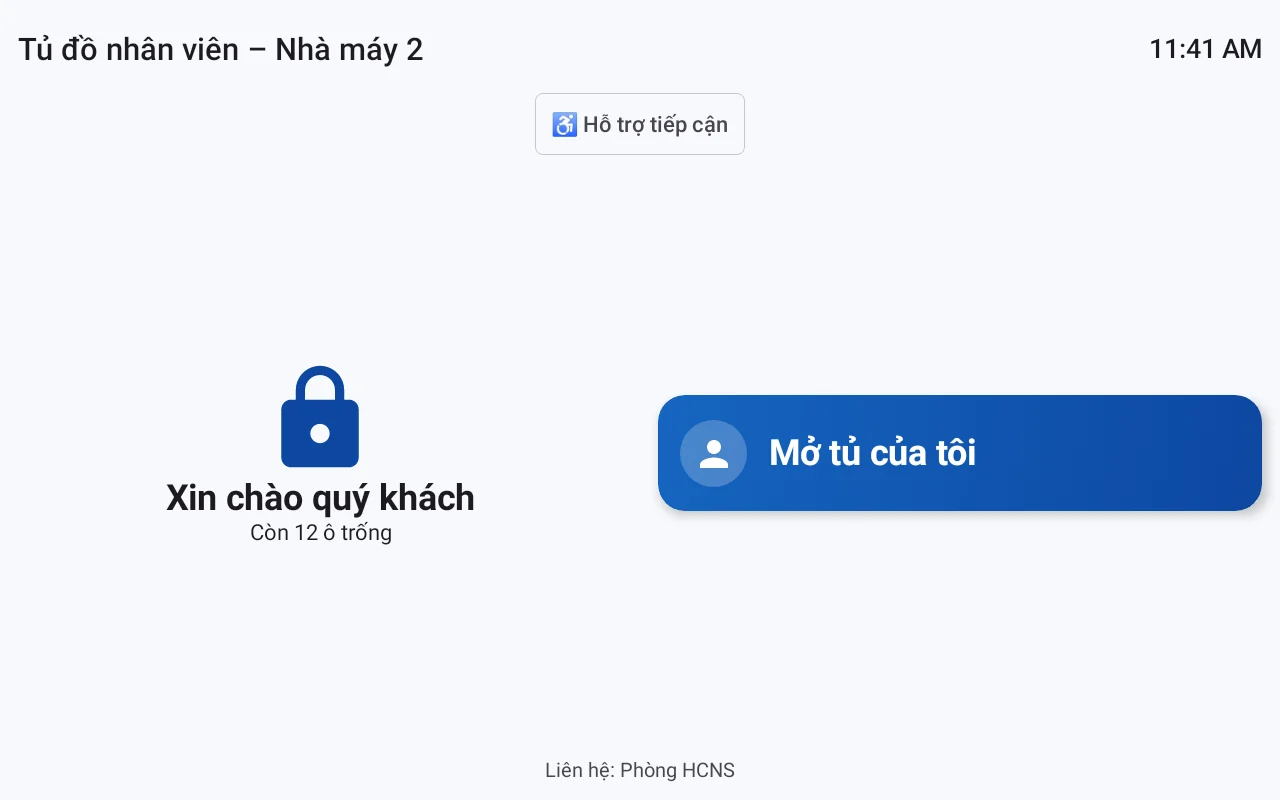
Unlike traditional metal lockers, electronic lockers do not use mechanical keys. Each compartment is assigned to an employee or a group. Users open lockers using their registered face or issued card. Every opening is recorded, helping HR and security personnel review when needed. VDT Locker software, developed by Việt Đức Trí and provided and deployed by Việt POS, acts as the control layer connecting lockers to the administration web interface.
Why are Key-Locked Metal Lockers No Longer Suitable for Modern Factories and Offices?
Related solutions
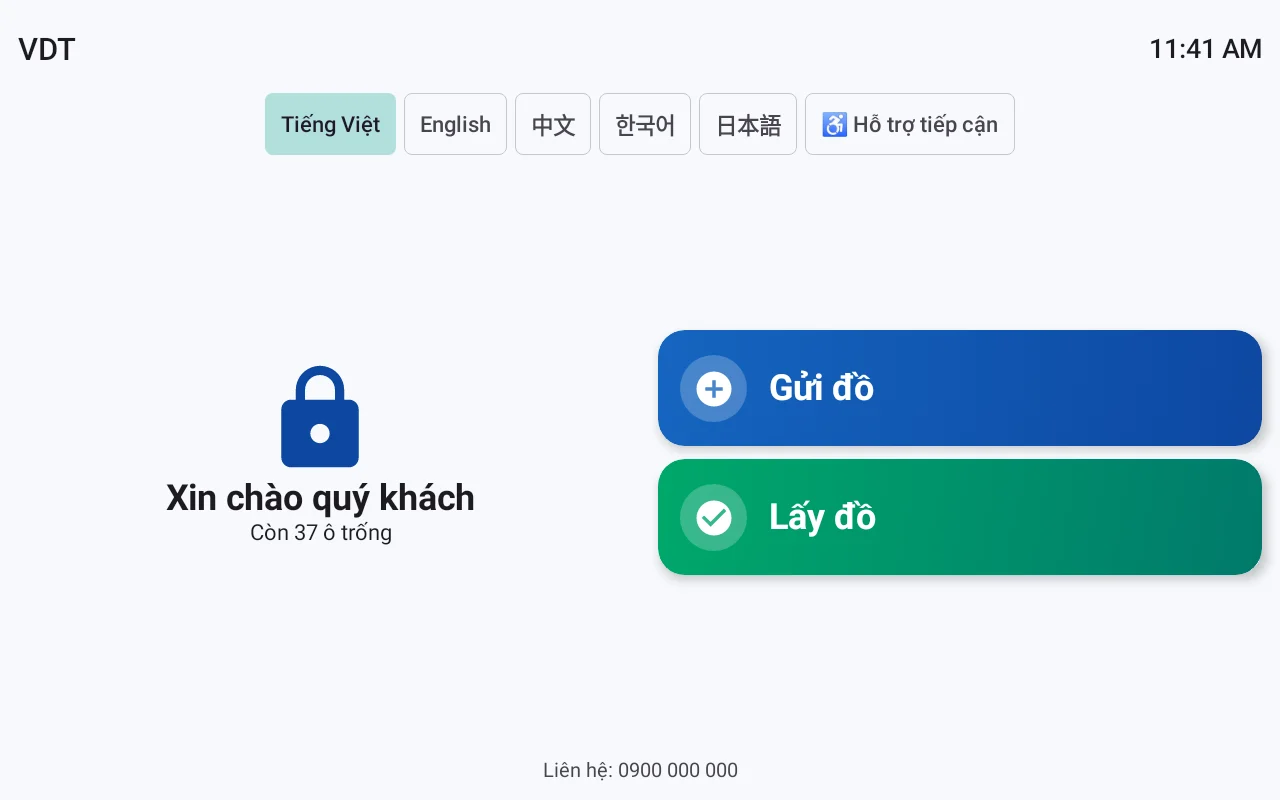
VDT Locker Smart Lockers: a locker configurable as a parcel locker, employee locker, package pickup locker, asset lending locker, or paid locker. See solution and schedule a demo →
Key-locked metal lockers create three operational problems: lost keys requiring lock-breaking, departing employees retaining compartments without anyone knowing which are vacant, and time-consuming facial data capture at each locker. These issues cause HR and IT to spend time troubleshooting instead of focusing on core tasks.
Lost Keys and Lock-Breaking
When an employee loses a key, a metal locker must be broken open or its lock replaced. The cost may not be significant, but the waiting time and work disruption are the real issues. With electronic lockers, administrators can remotely re-grant access or use backup methods, without mechanical intervention.
Departing Employees Retaining Compartments
In an environment with hundreds of employees, tracking who is using which compartment manually is prone to errors. Departing employees may leave compartments locked with old data, while new employees have no space. Smart lockers solve this by syncing with HRM: when an employee leaves, access rights are automatically revoked, and the compartment returns to a vacant state.
Time-Consuming Facial Data Capture at Each Locker
If each locker requires separate facial registration, employees must travel to each locker to capture data. With the VDT Locker system, facial data only needs to be captured once at an office station, then the software automatically distributes the encrypted facial features to all assigned lockers. This process does not store original images, only encrypted features, and records consent in accordance with Decree 13/2023/NĐ-CP.
How the System Manages Hundreds of Lockers on One Screen
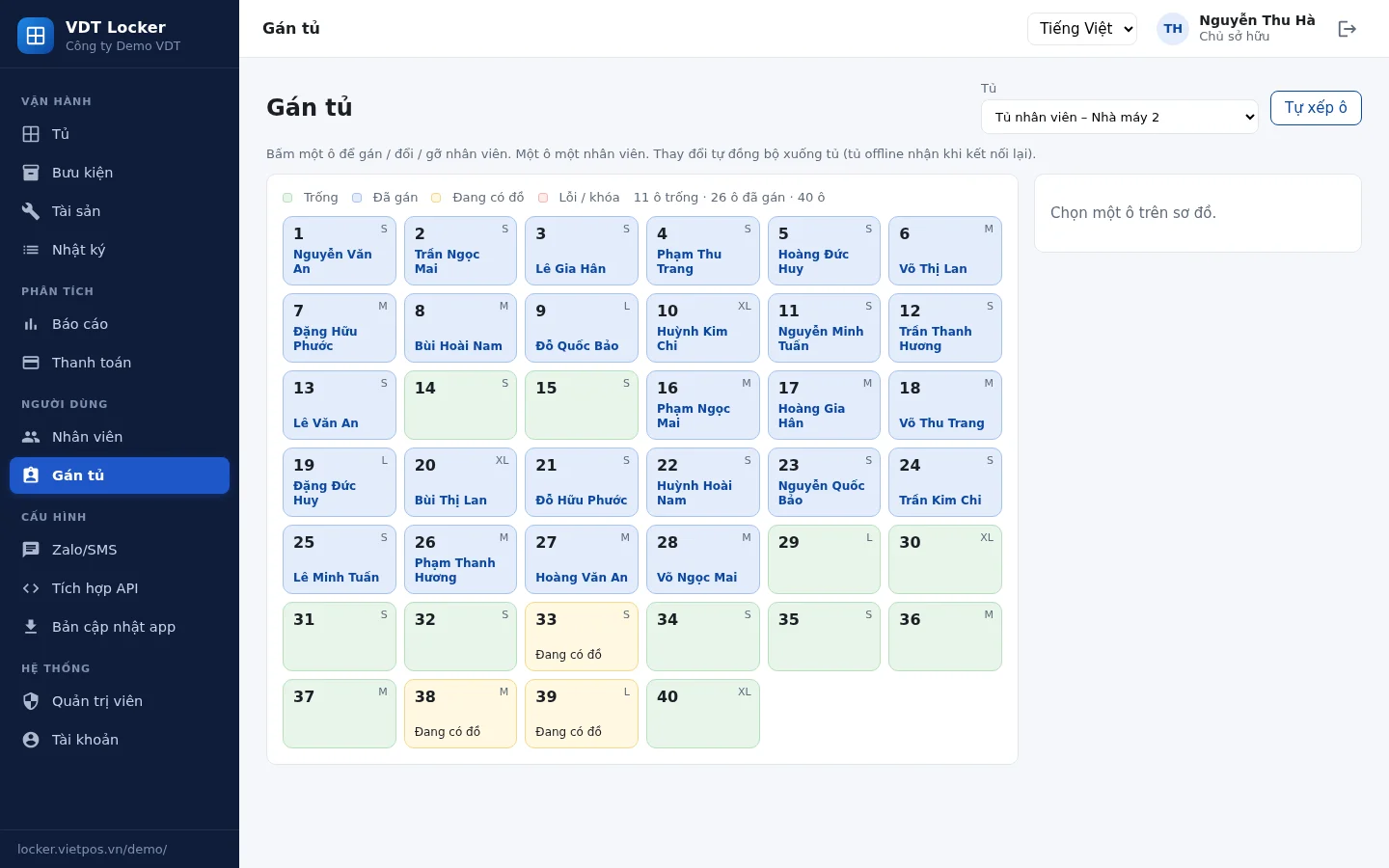
The centralized management system allows HR to create employees once on the web or import via Excel, and the system automatically syncs data to the correct lockers. An intuitive locker assignment diagram shows which compartment belongs to whom and which are vacant, supporting bulk assignment by group and time slot. All operations are performed on a single screen.
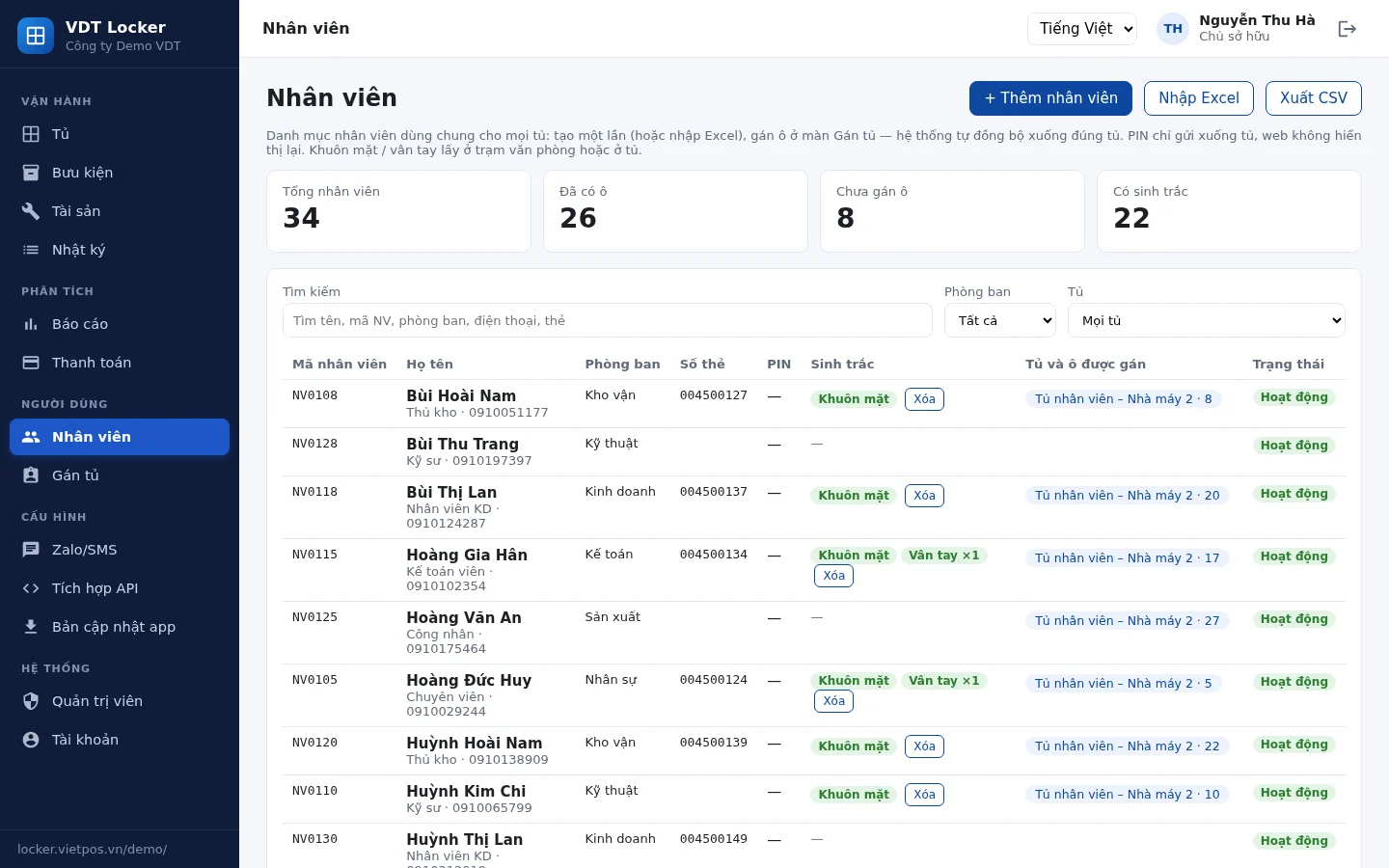
Create Employees Once, Sync to Correct Lockers
Instead of manual data entry at each locker, HR creates employee profiles on the administration web interface or imports from an Excel file. The system automatically synchronizes information to the assigned lockers. New employees only need to be present at the facial data capture station once, then they can use any locker in their authorized group.
Intuitive Locker Assignment Diagram
The locker assignment diagram displays all compartments in a grid format. Each compartment has a status color: assigned, vacant, or under maintenance. HR can drag and drop to assign compartments, bulk assign compartments to new employee groups, or set usage time slots for each group. For example, the morning shift uses compartments from 6 AM to 2 PM, and the afternoon shift from 2 PM to 10 PM.
Facial Data Capture at Office Station
The facial data capture station is located in the office or HR department. Employees stand in front of the device, and the system records encrypted facial features and distributes them to all assigned lockers. No need to repeat the process at each locker. This is especially useful for factories with multiple locker areas or multiple shifts.
HRM Integration via API
The system can connect with Human Resources Management (HRM) software via API. When a new employee joins, HRM automatically creates a profile and assigns a locker compartment. When an employee leaves, access rights are revoked, and the compartment is freed up. This reduces manual operations and prevents compartments from being occupied after employees depart.
Lockers Still Operate When Offline: Storage and Synchronization Mechanism
User data and access rights are stored on the locker, independent of network connectivity. When offline, the locker still authenticates faces or cards and opens compartments normally. When connectivity is restored, transaction data is synchronized to the central server.
This mechanism is crucial for factories with weak signal areas or offices experiencing network outages. Lockers do not become operational bottlenecks. Users are not blocked by network errors. Administrators can still view history after synchronization.
A Single Locker Can Change Its Usage Model via Settings, No Hardware Replacement
The software allows changing the usage model — from fixed employee lockers to shared session-based lockers or time-slot based lockers — through settings, without needing hardware replacement. This helps businesses adapt when changing labor organization methods.
For example, a locker area initially assigned permanently to office employees. When transitioning to a hybrid model, the company can switch to daily shared lockers. Or when adding a production shift, lockers can be reconfigured to serve multiple shifts. All this is done on the administration web interface, without requiring a technician to intervene with hardware.
Centralized Administration Web: Monitor All Lockers Across All Branches
The centralized administration web allows monitoring the status of all lockers at all branches from a single interface. Each enterprise has its own dedicated URL and two-factor authentication. Administrators can view locker opening history, compartment status, and configure access permissions for each user group.
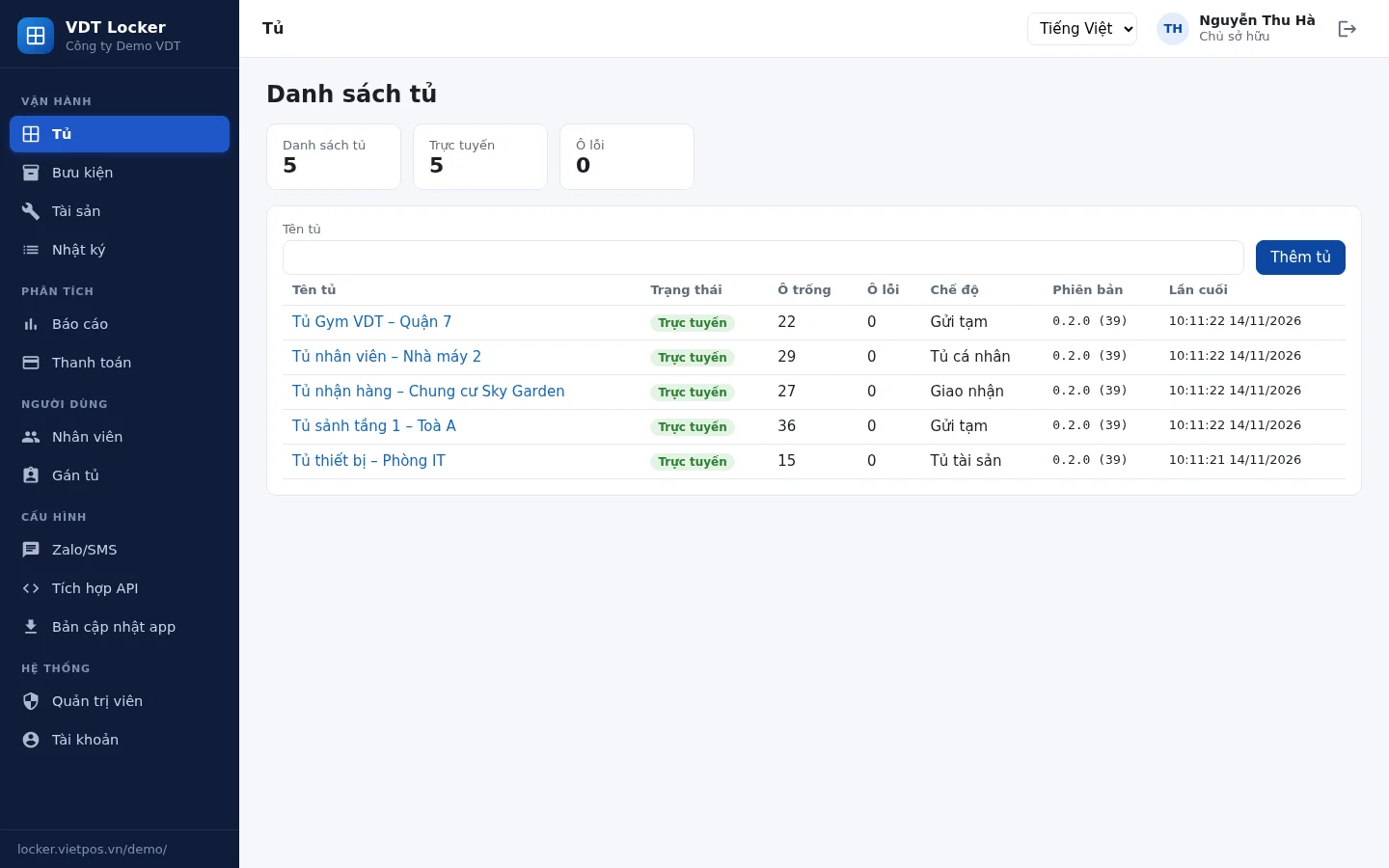
For retail chains or businesses with multiple locations, managing distributed lockers often leads to inconsistency. The centralized administration web solves this by providing a single dashboard. Each enterprise has its own dedicated URL, and two-factor authentication helps protect data. This meets internal information security requirements.
Summary Table of Features and Operational Benefits
Feature Description Operational Benefit Create employees once Enter on web or Excel, automatically sync to lockers Reduce data entry, avoid errors Intuitive locker assignment diagram Shows which compartment belongs to whom, which are vacant, bulk assignment HR instantly grasps status, no manual checks
| Feature | Description | Operational Benefit |
|---|---|---|
| Create employees once | Enter on web or Excel, automatically sync to lockers | Reduces data entry, avoids errors |
| Intuitive locker assignment diagram | Shows which compartment belongs to whom, which are vacant, bulk assignment | HR instantly grasps status, no manual checks |
| Facial data capture at office station | One-time capture, distributed to all assigned lockers | Saves time, no multiple trips |
| HRM integration via API | Automatically syncs new and departing employees | Compartments are freed up promptly, not occupied |
| Operates when offline | Data stored on locker, syncs when online | No operational disruption |
| Change model via settings | Switches locker usage without hardware replacement | Flexible adaptation to organizational changes |
| Centralized administration web | Monitors all lockers across all branches | Qu |
Cần tư vấn thiết bị/giải pháp cụ thể?
Việt POS phản hồi trong 30 phút · Hotline 4 vùng · Khảo sát miễn phí.
Bài viết cùng chủ đề


