Mục lục bài viết (8)
- What is a VietQR Paid Locker?
- Why do tourist areas, beaches, and water parks need automated lockers?
- Flexible fee configuration: N free hours, overtime fees
- How do customers pay with VietQR? How does the locker auto-open?
- Centralized administration web: track revenue per locker, per branch
- Locker still operates when offline: data stored on locker, syncs when online
- One locker can change usage models via settings, no hardware replacement
- Summary table: terms and concepts to know
The VietQR paid locker is an electronic locker solution integrated with online payment, allowing customers to self-deposit items and pay fees via QR code without the need for staff. At tourist areas, beaches, water parks, and events, this model is being deployed to reduce the burden on manual storage counters, enhance customer experience, and ensure transparent revenue control.
The VietQR paid locker operates by customers scanning a QR code for payment via a banking app or e-wallet, and the locker automatically opens upon sufficient payment. The system uses VDT Locker software, supports configuring N free hours, overtime fees, and remains operational when offline due to data stored on the locker. A centralized administration web tracks revenue per locker, per branch, separating VietQR and cash.
Table of Contents
- What is a VietQR Paid Locker?
- Why do tourist areas, beaches, and water parks need automated lockers?
- Flexible fee configuration: N free hours, overtime fees
- How do customers pay with VietQR? How does the locker auto-open?
- Centralized administration web: track revenue per locker, per branch
- Locker still operates when offline: data stored on locker, syncs when online
- One locker can change usage models via settings, no hardware replacement
- Summary table: terms and concepts to know
- Common mistakes when deploying VietQR paid lockers
- Frequently Asked Questions
What is a VietQR Paid Locker?
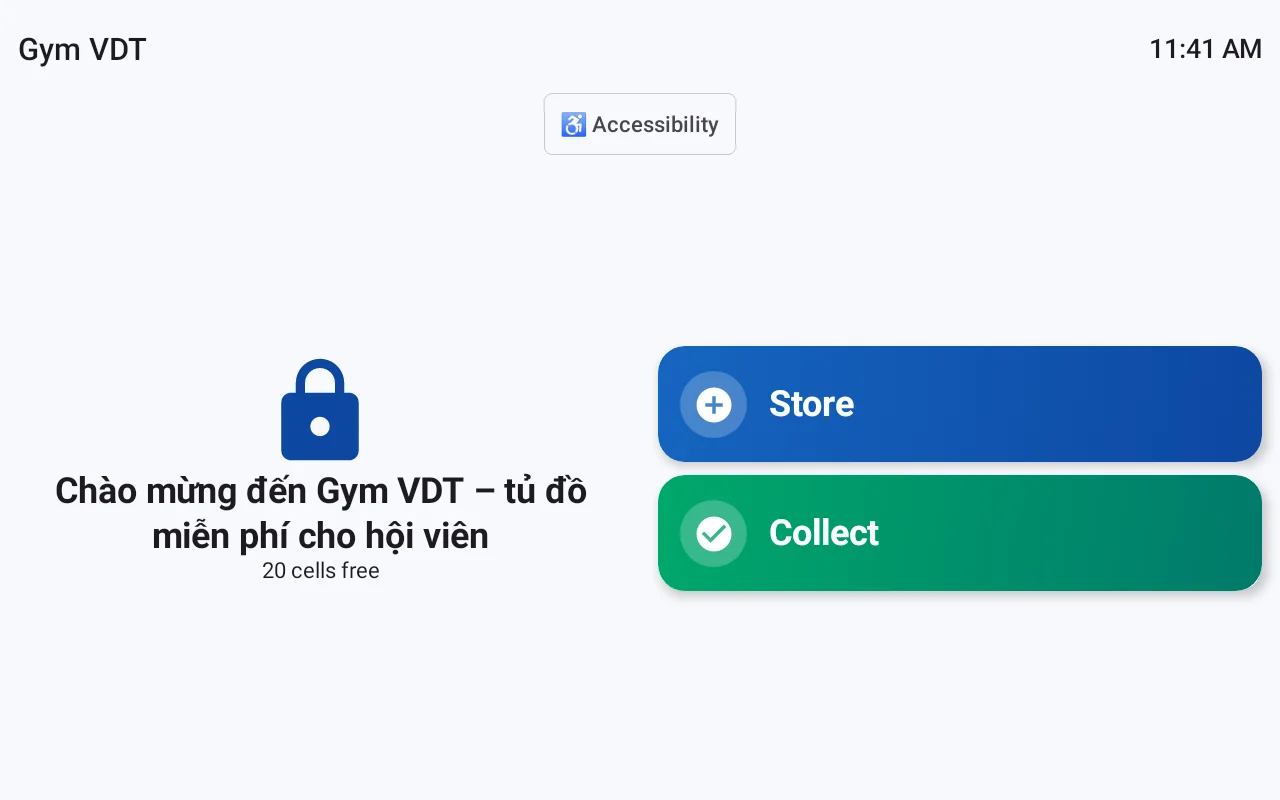
A VietQR paid locker is an electronic locker system with control software that allows customers to rent a locker for a period and pay by scanning a VietQR code. When the system confirms payment, the corresponding locker automatically opens. Customers do not need cash, do not need a cashier, and can deposit items 24/7.
Why do tourist areas, beaches, and water parks need automated lockers?
Related Solutions
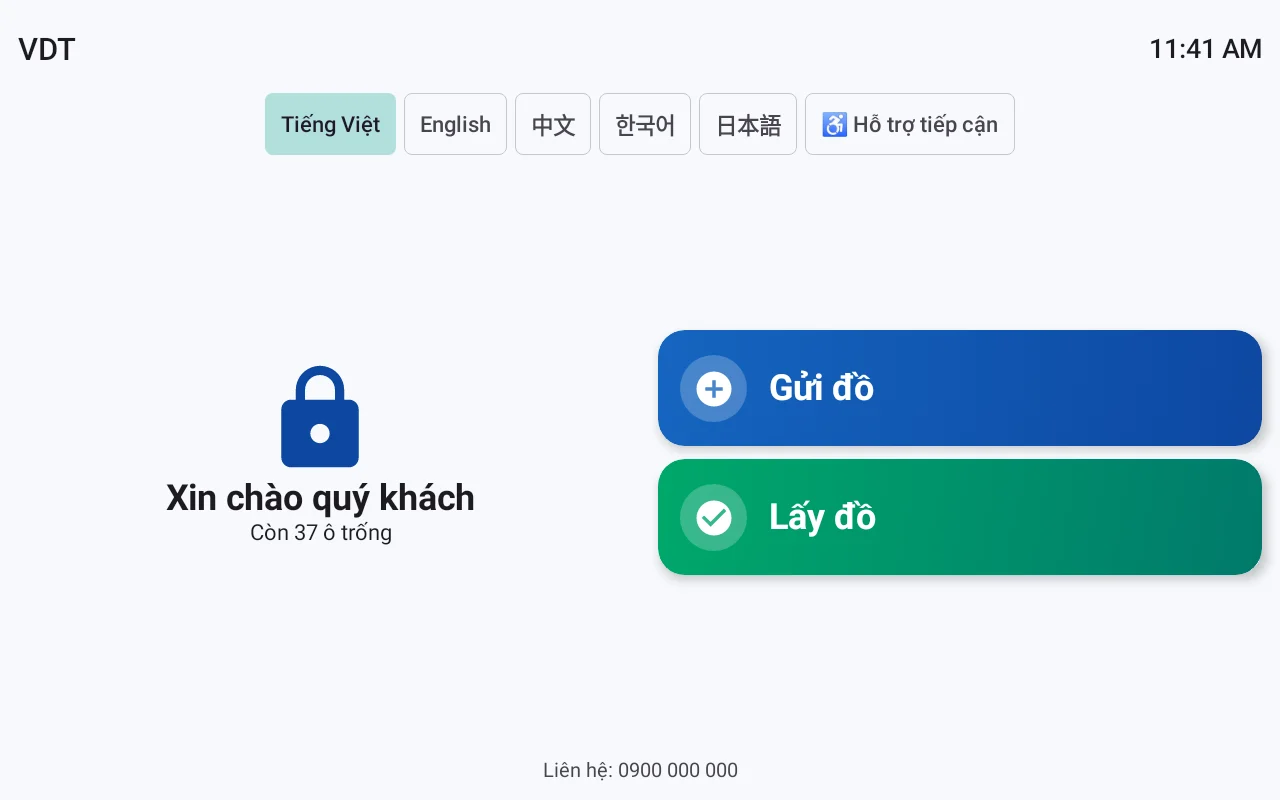
VDT Locker Smart Lockers: one locker configurable as a storage locker, staff locker, package pickup locker, asset lending locker, or paid locker. See solution and schedule a demo →
Visitors to beaches or water parks often carry bags, phones, and wallets but lack a secure place to store them. Manual storage counters become overloaded during peak hours, leading to confusion and lost items. Automated lockers solve three problems: asset security, reduced staffing, and increased revenue from storage services.
- Reduce burden on storage counters: customers operate independently, no need to queue for staff.
- 24/7 operation: lockers do not depend on staff working hours.
- Transparent revenue: all transactions are recorded on the administration web, separating VietQR and cash.
- Better customer experience: customers proactively store items, no worries about losing tickets or forgetting keys.
Flexible fee configuration: N free hours, overtime fees
VDT Locker software allows investors to configure storage fees as needed: N free hours, then charged hourly or per use. A locker can change its usage model via settings, no hardware replacement needed. For example, the same locker can switch from completely free to hourly charging with just a few clicks on the administration web.
Fee configuration includes key parameters:
- Free time: set N initial free hours (e.g., 2 hours, 4 hours) to encourage customer use.
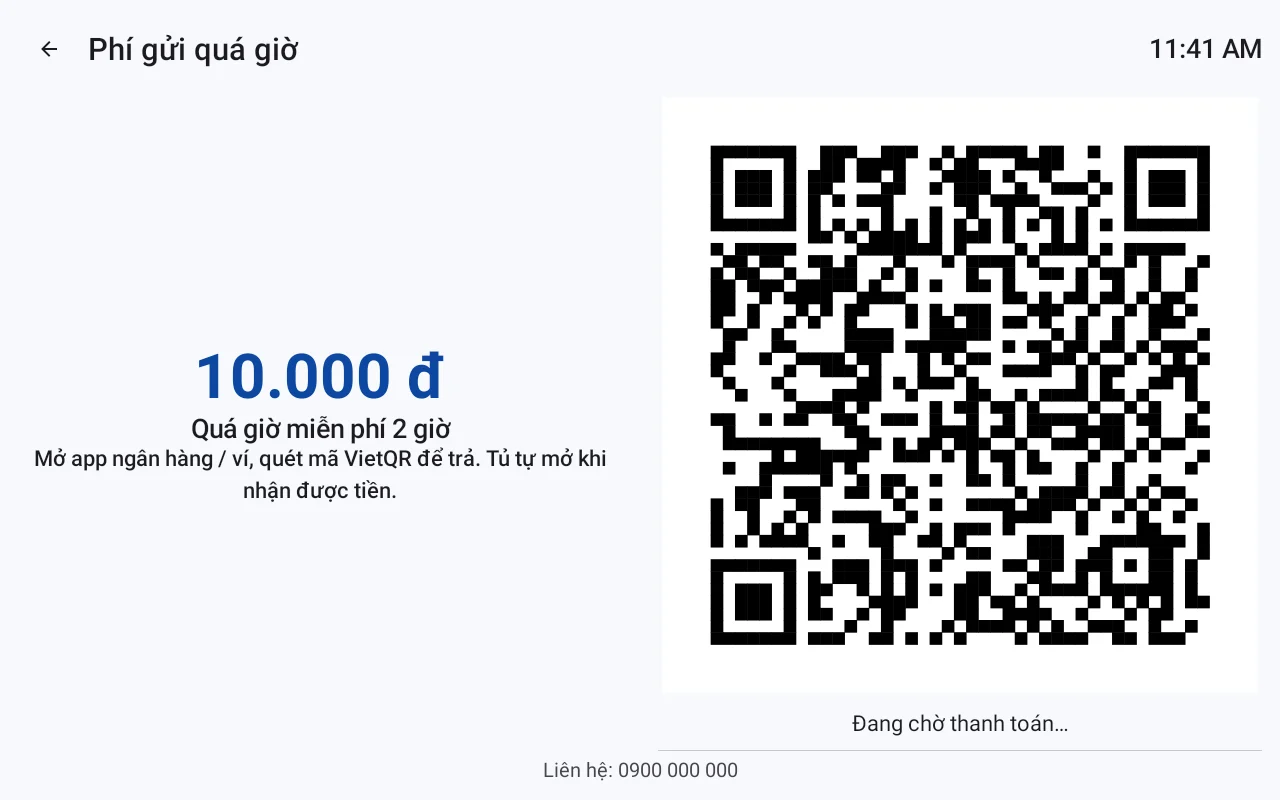
- Overtime fee: charged hourly or per time block, applied after the free time expires.
- Per-use fee: a one-time charge for each item deposit, regardless of duration.
- Daily fee: suitable for customers storing items overnight at multi-day events.
Investors can change the configuration at any time on the administration web, applying it to individual lockers or the entire system. No hardware intervention or technician calls are needed.
How do customers pay with VietQR? How does the locker auto-open?
Customers select an empty locker compartment, scan the VietQR code using a banking app or e-wallet. The system verifies the transaction via the payOS payment gateway, and upon receiving sufficient payment, automatically opens the locker compartment. If customers pay cash, staff confirm with a PIN to open the locker. The entire process takes a few seconds, without staff assistance.
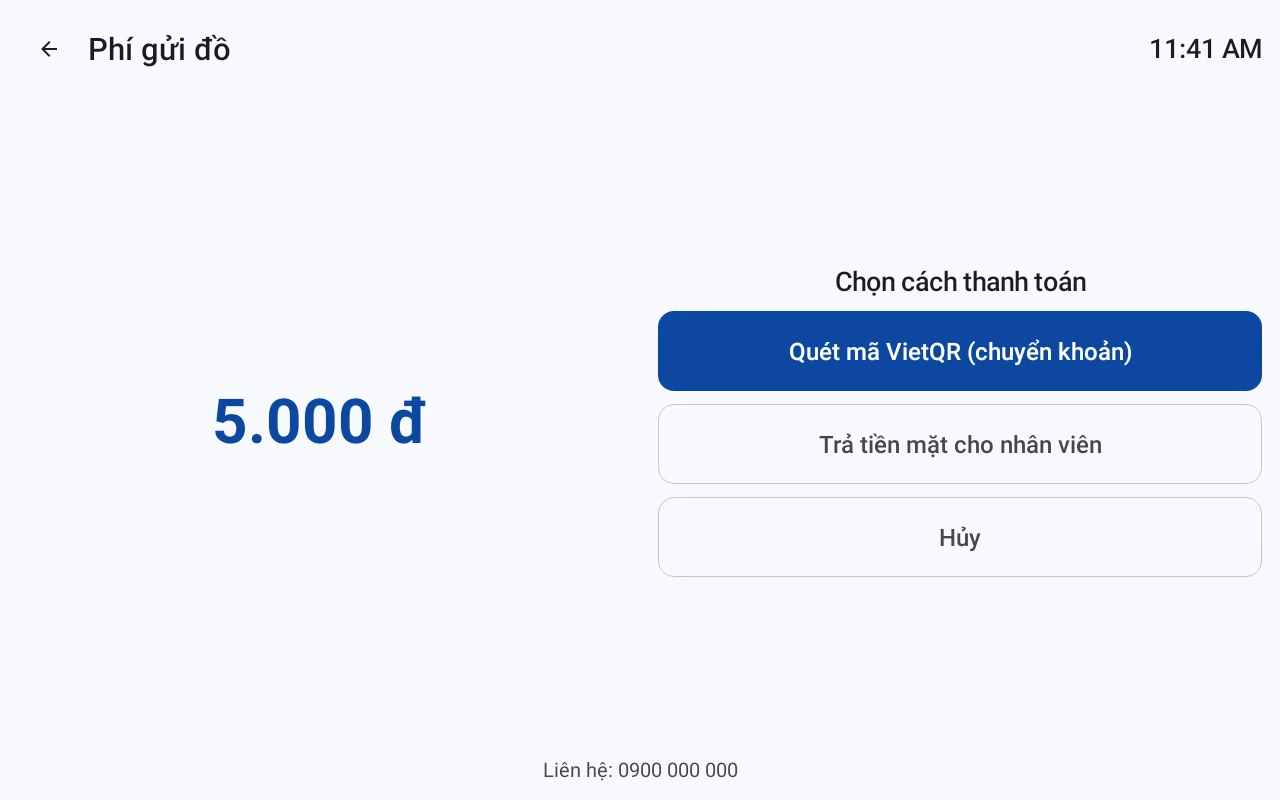
VietQR payment process via payOS:
- Activate payOS account: each business needs to register a separate payOS account to receive payments. Việt POS supports connection and configuration.
- Customer selects locker compartment: on the locker screen, the customer selects an empty compartment and views the storage fee.
- Scan VietQR code: the customer uses a banking app or e-wallet to scan the code and confirm payment.
- System confirms: payOS sends a successful transaction notification, and the software opens the locker compartment.
- Customer retrieves items: when retrieving items, the customer scans the code again or enters the provided PIN.
For cash payments, staff collect money and enter a PIN confirmation on the administration web or locker screen to open the compartment. Both methods are recorded with separate revenue.
Centralized administration web: track revenue per locker, per branch
The VDT Locker administration web allows investors to monitor all lockers at all branches on a single interface. Revenue is separated into VietQR and cash, displayed daily and per transaction. Each business has its own dedicated URL, with two-factor authentication to protect data.
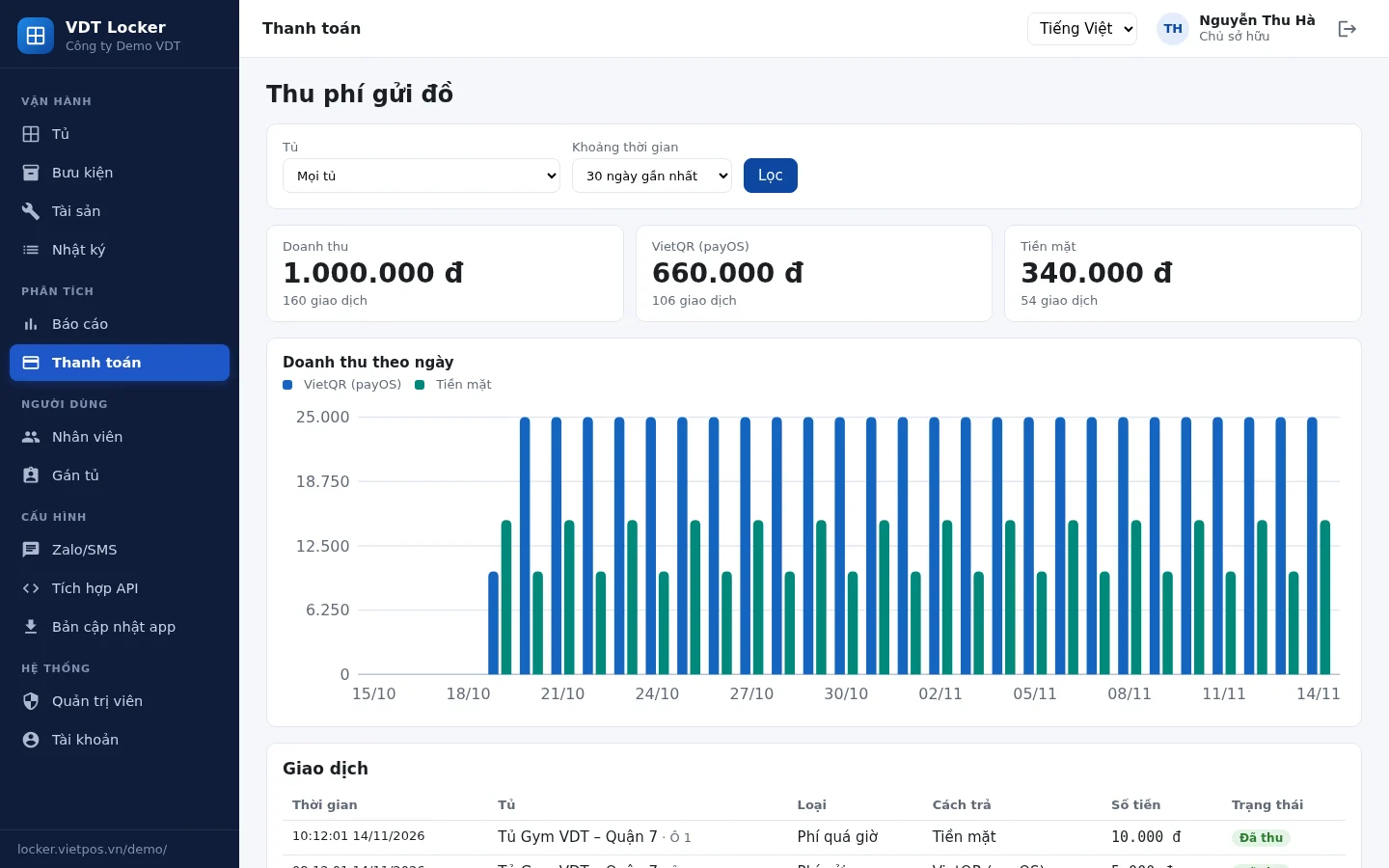
- View daily revenue: aggregate total collected amount, number of deposits, average storage time.
- Separate VietQR and cash: separate reports for each payment method, easy to reconcile with banks and cashiers.
- Per transaction: view details of each deposit, start and end times, amount, payment method.
- Multi-branch management: monitor lockers at beaches, water parks, events under the same account.
- Dedicated URL and two-factor authentication: each business has its own administration URL, logging in with a password and authentication code.
Locker still operates when offline: data stored on locker, syncs when online
This is a crucial point in tourist areas, beaches, and water parks – where network infrastructure can be unstable. VDT Locker software stores transaction data directly on the locker. When offline, the locker still allows customers to deposit items and pay cash via PIN. When the network connection is restored, data automatically syncs to the administration web.
Operating mechanism:
- Local data storage: all transactions are recorded in the locker's memory as they occur.
- Offline operation: customers can still open lockers using PINs or cards, and staff collect cash and confirm.
- Sync when online: when the connection is restored, data is automatically pushed to the administration web.
- No data loss: transactions during network outages are still fully recorded.
For VietQR payments, the locker needs an internet connection to confirm transactions. However, if offline, customers can switch to cash payment, and staff confirm with a PIN.
One locker can change usage models via settings, no hardware replacement
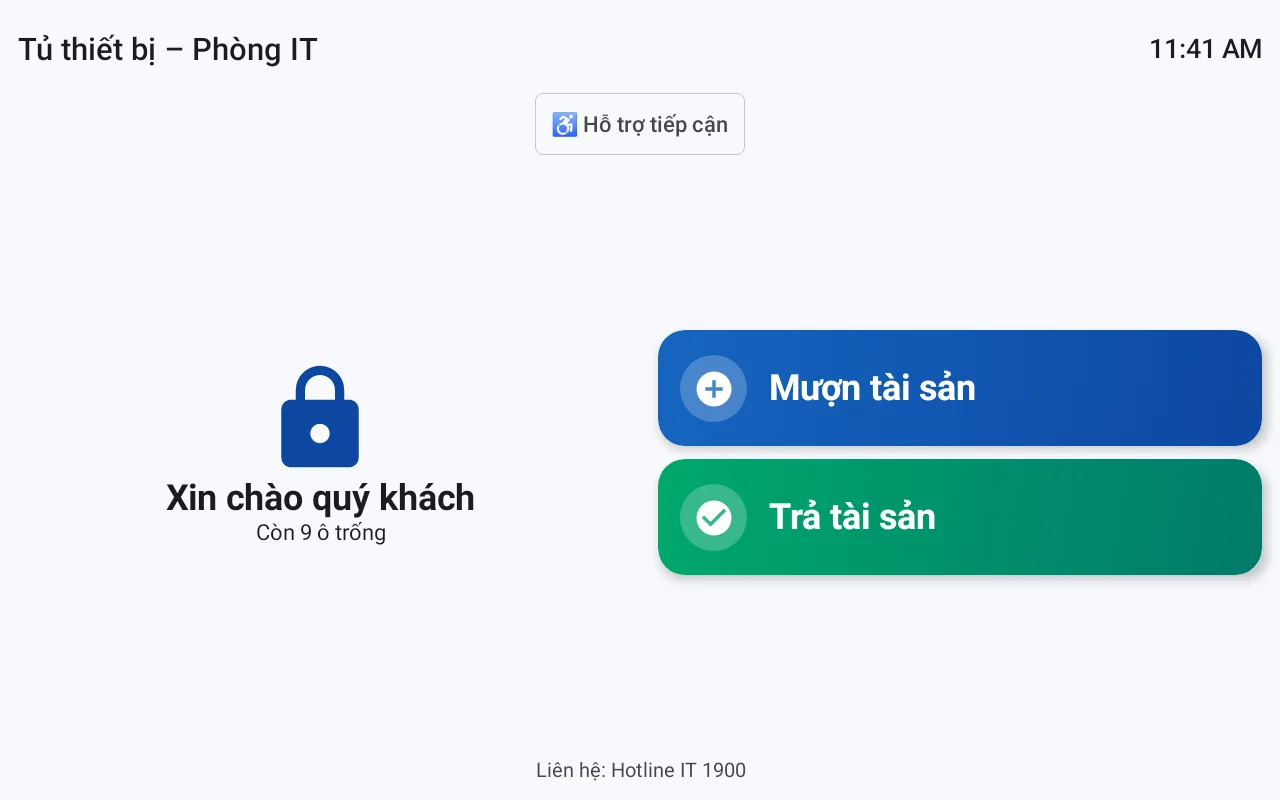
VDT Locker software allows changing usage models via settings only: from free to paid, from hourly paid to per-use paid, from customer storage locker to package pickup locker. No hardware changes are needed, no new lockers to buy. Investors can experiment with multiple business models on the same locker system.
For example, a locker at a tourist area can be configured:
- Low season: 4 free hours to attract customers.
- Peak season: hourly charges, no free time.
- Special events: per-use charges, limited storage time.
With just a few clicks on the administration web, all lockers in the system update to the new configuration.
Summary table: terms and concepts to know
Term Definition Example VietQR Interbank QR payment code, customers scan with banking app or e-wallet.
| Term | Definition | Example |
|---|---|---|
| VietQR | Interbank QR payment code, customers scan with banking app or e-wallet. | Customers scan the code at the locker, money is transferred to the business account. |
| payOS | Payment gateway supporting VietQR, automatically confirms transactions. | System receives successful payment notification, opens locker. |
| VDT Locker | Electronic locker control software and centralized administration web. | Configure fees, track revenue, q |
Cần tư vấn thiết bị/giải pháp cụ thể?
Việt POS phản hồi trong 30 phút · Hotline 4 vùng · Khảo sát miễn phí.
Bài viết cùng chủ đề