Mục lục bài viết (9)
- What is a VPN connecting stores to headquarters?
- Why should POS server ports not be exposed to the internet?
- Standard model: VietPOS server at headquarters, stores connect via VPN
- Design principle: failures must surface immediately, not hang silently
- Benefits of VPN versus direct access
- Equipment needed for the F&B chain VPN model
- Glossary summary table
- Common mistakes when building a VPN for an F&B chain yourself
- Frequently asked questions
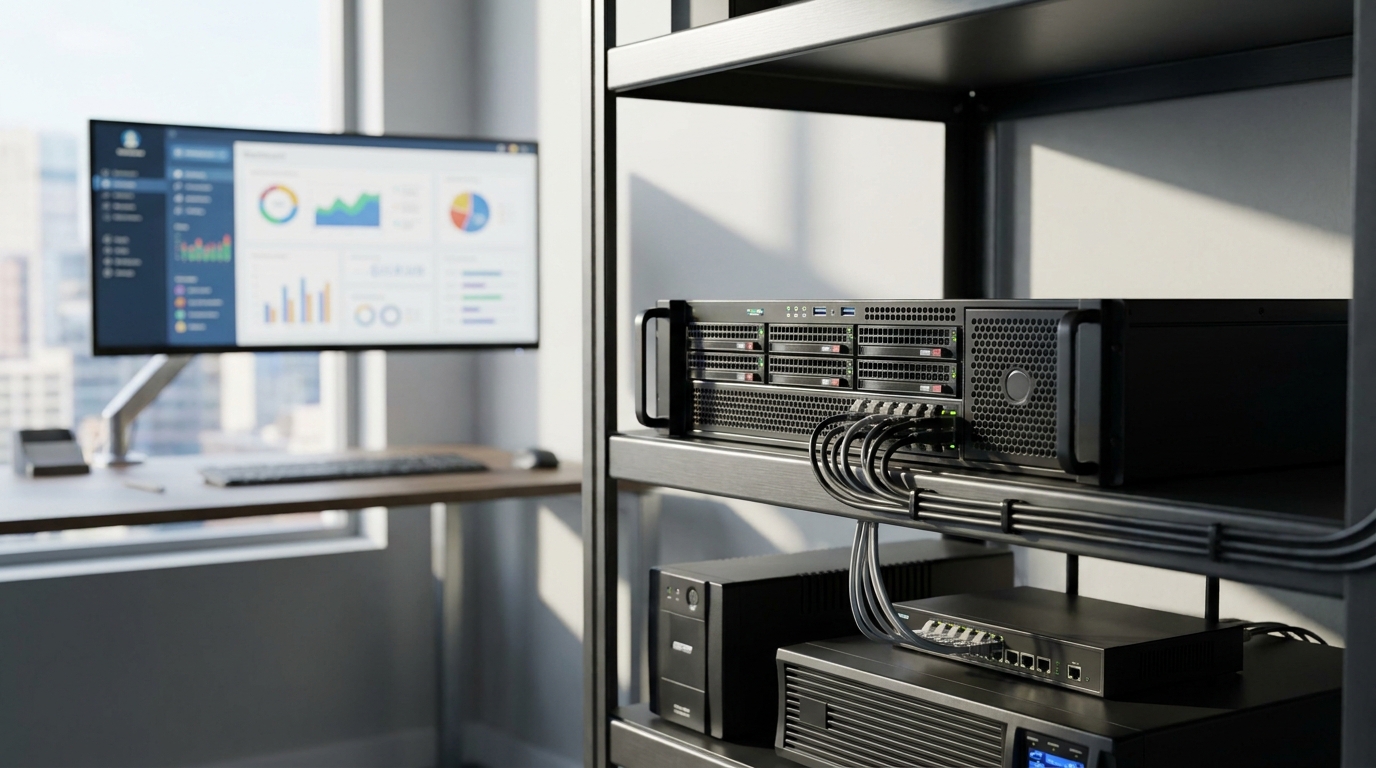
A virtual private network (VPN) connecting stores to the headquarters server is a solution that connects branches in an F&B chain to a single server placed at the company headquarters through an encrypted tunnel over the public internet. Instead of exposing the POS server port to the internet for branches to access remotely, the business uses a VPN to create a single private network, sales data resides on the company's own machine, and every connection is authenticated before entering the system.
A VPN connecting stores to the headquarters server is a model in which the VietPOS server is placed at the company headquarters and branches connect back through an encrypted tunnel instead of exposing the server port to the internet. This approach keeps sales data on the company's own machine, reduces attack risk, and makes connection failures surface immediately for handling instead of hanging silently.
Table of contents
- What is a VPN connecting stores to headquarters?
- Why should POS server ports not be exposed to the internet?
- Standard model: VietPOS server at headquarters, stores connect via VPN
- Design principle: failures must surface immediately, not hang silently
- Benefits of VPN versus direct access
- Equipment needed for the F&B chain VPN model
- Glossary summary table
- Common mistakes when building a VPN for an F&B chain yourself
- Frequently asked questions
What is a VPN connecting stores to headquarters?
What is a VPN connecting stores to headquarters?
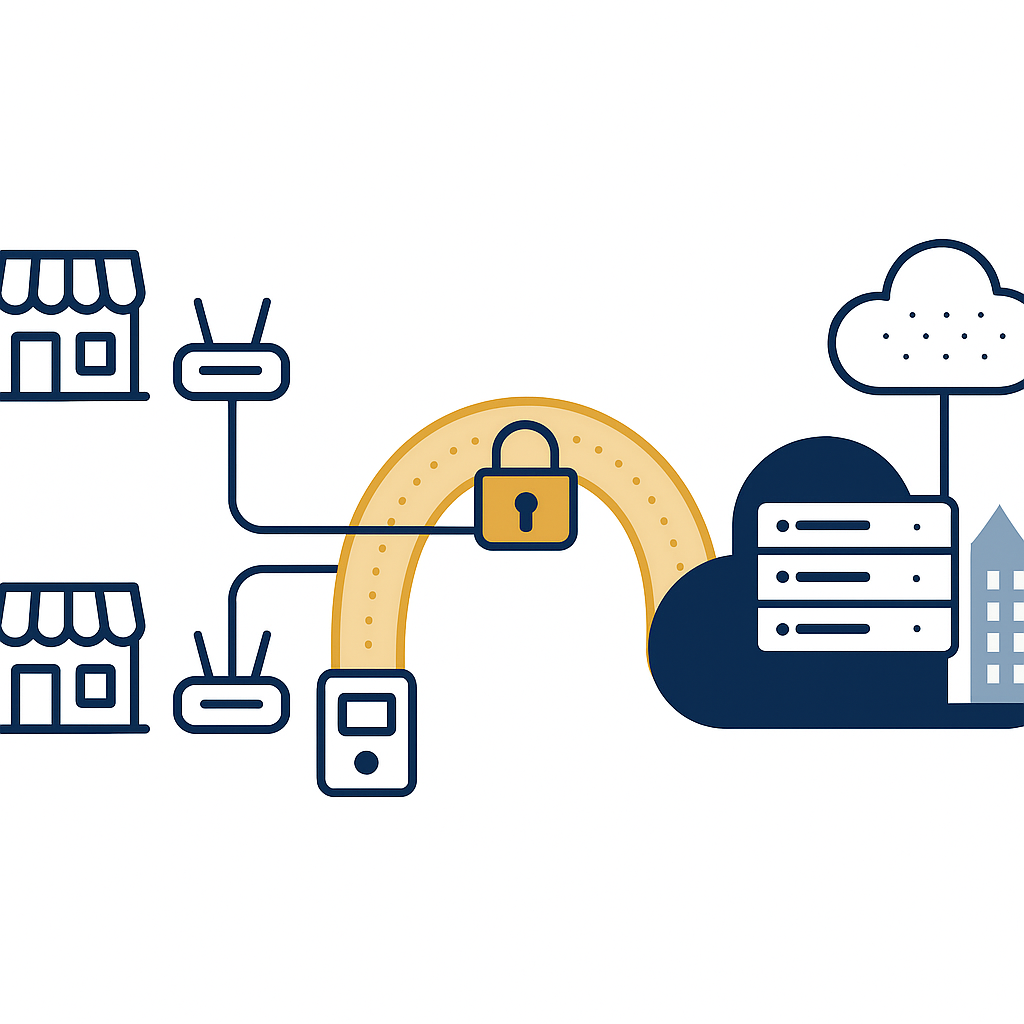
A VPN (Virtual Private Network) creates an encrypted tunnel between two points, allowing devices at the store to access resources on the headquarters server as if they were on the same local network. For F&B chains, this model completely replaces exposing the server port to the internet — a common cause of data leak and external attack incidents.
Why should POS server ports not be exposed to the internet?
Related products




Exposing the server port to the internet means anyone in the world can try to connect to the company's POS server. A single weak account or an unpatched vulnerability is enough for an attacker to read sales data, change prices, or install malware. VPN eliminates this risk by requiring authentication before connecting.
Three common risks when exposing the POS server port to the internet:
- Automated scanning: Internet scanning tools continuously look for servers with open ports. POS servers often run on popular platforms, making them easy to identify and attempt to attack.
- Customer data leaks: Card data, phone numbers, and purchase history of customers can be read if the connection is not encrypted.
- Loss of access control: There is no way to know who accessed, from where, and when without an intermediate authentication layer.
Standard model: VietPOS server at headquarters, stores connect via VPN
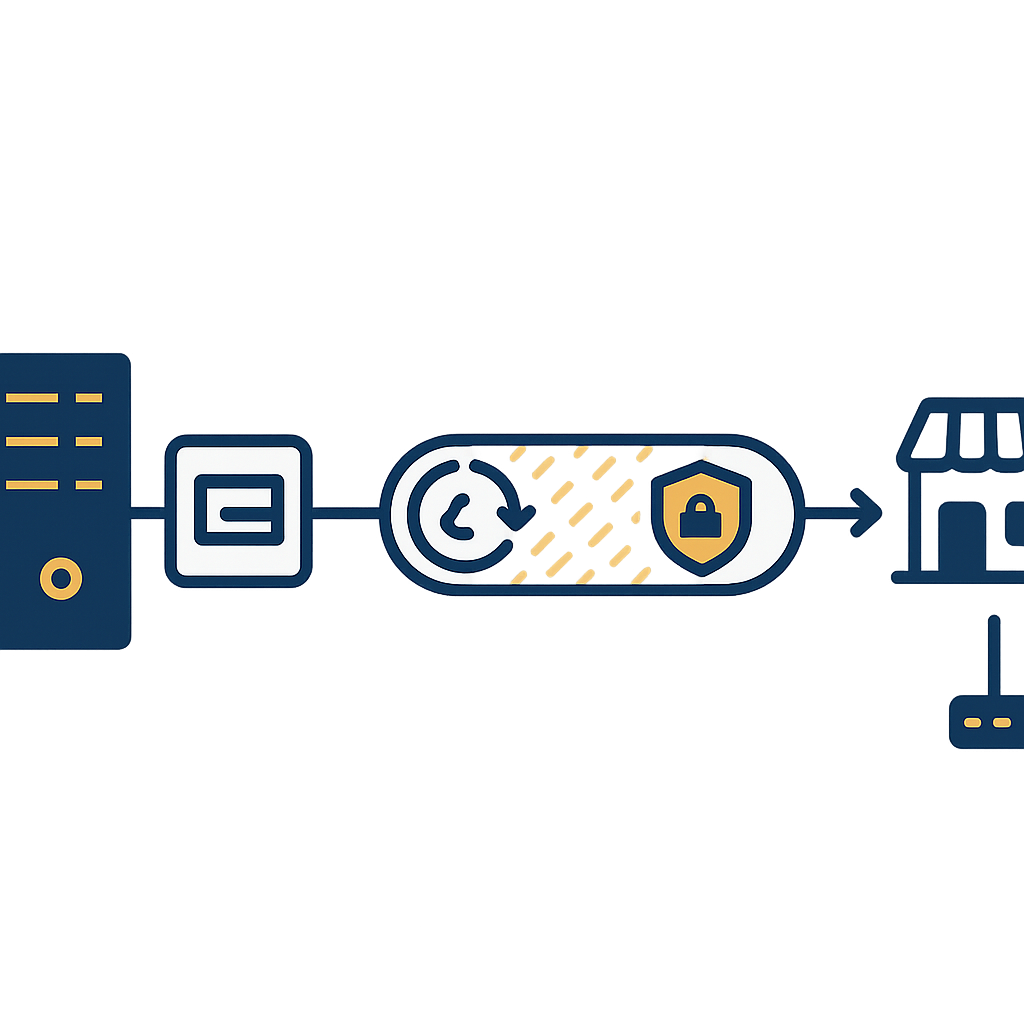
The standard model is to place a server at the company headquarters and install VietPOS software on that dedicated server. Each store has a router or VPN device that connects to headquarters through an encrypted tunnel. Sales data generated at the store is written to the headquarters server, not stored scattered on each POS terminal.
The deployment includes the following steps:
- Prepare the server at headquarters: Choose a computer to act as the POS server with suitable configuration, SSD, backup power, and a well-ventilated placement. See the detailed guide at Choosing a computer as a POS server for a restaurant chain: configuration, SSD, power, location.
- Install VietPOS on the dedicated server: The software runs on the company's machine, data resides on the company's hard drive, and it does not depend on external services.
- Set up VPN at headquarters: Configure the router or VPN device at headquarters to accept connections from stores, authenticated with a separate account for each store.
- Set up VPN at the store: Each store has a router that connects via VPN to headquarters. A dual-WAN router with fiber + 4G backup should be used to ensure continuous connectivity; see Dual-WAN fiber + 4G backup router for F&B chains: why headquarters must have one.
- Test the connection: Ensure the POS terminal at the store can recognize the headquarters server via VPN, and that bill printing and kitchen printing work normally.
Design principle: failures must surface immediately, not hang silently
A POS system for an F&B chain must be designed so that when connectivity is lost, staff know immediately. If the software still displays a saved or kitchen-printed message while the connection to the headquarters server is down, orders can be lost without anyone knowing. The principle is: when connectivity is lost, a clear error must be reported, not a false success.
To ensure this principle, note the following:
- Periodic connection checks: The POS terminal at the store should check the link to the headquarters server at short intervals and display the status clearly on screen.
- No automatic background sync: When the network is down, the software should not promise to sync later. Instead, report an error so staff can handle it immediately or switch to a controlled manual process.
- Kitchen printing must be confirmed: A kitchen print command is considered successful only when the kitchen printer confirms it has printed. Otherwise, the system must report back for staff to check.
Benefits of VPN versus direct access
VPN provides three main benefits: data resides on the company's machine, the attack surface from the internet is reduced, and it is possible to control who is accessing. Compared with exposing the server port, VPN requires authentication before connecting, so it blocks most unauthorized access.
| Criterion | Exposing server port to the internet | VPN to headquarters |
|---|---|---|
| Security | Low, dependent on weak passwords | High, with authentication and encryption |
| Access control | Hard to know who accessed | Managed by account for each store |
| Data loss risk | High if attacked | Low, internal data |
| Infrastructure cost | Low initially but high risk | Investment in VPN router, server |
Equipment needed for the F&B chain VPN model
To deploy a VPN connecting stores to headquarters, the business needs to prepare a server at headquarters, a VPN router at each store, an uninterruptible power supply (UPS) for the server and network equipment, and POS terminals at the counter. Choosing suitable equipment helps the system run stably and be easy to maintain.
Main equipment groups:
- Headquarters server: A computer with stable configuration, SSD preferred, backup power. See the guide to choosing a POS server.
- VPN router at the store: A router with VPN ports should be used, supporting dual WAN and 4G backup. See Dual-WAN fiber + 4G backup router for F&B chains.
- UPS: Ensure the server and router do not shut down abruptly during a power outage. See UPS for restaurant POS: choosing capacity & backup time.
- POS terminal: POS terminal models such as Zonerich ZQ-T2180, Hanasis CRAVE C-150, or POS HIT 156 are suitable for the checkout counter at the store.
Glossary summary table
Term Definition Example VPN site-to-site Connects two private networks over the internet Store in District 1 connects to headquarters in District 3 Encrypted tunnel Encrypted data transmission channel Sales data cannot be read in transit Xá
| Term | Definition | Example |
|---|---|---|
| VPN site-to-site | Connects two private networks over the internet | Store in District 1 connects to headquarters in District 3 |
| Encrypted tunnel | Encrypted data transmission channel | Sales data cannot be read in transit |
| Authentication | Verifying identity before allowing connection | Each store has its own VPN account |
| Headquarters server | Computer placed at headquarters, running sales software | VietPOS server at the company office |
| UPS | Uninterruptible power supply for equipment | Keeps the server running during a power outage |
Common mistakes when building a VPN for an F&B chain yourself
Using a single VPN account for all stores: When one store's account is compromised, the entire system is affected.
- Using a single VPN account for all stores: When one store's account is compromised, the entire system is affected. Each store should have its own account.
- No UPS for the router and server: A sudden power outage damages the server hard drive and causes data loss. A UPS is needed for both the server and network equipment.
- Using only one internet line: A cut fiber line means the store loses connectivity completely. A 4G backup should be available.
- Not monitoring connection status: Not knowing which store is disconnected leads to silent order loss.
- Exposing the server port for convenience: This is the most dangerous mistake and easily leads to data leaks.
Frequently asked questions
Does a VPN connecting stores to headquarters require high-speed internet?
Not very high. Text-based sales data is very light, and a 20-30 Mbps line is enough for a few stores. More important is stable connectivity and a 4G backup when the fiber line has an issue.
Is the server at headquarters at risk of power outages?
Yes, so a UPS is needed for the server and router. Backup time depends on needs, usually 15-30 minutes to allow handling or switching to a generator.
If the VPN loses connection, can the store still sell?
Under the correct design principle, the system will report an error immediately so staff know. The software should not be designed to automatically continue selling and promise to sync later, because orders can easily be lost. A controlled manual backup process is safer.
Do I need to rent an external VPN service?
You can deploy the VPN yourself on a router or use an enterprise VPN service. What matters is that the server is placed at the company headquarters and data resides on the company's machine.
How much does it cost to deploy a VPN for an F&B chain?
Cost depends on the number of stores and equipment. It usually includes VPN routers, servers, UPS, and configuration labor. It should be calculated as a long-term investment rather than initial savings to avoid risk.
Need advice on a VPN model connecting stores to the headquarters server for an F&B chain? Contact Việt POS via hotline 0935 498 384 for support in choosing suitable equipment and configuration.
Cần tư vấn thiết bị/giải pháp cụ thể?
Việt POS phản hồi trong 30 phút · Hotline 4 vùng · Khảo sát miễn phí.
Bài viết cùng chủ đề