Mục lục bài viết (9)
- #What are industrial barcode printers and what are they used for?
- #What are the common types of industrial barcode printers today?
- #What are the steps involved in installing an industrial barcode printer?
- #What do industrial barcode printer installation costs include?
- #How to choose an industrial barcode printer suitable for Vietnamese business scale?
- #What are the considerations when installing an industrial barcode printer?
- #Next Steps
- Related Products
- Related Articles
Installing industrial barcode printers is a crucial step for Vietnamese businesses to optimize goods management processes, reduce warehouse shrinkage (30-50% according to retail industry experience), and accelerate order processing. Industrial barcode printers differ from office printers in durability, 24/7 continuous printing speed, and the ability to withstand harsh environments.
What are industrial barcode printers and what are they used for?
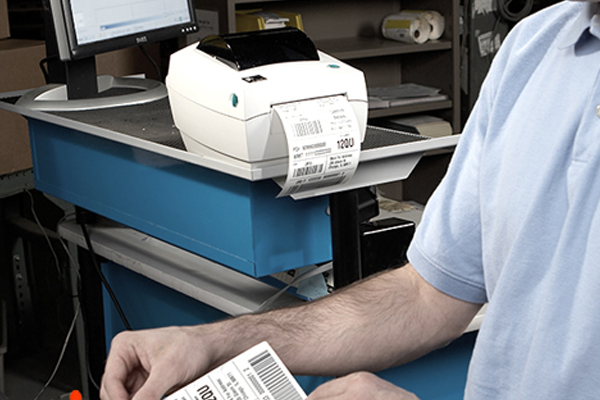
Industrial barcode printers are devices that print labels, barcodes, and tags on paper, decals, and polypropylene, capable of withstanding temperatures from -20°C to 60°C and humidity from 20-80%. They are designed for continuous 24/7 operation in warehouses, factories, and distribution centers. Printing speeds range from 100-300mm/s, with resolutions from 203-600dpi, depending on the model.
Main applications: warehouse management (labeling pallets, boxes), retail (printing price tags, product barcodes), manufacturing (printing component barcodes, serial numbers), logistics (printing shipping labels). Reduces order processing time by 40-60% compared to manual printing.
What are the common types of industrial barcode printers today?
The Vietnamese industrial barcode printer market is divided into 3 main categories: (1) Entry-level 203dpi models (TSC MH261, Zebra ZT230) priced at 15-25 million VND, with speeds of 100-150mm/s, suitable for medium-sized warehouses; (2) Mid-range 300dpi models (TSC MH361, Datamax-O'Neill Performance) priced at 25-40 million VND, with speeds of 150-250mm/s; (3) High-end 600dpi models (Zebra ZT411, Honeywell PM45) priced at 40-50 million VND, with speeds of 250-300mm/s, offering ultra-sharp print quality for premium labels.
Bạn đang tìm sản phẩm cho chủ đề này?
Việt POS phân phối chính hãng — bảo hành 24-36 tháng, hỗ trợ kỹ thuật 24/7.
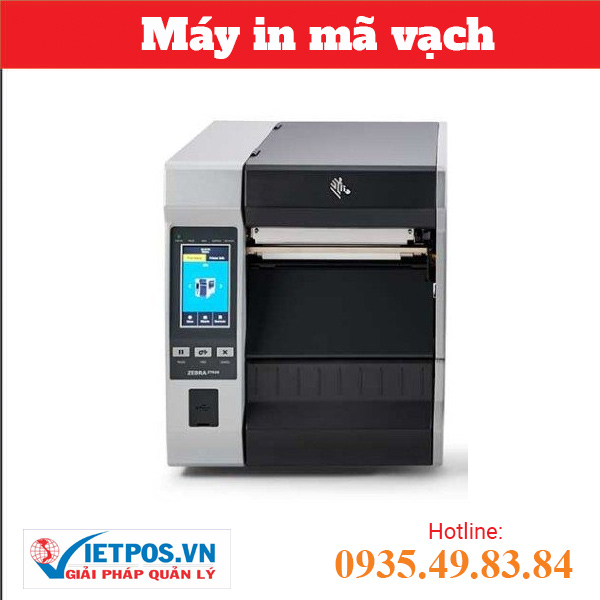
Zebra ZT620 - Industrial Barcode Printer
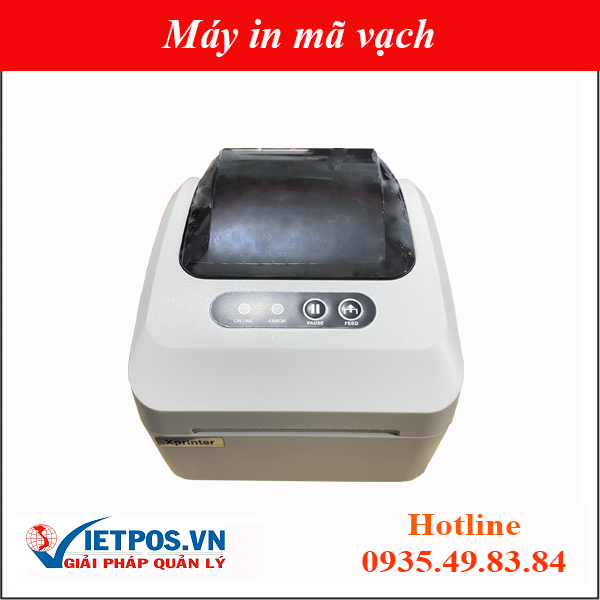
Xprinter XP-350 Plus Barcode Printer (Barcode + Bill Printing)
SKU: XP-350
Performance Series Industrial Barcode Printer
SKU: Performance Series
Zebra 110Xi4 Barcode Printer
SKU: ZEBRA 110XI4Are you looking for products related to this topic?
Việt POS distributes genuine products — 24-36 month warranty, 24/7 technical support.
| Printer Series | Typical Model | Resolution | Print Speed | Estimated Price |
|---|---|---|---|---|
| Entry-level | TSC MH261, Zebra ZT230 | 203dpi | 100-150mm/s | 15-25 million VND |
| Mid-range | TSC MH361, Datamax Performance | 300dpi | 150-250mm/s | 25-40 million VND |
| High-end | Zebra ZT411, Honeywell PM45 | 600dpi | 250-300mm/s | 40-50 million VND |
What are the steps involved in installing an industrial barcode printer?
The standard industrial barcode printer installation process includes 5 steps: (1) Site survey, determining machine placement, power conditions; (2) Infrastructure preparation (table, stable power supply, network connection); (3) Hardware installation, print head calibration; (4) Driver and management software installation; (5) Print quality testing, staff training.
- Free Survey: Việt POS technical team visits the site, measures, determines optimal placement, checks power conditions (stable 220V, sufficient current).
- Infrastructure Preparation: Install machine table, power cables, network cables (Ethernet or USB), connect to existing warehouse management system.
- Installation + Calibration: Install print head, paper/decal roll, calibrate tension, print depth, check sample quality.
- Software Installation: Install printer drivers, management software (Windows/Linux compatible), connect to existing ERP/WMS.
- Training + Warranty: Provide operational and daily maintenance instructions, 12-24 month warranty + 24/7 technical support.
What do industrial barcode printer installation costs include?
Industrial barcode printer installation costs comprise 4 components: (1) Printer price 15-50 million VND (depending on model); (2) Installation + survey fee 2-5 million VND; (3) Software + driver 1-3 million VND; (4) Consumables (paper rolls, decals, ink) 3-8 million VND/year. Total startup cost 20-60 million VND, ROI 6-12 months.
Việt POS provides an all-inclusive installation package: printer + software + training + 12-month warranty, with no hidden fees. Customers only need to prepare power conditions and machine placement space. Financial support: 0% interest installment plan for 12-24 months for businesses in need.
How to choose an industrial barcode printer suitable for Vietnamese business scale?
Choosing an industrial barcode printer depends on 3 criteria: (1) Printing volume/day (under 500 labels → entry-level 203dpi; 500-2000 labels → mid-range 300dpi; over 2000 labels → high-end 600dpi); (2) Required print quality (simple price tags → 203dpi; product labels → 300dpi; 2D barcodes, QR codes → 600dpi); (3) Operating environment (normal warehouse → entry-level; cold storage -20°C → specialized printer; outdoor → waterproof printer).
- Medium retail warehouse (500-1000 labels/day): TSC MH261 or Zebra ZT230 — priced at 15-25 million VND, speed 100-150mm/s, sufficient for daily goods management.
- Distribution center (1000-3000 labels/day): TSC MH361 or Datamax-O'Neill Performance — priced at 25-40 million VND, speed 150-250mm/s, high durability.
- Manufacturing plant (over 3000 labels/day): Zebra ZT411 or Honeywell PM45 — priced at 40-50 million VND, speed 250-300mm/s, ultra-sharp print quality, 24/7 durability.
- Cold storage (-20°C to 5°C): Specialized cold-resistant barcode printer (Zebra ZT411 + moisture-resistant PET decal) — priced at 45-50 million VND.
What are the considerations when installing an industrial barcode printer?
When installing an industrial barcode printer, 5 points need attention: (1) Stable power conditions (220V ±10%, current 5-10A, with power filter); (2) Ambient temperature 5-40°C, humidity 20-80% (avoid excessively hot, humid places); (3) Well-ventilated machine placement, away from water, dust; (4) Stable network connection (Ethernet or USB); (5) Regular maintenance (clean print head, check paper roll, update drivers).
- Power conditions: Use a power filter (UPS) to stabilize voltage, prevent data loss during sudden power outages.
- Temperature + humidity: Place the machine in an air-conditioned room at 18-28°C, 40-60% humidity to ensure stable print quality.
- Machine placement: Place on a sturdy table, away from water, dust, chemicals. Leave 30cm clear space around for ventilation.
- Network connection: Use CAT6 Ethernet cable to connect to the warehouse management system, avoid using USB cables longer than 5m.
- Maintenance: Clean print head weekly with 70% alcohol, check paper roll, update drivers monthly.
Next Steps
Việt POS technical team provides free surveys and consults on selecting industrial barcode printer configurations suitable for warehouse size and daily printing load. Contact hotline 0935 498 384 or refer to:
Need specific equipment/solution consultation?
Việt POS responds within 30 minutes · 4 regional hotlines · Free survey.
Related Products
Related Articles

Cần tư vấn thiết bị/giải pháp cụ thể?
Việt POS phản hồi trong 30 phút · Hotline 4 vùng · Khảo sát miễn phí.
Bài viết cùng chủ đề