Mục lục bài viết (9)
- What is an Asset Lending Locker?
- Why Do Businesses Need Asset Lending Lockers?
- How Does the Automated Borrowing-Returning Process Work?
- How Do Return Deadlines and Overdue Alerts Work?
- Shared Device Inventory Checklist
- Does the Locker Operate When Offline?
- Can a Locker Change Usage Models Without Hardware Replacement?
- How to Centrally Manage Multiple Lockers Across Multiple Branches?
- Glossary of Terms
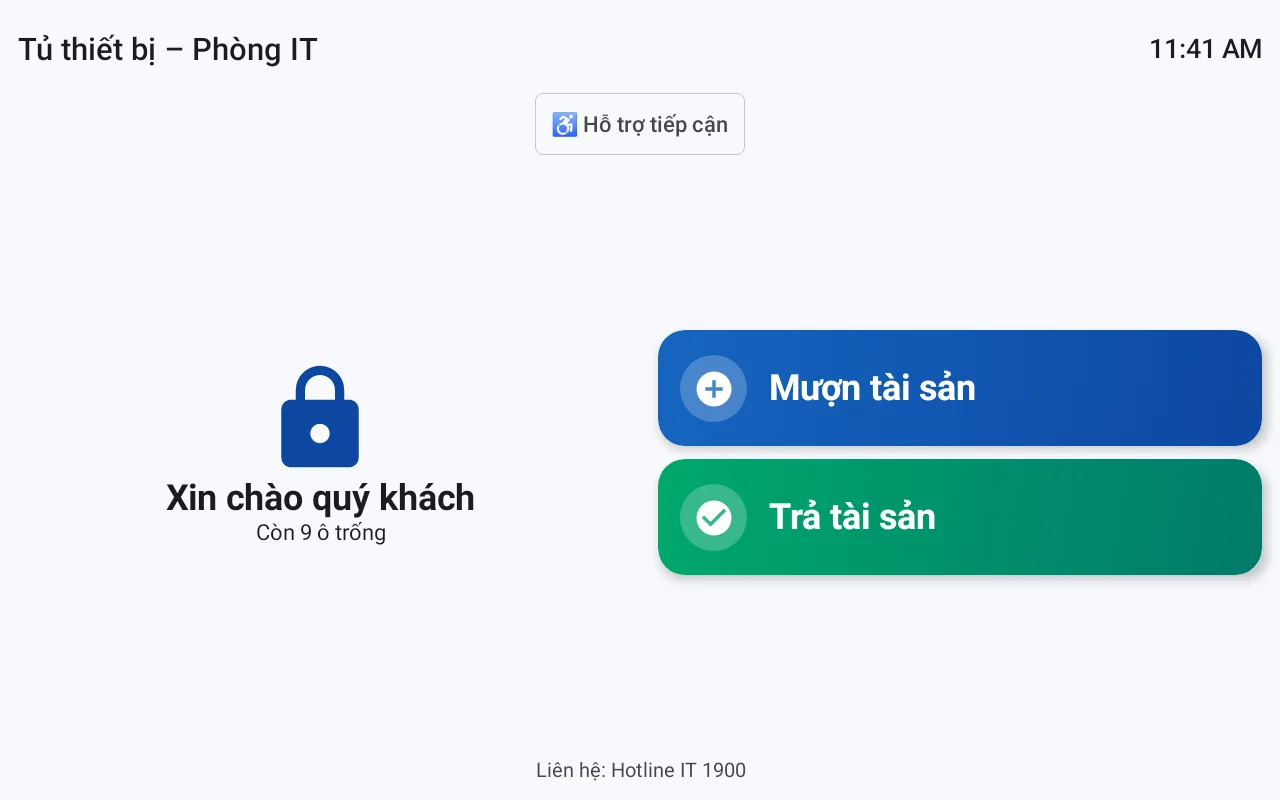
An asset lending locker is a hardware and software solution used to manage shared devices in businesses, schools, hospitals, and logistics. Instead of paper logs or mechanical keys, employees authenticate using facial recognition (original images are not stored, only encrypted characteristics, with consent recorded according to Decree 13/2023/ND-CP) or cards, select the asset to borrow, and the locker compartment automatically opens. The system records the time, borrower, return deadline, and condition upon return, helping eliminate loss or shifting of responsibility.
An asset lending locker is an electronic locker with software control, allowing employees to self-authenticate, select the device to borrow, and the locker automatically opens the compartment. Upon return, the user declares the condition as normal or damaged. The system sets individual return deadlines for each asset, automatically alerts for overdue items, and synchronizes data to a centralized management web, helping businesses accurately control who holds which device.
Table of Contents
- What is an Asset Lending Locker?
- Why Do Businesses Need Asset Lending Lockers?
- How Does the Automated Borrowing-Returning Process Work?
- How Do Return Deadlines and Overdue Alerts Work?
- Shared Device Inventory Checklist
- Does the Locker Operate When Offline?
- Can a Locker Change Usage Models Without Hardware Replacement?
- How to Centrally Manage Multiple Lockers Across Multiple Branches?
- Glossary of Terms
- Common Mistakes in Shared Device Management
- Frequently Asked Questions
What is an Asset Lending Locker?
An asset lending locker is an electronic locker controlled by software, allowing users to self-borrow and return shared devices without direct management by staff. Each transaction is automatically recorded, along with a return deadline and device condition.
Unlike traditional lockers that only use mechanical keys, asset lending lockers integrate control software (e.g., VDT Locker developed by Việt Đức Trí and provided by Việt POS) to help businesses manage centrally, monitor in real-time, and automate reporting.
Why Do Businesses Need Asset Lending Lockers?
Related Solutions
VDT Locker Smart Locker: a locker configurable as a storage locker, employee locker, package delivery locker, asset lending locker, or payment collection locker. See solution and schedule a demo →
Paper-based lending logs are no longer suitable when businesses have many shared devices such as laptops, projectors, barcode scanners, and mobile medical devices. Late returns, damaged returns, and loss frequently occur with no one taking responsibility. Asset lending lockers thoroughly resolve these issues through automation and centralized data.
- Don't know where the device is: Each borrow-return transaction is recorded and instantly traceable.
- Late returns go unreminded: The system sets individual return deadlines and automatically alerts for overdue items.
- Damaged returns with unclear responsibility: The returner must select the condition as normal or damaged, creating evidence.
- Time-consuming manual inventory: The management web displays lists of currently borrowed, overdue, and in-maintenance items, and allows CSV export.
How Does the Automated Borrowing-Returning Process Work?
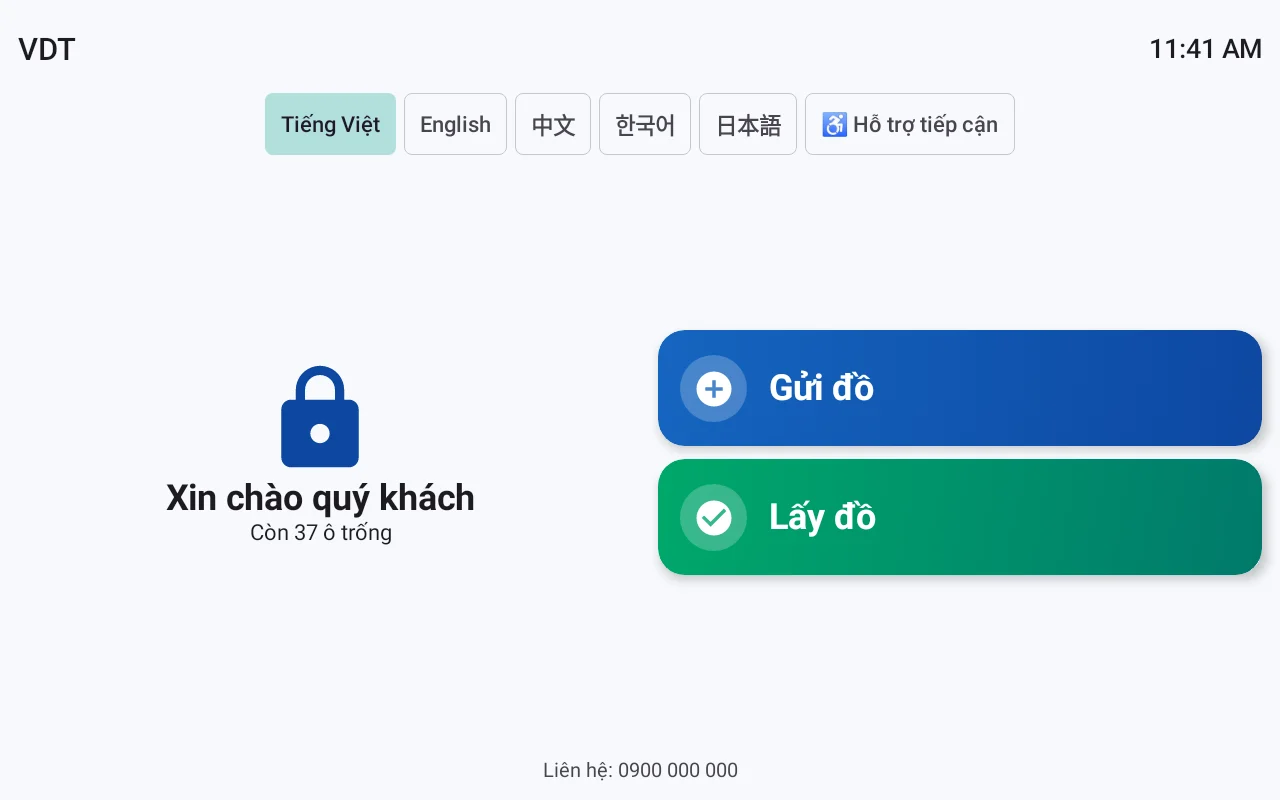
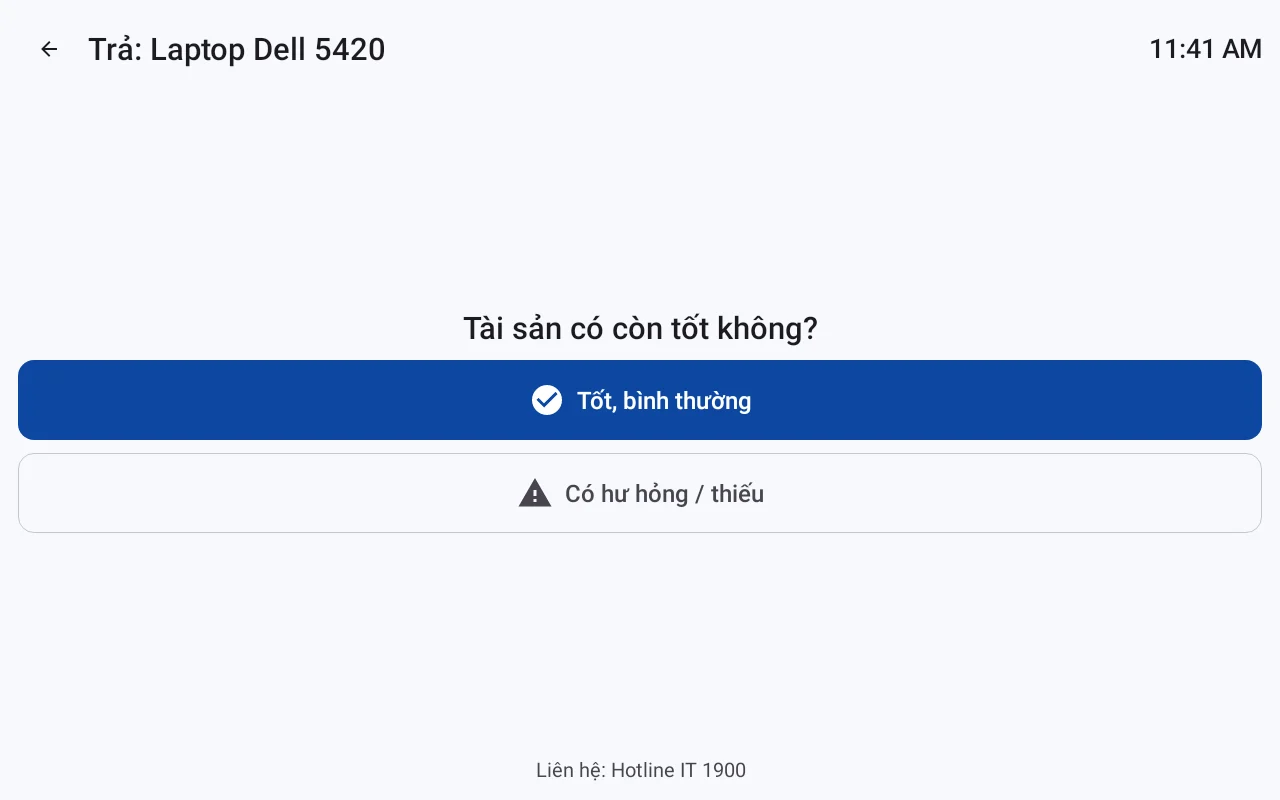
The process consists of three main steps: identity authentication, asset selection, and automatic compartment opening; upon return, the user selects the device's condition. The borrower performs these actions independently, without needing a warehouse staff member to dispense items.
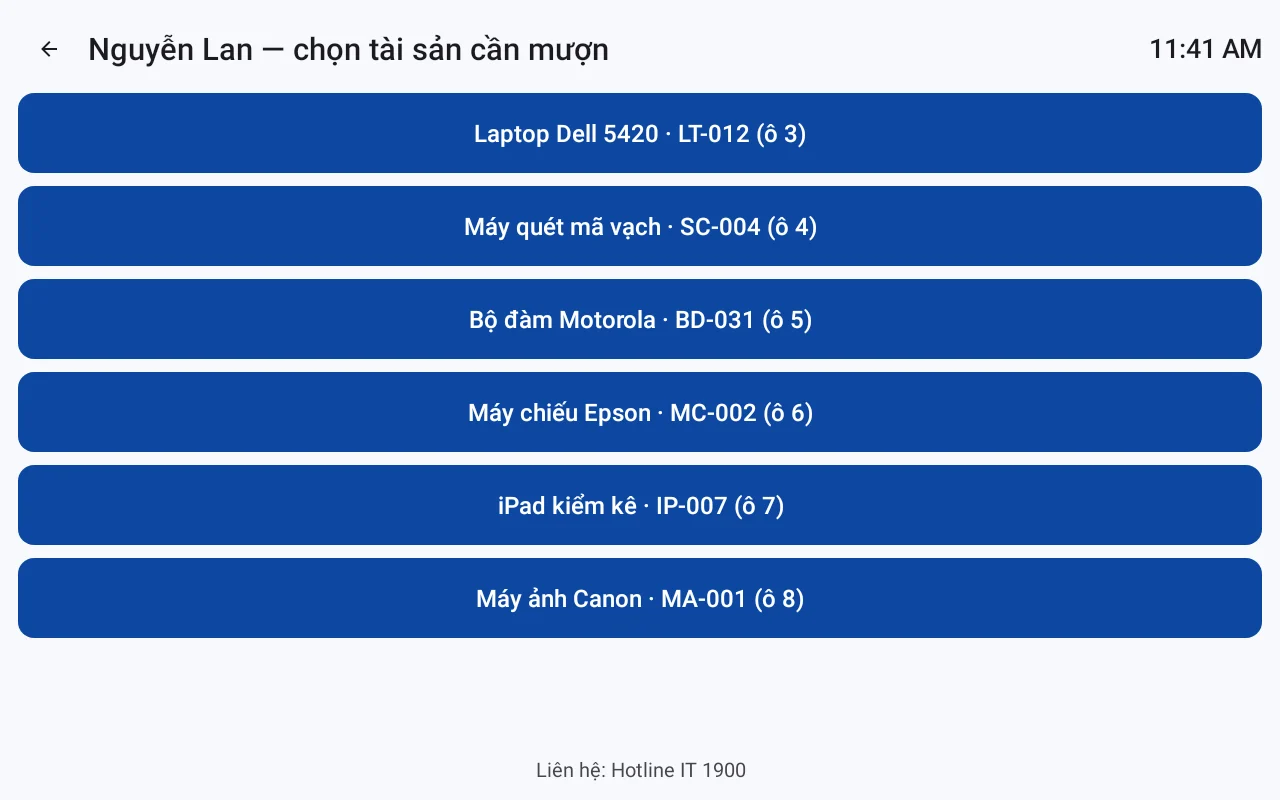
- Authentication: Employees use facial recognition (original images are not stored, only encrypted characteristics, with consent recorded according to Decree 13/2023/ND-CP) or RFID cards. The system verifies against the list of authorized borrowers.
- Asset Selection: The screen displays a list of available devices in the locker. The employee selects the specific item to borrow. The locker automatically opens the compartment containing that device.
- Device Return: Upon return, the employee selects the condition as normal or damaged. If damaged, the system records it and changes the status to maintenance, simultaneously notifying the management department.
Each transaction is fully logged: who borrowed, what was borrowed, when, return deadline, and return condition. Data is displayed on the centralized management web.
How Do Return Deadlines and Overdue Alerts Work?
Each asset can have a specific return deadline (e.g., laptop 7 days, projector 3 days, medical device 1 day). When approaching or past the deadline, the system automatically sends notifications via email, Zalo, or displays them on the management web. Managers can view the overdue list to send reminders.
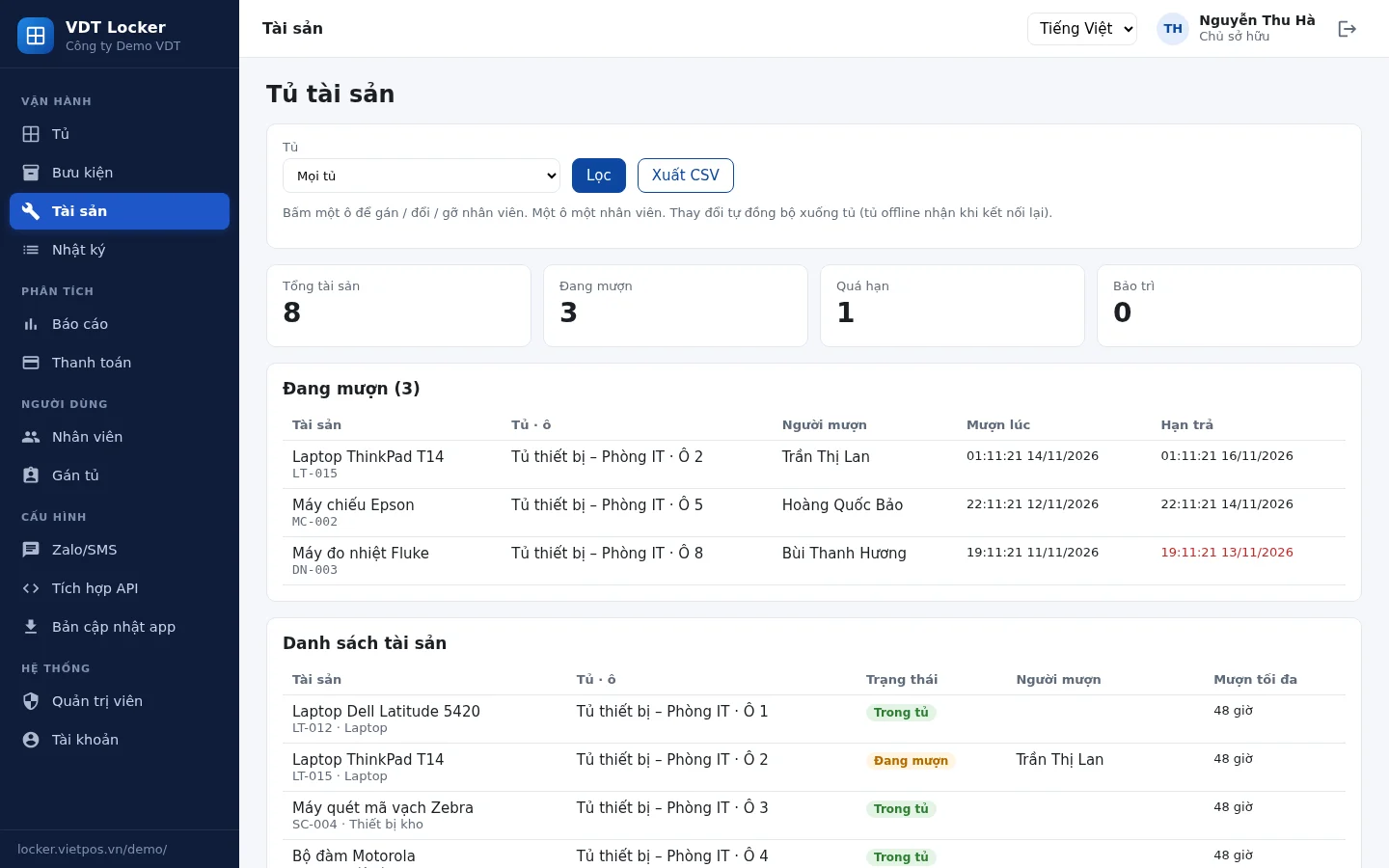
On the management web, the Currently Borrowed section lists all devices currently held, along with the borrower and remaining time. The Overdue section displays devices past their return deadline, sorted by priority. The Maintenance section is for devices undergoing repair. All data can be exported to a CSV file for reporting or import into other systems.
Shared Device Inventory Checklist
Periodic inventory helps detect loss and assess device condition. Below is a 7-step checklist for asset lending lockers.
- 1. Cross-reference the asset list on the management web with the actual items in the locker.
- 2. Check the quantity of each device type (laptops, projectors, scanners, etc.).
- 3. Confirm the operational status of each device (on/off, battery, accompanying accessories).
- 4. Review current borrowing transactions: who holds what, how much time remains until the deadline.
- 5. Check the overdue list and send reminders if necessary.
- 6. Mark damaged devices for maintenance.
- 7. Export a CSV file for archiving and send reports to management.
Does the Locker Operate When Offline?
Yes. Transaction data is stored directly on the locker, independent of internet connectivity. When the network connection is restored, the locker automatically synchronizes data to the management web. This ensures that borrowing and returning continue uninterrupted even if the local network or internet experiences issues.
This is a key differentiator from solutions that rely entirely on the cloud. With Việt POS asset lending lockers, local data storage on the locker ensures stable operation in logistics, hospitals, and schools – where network connectivity may be unstable.
Can a Locker Change Usage Models Without Hardware Replacement?
Yes. The control software allows reconfiguring the locker's purpose through settings, without needing hardware changes. For example, a locker can switch from a device lending model to a personal storage model, or combine both, with just a few clicks on the management web.
This provides businesses with flexibility when needs change, avoiding additional equipment investment. Configuration is done via the web interface, without complex technical intervention.
How to Centrally Manage Multiple Lockers Across Multiple Branches?
The centralized management web allows monitoring all lockers across all branches from a single interface. Each business has its own dedicated URL, with two-factor authentication for security. Administrators can view locker status, transaction history, lists of currently borrowed, overdue, and in-maintenance items, and export CSV reports for individual lockers or the entire system.
For example, a school chain with 5 campuses, each with a tablet lending locker. The board of directors can access the management web to get an overview of usage, immediately identify which devices are overdue at which campus without needing to call each location.
Glossary of Terms
Below are key terms related to asset lending lockers and shared device management.
| Term | Definition | Example |
|---|---|---|
| Asset Lending Locker | An electronic locker with software control, allowing automated borrowing and returning of shared devices | Locker for IT staff to borrow laptops for business trips |
| Authentication | The process of verifying a user's identity before allowing borrowing | Facial scan (original images are not stored, only encrypted characteristics) |
| Return Deadline | The maximum time an asset is allowed to be kept | Laptop: 7 days, projector: 3 days |
| Maintenance | The status of a device undergoing repair or awaiting processing | Barcode scanner is broken, moved to maintenance status |
| Export CSV | Exporting data to a CSV file for reporting | Export overdue list to send to management |
Cần tư vấn thiết bị/giải pháp cụ thể?
Việt POS phản hồi trong 30 phút · Hotline 4 vùng · Khảo sát miễn phí.
Bài viết cùng chủ đề

