Mục lục bài viết (8)
- #What is Tawa PRP 058 Mini and what are its features?
- #How to install Tawa PRP 058 Mini driver on Windows?
- #How to connect Tawa PRP 058 Mini to a POS system?
- #Important notes for daily use of Tawa PRP 058 Mini?
- #How does Tawa PRP 058 Mini compare to other receipt printers?
- #Technical support and warranty for Tawa PRP 058 Mini at Việt POS?
- Related products
- Related articles
Tawa PRP 058 Mini is a thermal receipt printer designed for retail businesses, restaurants, and fashion shops. With its compact size and fast printing capabilities, this device optimizes counter space and speeds up customer service. Việt POS imports and officially distributes the Tawa PRP 058 Mini nationwide, along with technical support and detailed installation guides.
What is Tawa PRP 058 Mini and what are its features?
Tawa PRP 058 Mini is a mini thermal receipt printer, developed by Tawa — a reputable printer brand in Asia. This device boasts a printing speed of 150mm/s, a resolution of 203 DPI, and supports a maximum paper width of 58mm. The printer can operate continuously for 8-10 hours per day without complex maintenance.
Key features of the Tawa PRP 058 Mini include: support for 3 connection ports (USB, LAN, Serial), compatibility with most POS systems, and automatic paper cutting capability. The device consumes low power (approximately 24W), making it suitable for small and medium-sized stores.
How to install Tawa PRP 058 Mini driver on Windows?
Installing the Tawa PRP 058 Mini driver on Windows is very simple and takes only 5-10 minutes. The first step is to download the driver from the Tawa homepage or contact Việt POS to receive the official installation file.
Bạn đang tìm sản phẩm cho chủ đề này?
Việt POS phân phối chính hãng — bảo hành 24-36 tháng, hỗ trợ kỹ thuật 24/7.

TAWA Mini PRP-085BT Bluetooth Bill Printer
SKU: PRP-085BT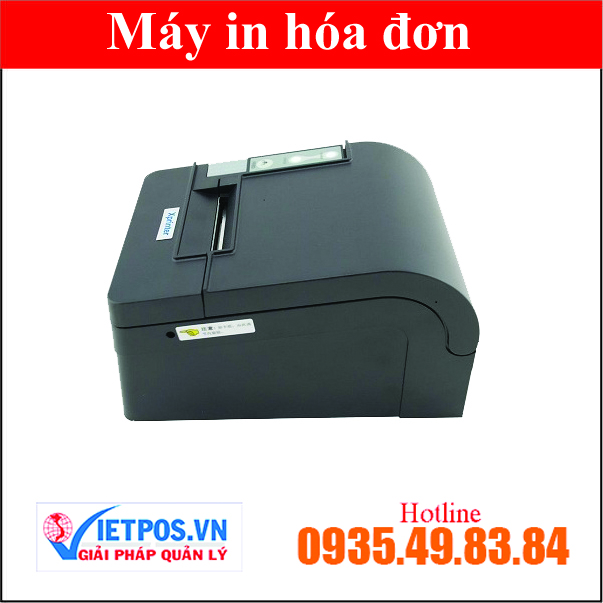
Xprinter T58KC Mini Thermal Printer
SKU: XP-T58KC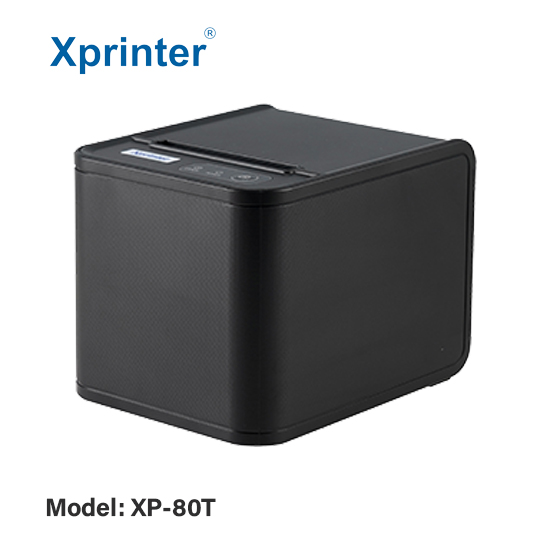
Xprinter XP-80T USB Thermal Printer - Mini Receipt Printer

Mini Receipt Printer PRP085
Are you looking for products for this topic?
Việt POS official distribution — 24-36 month warranty, 24/7 technical support.
Detailed installation process:
- Connect the Tawa PRP 058 Mini printer to the computer via USB or LAN cable
- Download the driver file compatible with your Windows version (32-bit or 64-bit)
- Run the .exe file and follow the on-screen instructions
- Select the connection port (COM port for USB or IP address for LAN)
- Complete the installation and restart your computer
- Check in Devices and Printers to confirm the printer has been recognized
After successful installation, you can print a test page to check print quality and paper alignment.
How to connect Tawa PRP 058 Mini to a POS system?
Connecting the Tawa PRP 058 Mini to a POS system depends on the type of software you are using. Most popular POS software in Vietnam supports this printer via standard ESC/POS drivers.
Basic connection steps:
- Determine the connection port: Check if the printer is connected via USB (COM port) or LAN (IP address)
- Configure in POS software: Go to Settings → Devices → Printer, select Tawa PRP 058 Mini and the corresponding connection port
- Check paper format: Ensure the paper width is configured to 58mm to avoid printing errors
- Test print receipt: Print a test receipt to confirm the connection is working properly
If connection errors occur, check that the driver is correctly installed, the connection cable is not damaged, and the POS software has been updated to the latest version.
Important notes for daily use of Tawa PRP 058 Mini?
To ensure the Tawa PRP 058 Mini operates stably and extends its lifespan, some basic maintenance tips should be followed:
- Clean the print head: Wipe the print head with 70% alcohol weekly to remove dust and excess ink
- Use quality paper: Only use standard 58mm × 40mm thermal receipt paper to avoid paper jams
- Check temperature: Place the printer in a well-ventilated area, away from direct sunlight and high humidity
- Update drivers regularly: Check and update drivers from Việt POS or the supplier to ensure compatibility with new systems
- Do not print continuously for more than 8 hours: Allow the printer to rest for 30 minutes after every 8 hours of printing to prevent overheating
How does Tawa PRP 058 Mini compare to other receipt printers?
The Tawa PRP 058 Mini is in the mini receipt printer segment, competing with other models such as Xprinter XP-F260H, PRP 085, and Xprinter Q80I. The comparison table below helps you understand the advantages of each model:
| Criteria | Tawa PRP 058 Mini | Xprinter XP-F260H | PRP 085 |
|---|---|---|---|
| Print speed | 150mm/s | 150mm/s | 150mm/s |
| Resolution | 203 DPI | 203 DPI | 203 DPI |
| Connection ports | USB, LAN, Serial | USB, LAN | USB, LAN, Serial |
| Size | Compact (smallest) | Medium | Medium |
| Reference price | 2.5-3 million | 2.8-3.2 million | 2.2-2.8 million |
Tawa PRP 058 Mini is best suited for stores with limited space, while PRP 085 is a good choice for businesses requiring high durability. Xprinter XP-F260H is suitable for large restaurants that need continuous printing.
To learn more about comprehensive receipt printing solutions, you can refer to Việt POS's smart retail solution, which provides printers combined with a comprehensive sales management system.
Technical support and warranty for Tawa PRP 058 Mini at Việt POS?
Việt POS provides 24/7 technical support services for all customers using the Tawa PRP 058 Mini. The Việt POS technical team has 6+ years of experience in distributing and deploying receipt printing equipment for Vietnamese businesses.
Support services include: driver installation guides, connection troubleshooting, 12-month warranty for technical defects, and provision of genuine replacement parts. You can contact the main hotline 0935 498 384 or branches in HCM, Da Nang, Can Tho, and Hanoi.
To learn more about warehouse management solutions integrated with printers, please see Việt POS's warehouse management solution.
Need advice on specific equipment/solutions?
Việt POS responds within 30 minutes · 4 regional hotlines · Free survey.
Related products
Related articles

Cần tư vấn thiết bị/giải pháp cụ thể?
Việt POS phản hồi trong 30 phút · Hotline 4 vùng · Khảo sát miễn phí.
Bài viết cùng chủ đề